The best headphones for work depend on whether you need a clear microphone for meetings, quiet for focused listening, or an open design that keeps you aware of your surroundings. These picks range from call-focused headsets to multipoint wireless and wired options, so match the connection and fit to your workday.
Quick Top Products
JLab Go Work Wireless
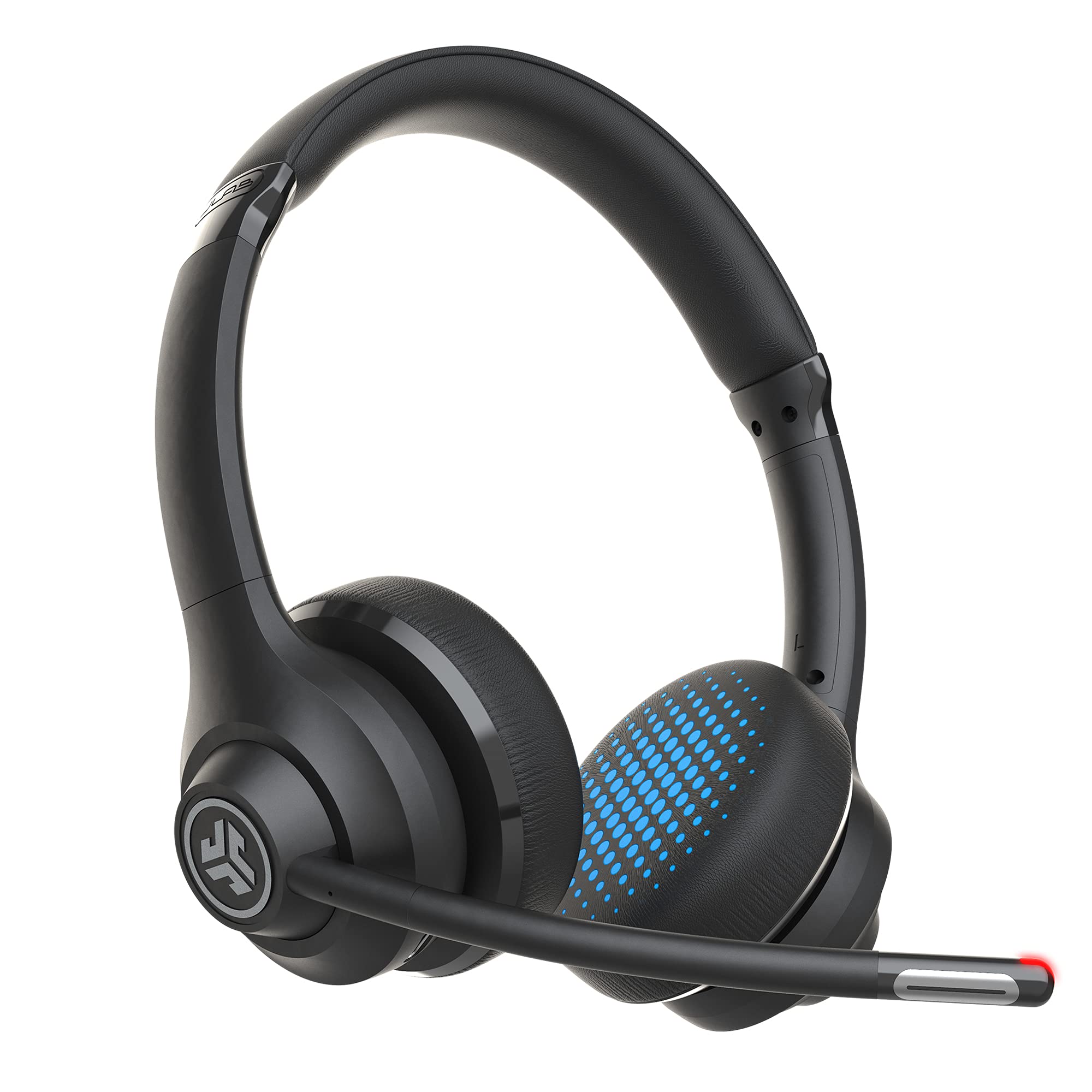
- Dual microphones and a rotating boom support calls and listening.
- Connect two Bluetooth devices simultaneously.
- Includes a USB-C to 3.5 mm cable for wired use.
Best For: Video calls and switching between a laptop and phone.

SHOKZ OpenComm2 2025 Upgrade
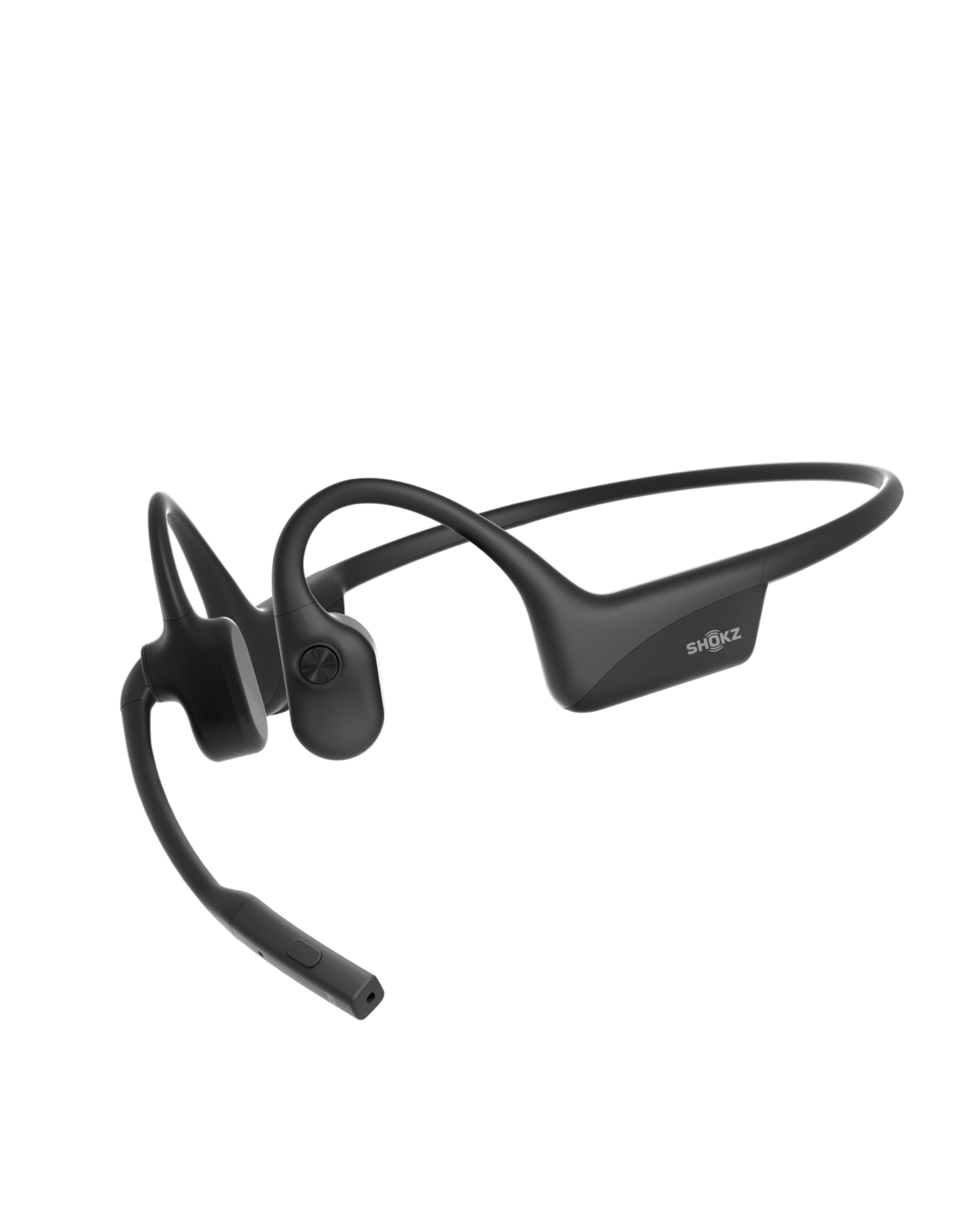
- Open-ear bone-conduction design leaves ears unobstructed.
- Noise-canceling microphone, mute button, and physical controls.
- Multipoint pairing connects two devices.
Best For: People who want an open-ear headset with a boom mic for calls.
TREBLAB Z2
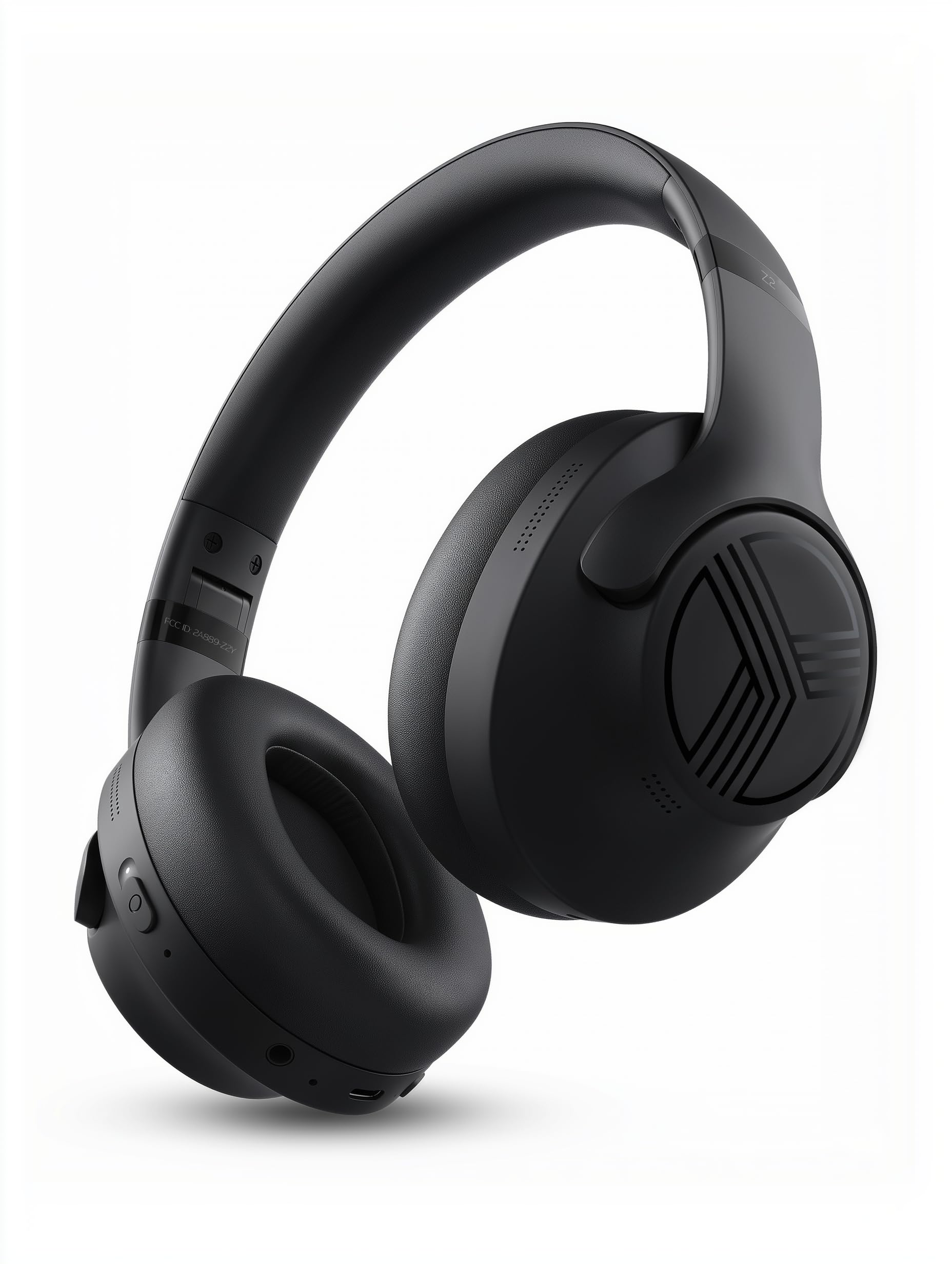
- Hybrid ANC and four microphones address office and ambient noise.
- Bluetooth multipoint connects a phone and laptop at once.
- Up to 58 hours of playtime, plus a 3.5 mm AUX input.
Best For: Workers who want over-ear ANC and multipoint laptop-phone pairing.
JLab JBuds Lux ANC
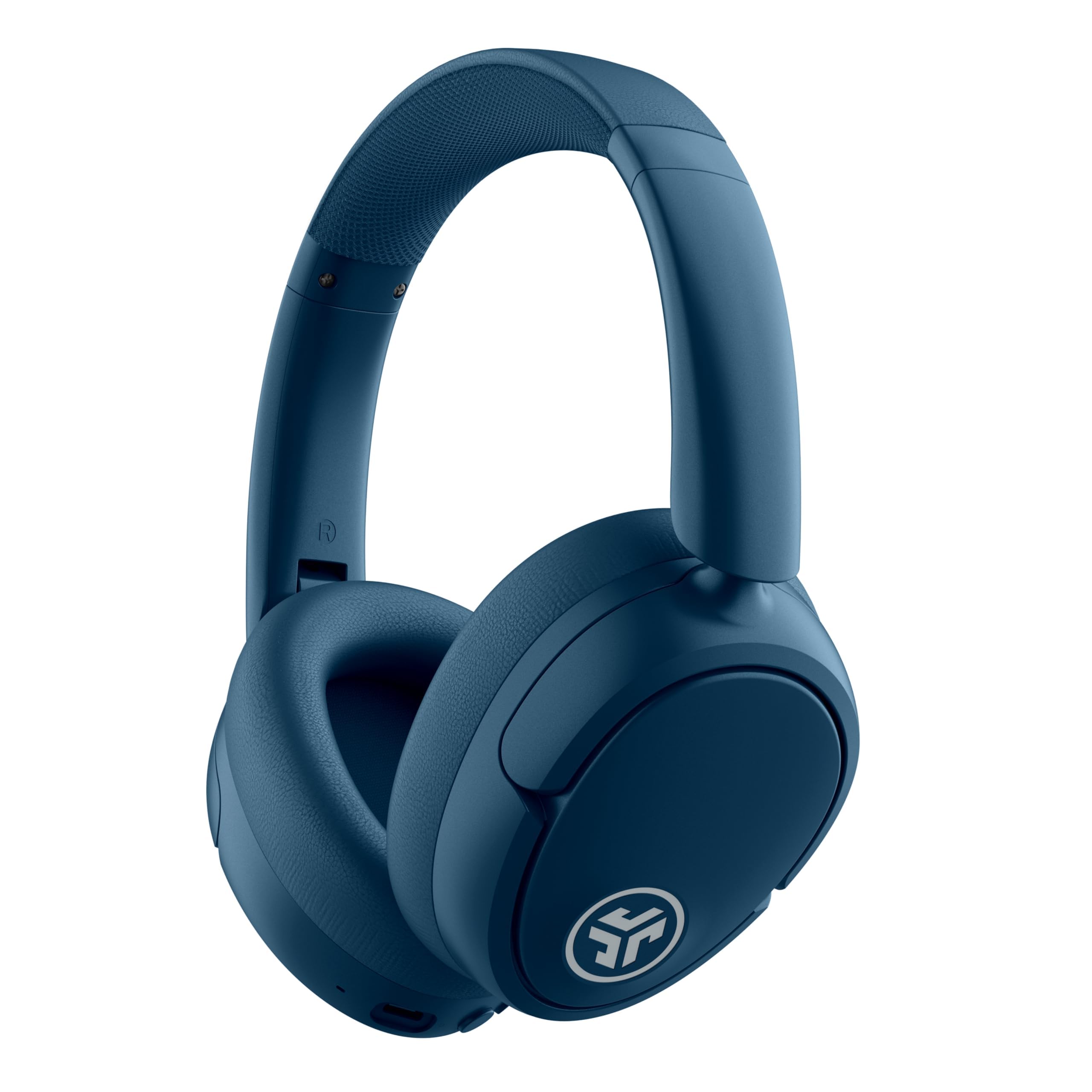
- Hybrid ANC with Be Aware mode for outside sound.
- Multipoint Bluetooth connects two devices.
- Up to 70-plus hours of playtime, or 40-plus with ANC.
Best For: Long listening sessions across a laptop and phone, with adjustable noise control.
SHOKZ OpenRun Pro
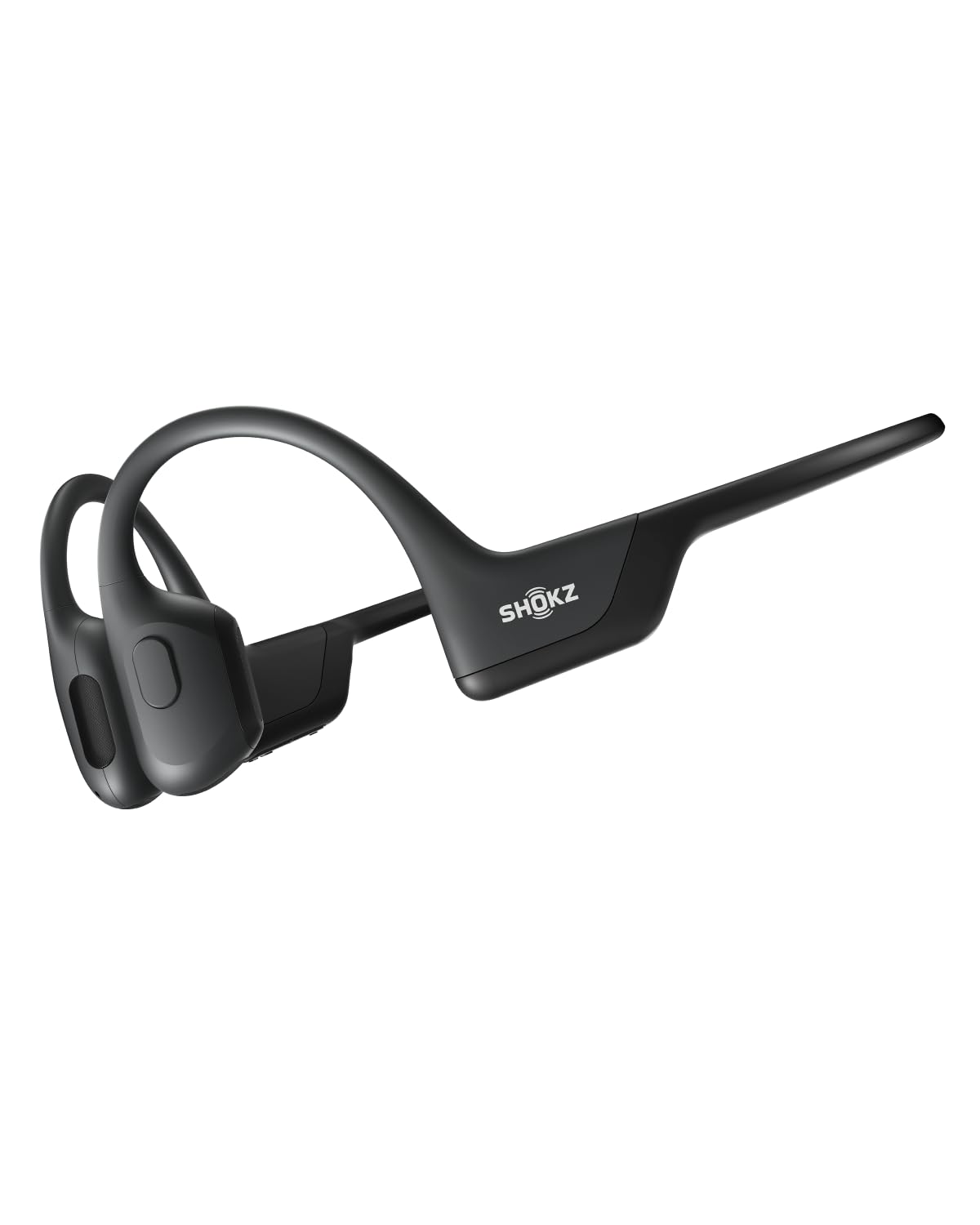
- Bone-conduction, open-ear design with a wraparound titanium frame.
- Up to 10 hours for music and calls.
- Five-minute quick charge provides up to 1.5 hours of battery life.
Best For: Listeners who want open-ear audio for work and calls with a 10-hour battery claim.
SHOKZ OpenMove
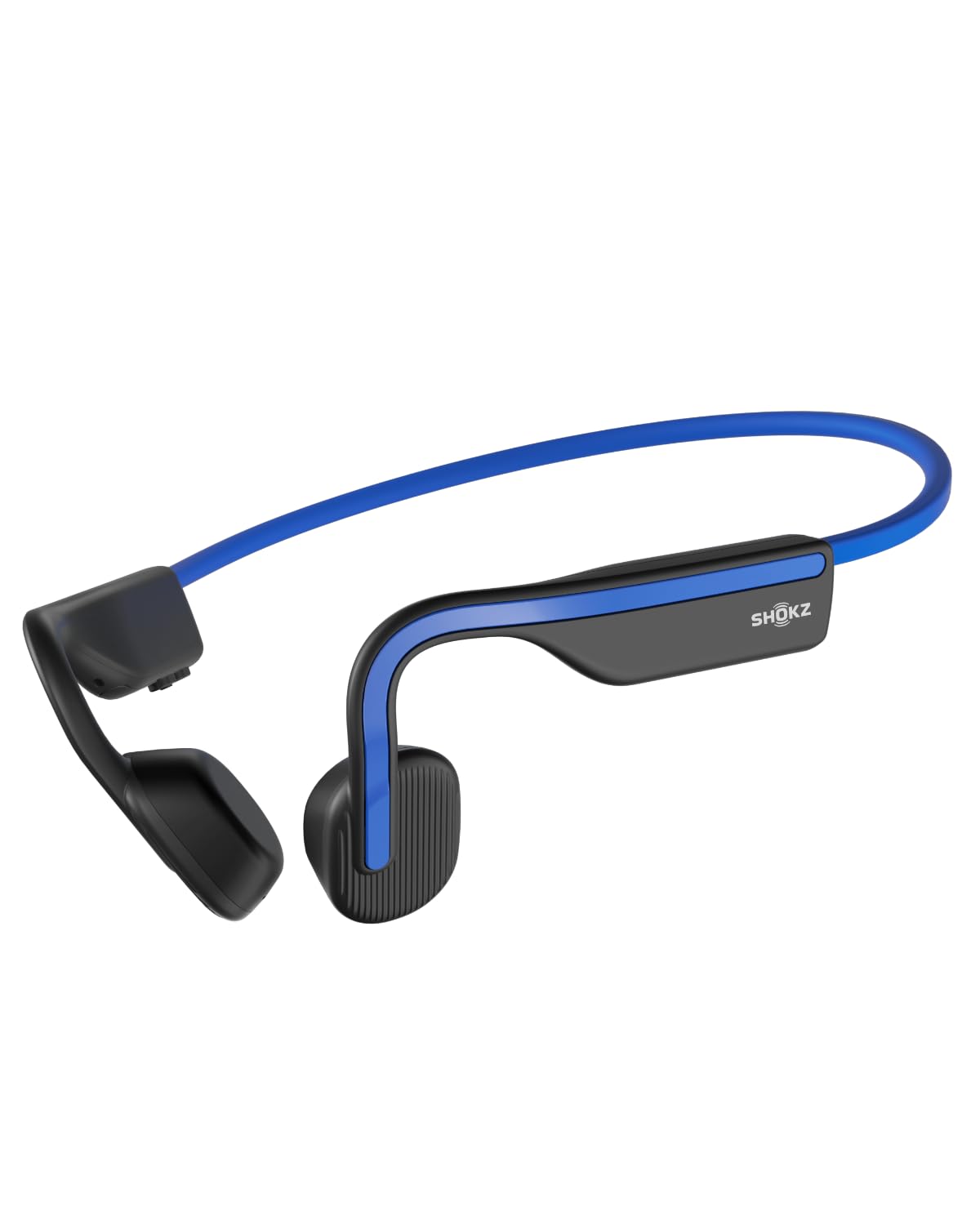
- Open-ear bone-conduction design with a titanium wraparound frame.
- Up to six hours of music, calls, and podcasts per charge.
- Bluetooth compatibility includes Android, iOS, and Windows.
Best For: People who want a straightforward open-ear headset for calls and everyday listening.
JLab Studio Wireless
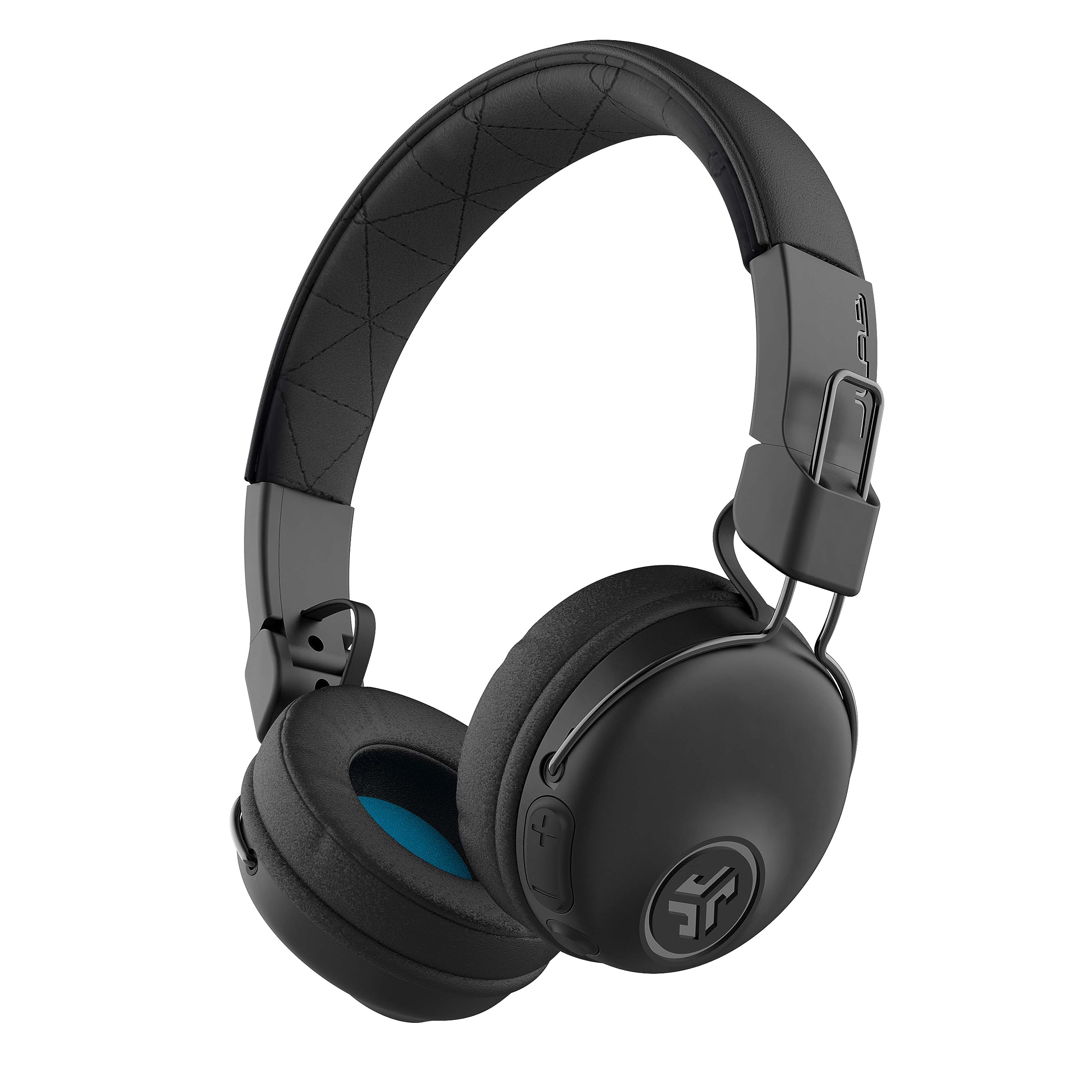
- Bluetooth 5 wireless connection with built-in microphone.
- Three onboard EQ modes for different listening preferences.
- Foldable design and 30-plus hours of stated playtime.
Best For: Commuters who want foldable wireless headphones for work and everyday calls.
JLab Studio Pro Wireless
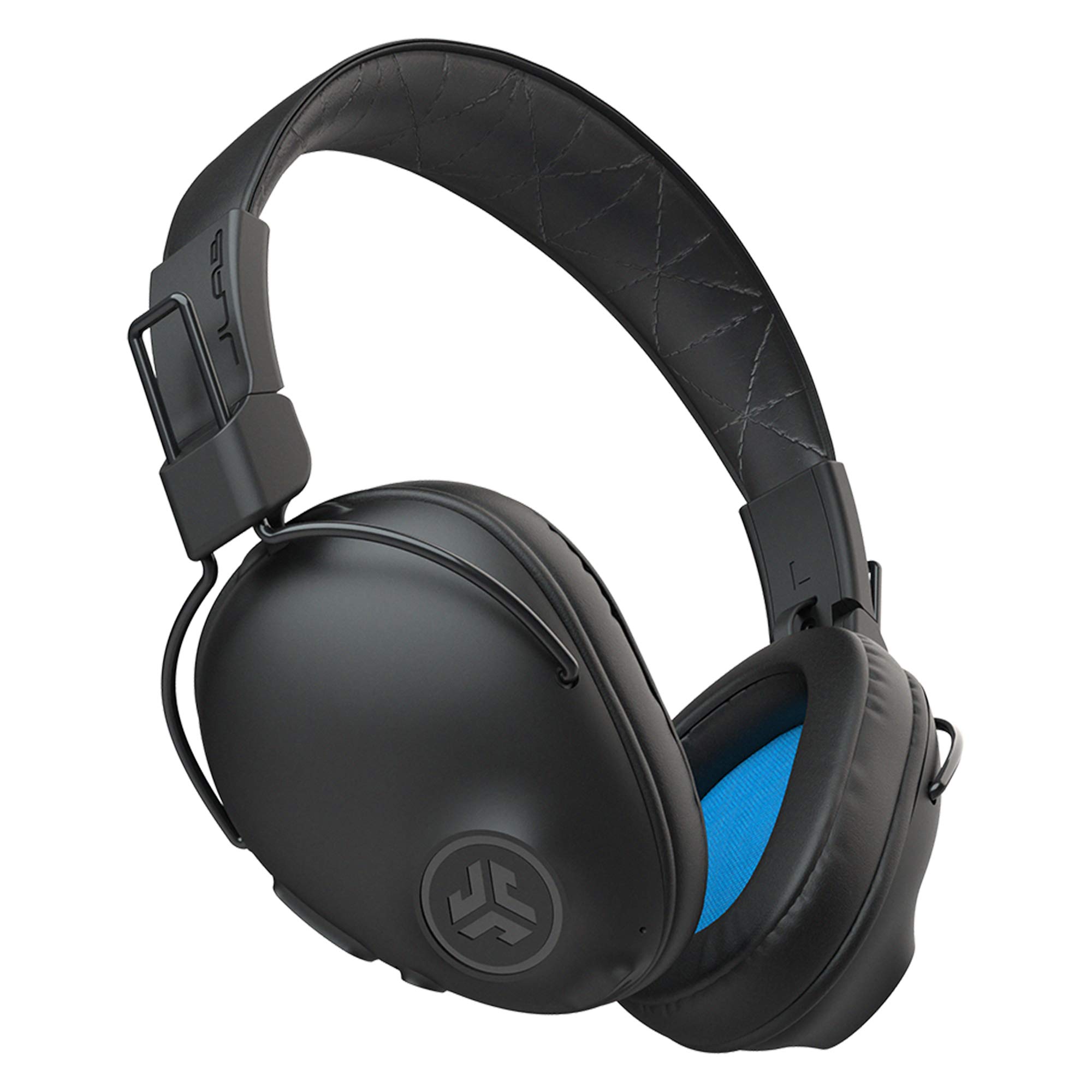
- Over-ear Cloud Foam cushions and foldable design.
- 50-plus hours of stated Bluetooth playtime.
- Three EQ modes and an onboard microphone.
Best For: Listeners who prefer over-ear cushions and long wireless playback for work.
Samson SR350
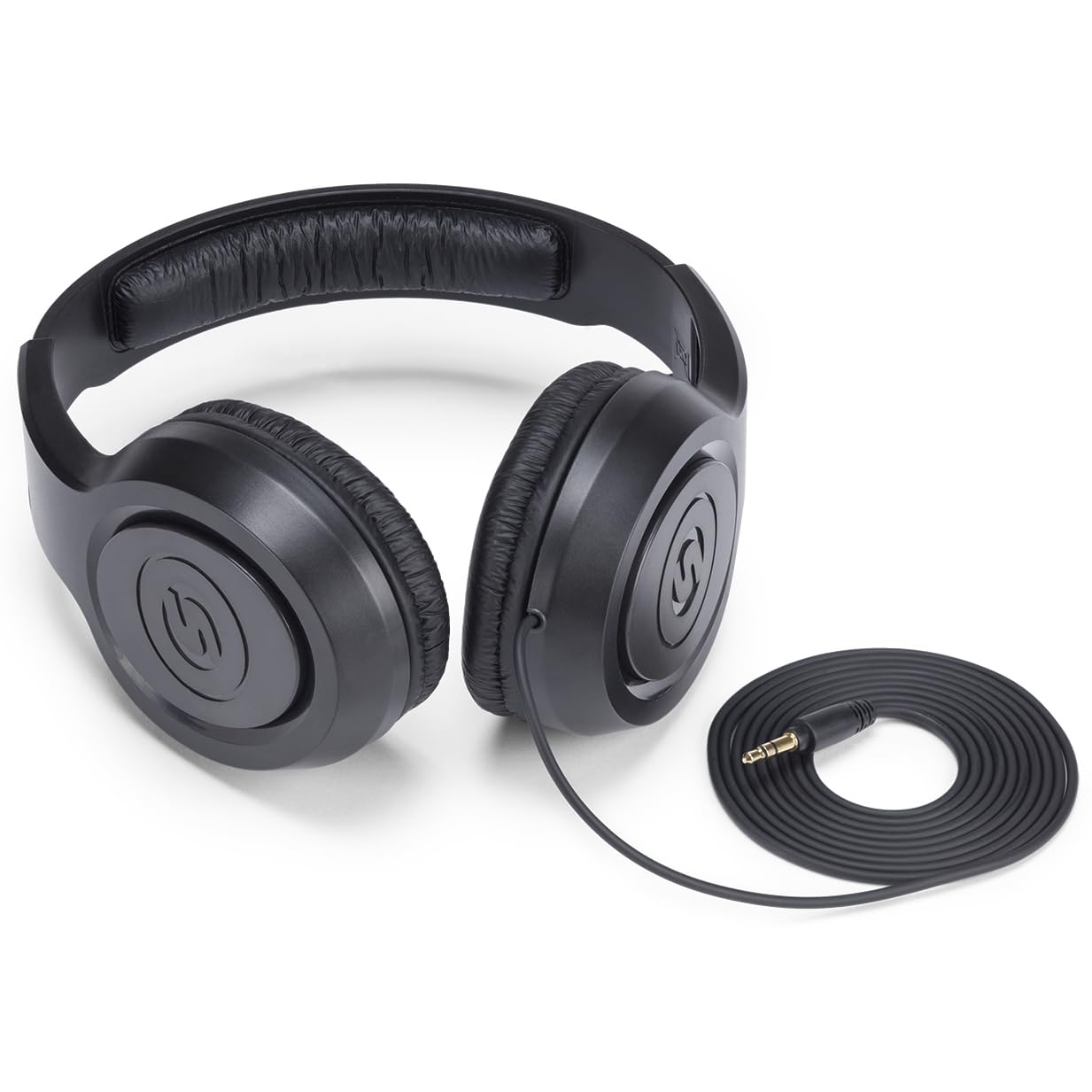
- Closed-back, over-ear design with cushioned earcups.
- Lightweight fit with adjustable headband.
- Designed for recording, practice, and listening.
Best For: A desk setup with a headphone output where wireless features are unnecessary.
JLab Neon Folding On-Ear
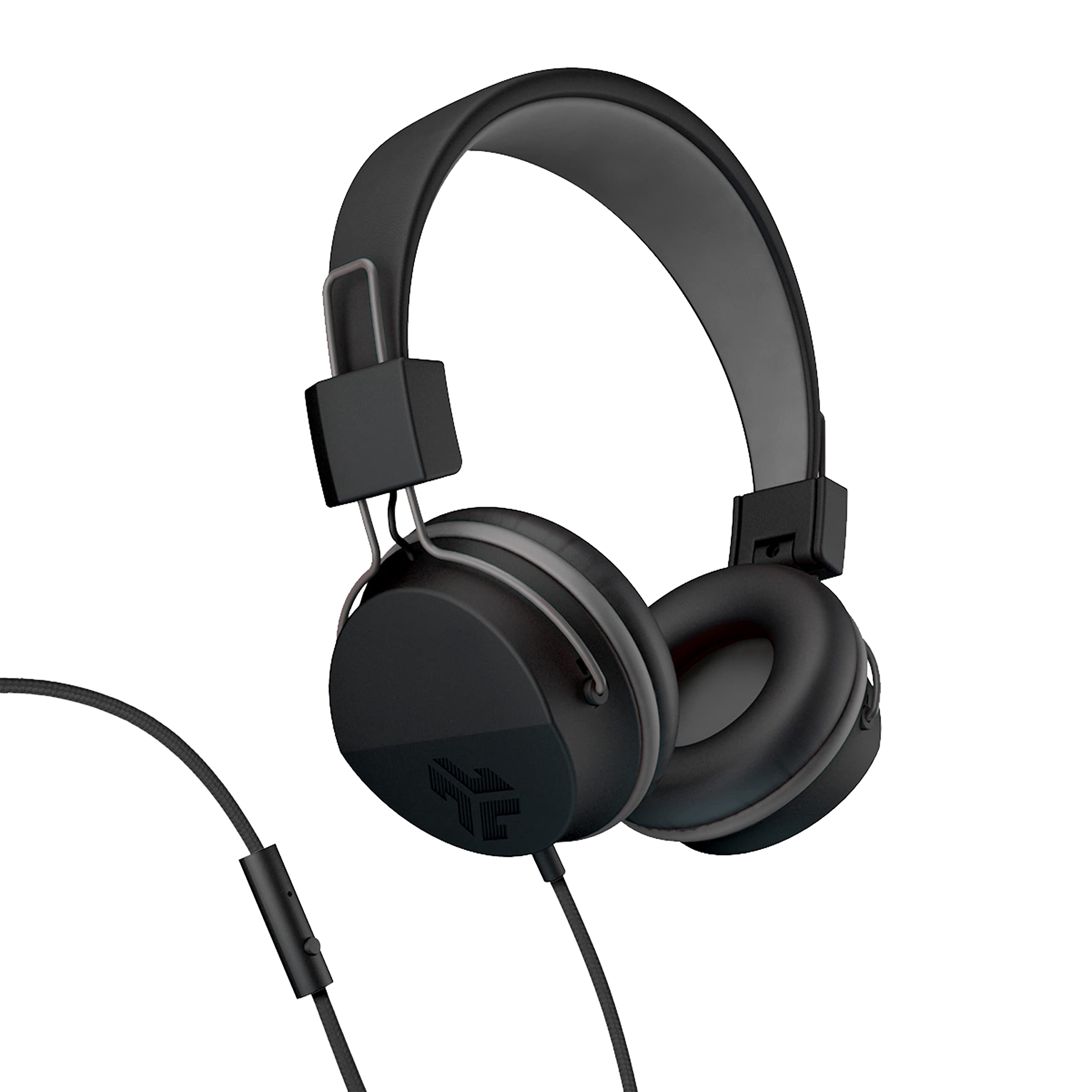
- Wired connection with braided cord and 90-degree jack.
- Inline microphone and controls for calls, tracks, and volume.
- Rotating earcups and folding design for portability.
Best For: A wired work or commute setup that needs an inline microphone and folding headphones.
Dedicated Meeting Controls
JLab Go Work Wireless Headsets with Microphone, 45+ Playtime PC Bluetooth Headset and Multipoint Connect to Laptop Computer and Mobile, Wired or Wireless Headphones (1 Pack)
The JLab Go Work is purpose-built for desk calls, with dual microphones, a rotating boom mic, and a red mute indicator that makes call status visible. Bluetooth multipoint connects two devices at once, while the included USB-C to 3.5 mm cable offers a wired option.
Its Cloud Foam earcups and claimed 45-plus hours of playtime suit long workweeks without frequent charging. On-headset buttons handle calls, volume, mute, and playback, and two EQ modes cover work or music.
Its on-ear fit is a different feel from larger over-ear models, so consider that preference for extended sessions.
Best For: Video calls and switching between a laptop and phone.
| Pros | Cons |
|---|---|
|
|
Choose the Go Work when meetings are central to your day and a physical mute indicator is useful. Its dual-device Bluetooth connection can link a computer and phone, while the boom microphone and wired cable give you two ways to handle calls.
Check whether your computer supports the included cable connection and whether the on-ear fit feels right for long sessions. The 45-plus-hour figure is a playtime claim, so actual time between charges can vary with use.
Open-Ear Calls and Awareness
OpenComm2 2025 Upgrade - Open-Ear Bone Conduction Headphones, Wireless Bluetooth Headset with Noise Canceling Mic & Mute Button for Work Calls and Meetings, 16 Hour Talk Time for Mobile & PC - C120
The SHOKZ OpenComm2 pairs an open-ear bone-conduction design with a noise-canceling microphone and physical mute controls. At 35 grams, it uses a flexible frame with an IP55 water-resistant finish, and it can pair with two devices for switching between a phone and computer.
The listed battery figures distinguish call use from general listening: up to 16 hours of talk time or eight hours of listening per charge. A five-minute quick charge is rated for two hours of talk time.
It suits call-heavy work where hearing the room matters, though its open design does not provide the enclosed feel of over-ear headphones.
Best For: People who want an open-ear headset with a boom mic for calls.
| Pros | Cons |
|---|---|
|
|
This headset is a strong fit for calls when you want to stay aware of people or activity around you. The boom microphone, mute button, and 16-hour talk-time figure are more directly relevant to meetings than music-focused features.
Consider whether bone-conduction audio and its open-ear sound suit your calls, especially in a noisy shared space. Check device support for Bluetooth multipoint and whether you will use the headset primarily for calls or listening, since those battery figures differ.
Noise Reduction and Long Battery Life
TREBLAB Z2 Wireless Over Ear Headphones Bluetooth, Hybrid ANC, 58H | IPX4 Sweatproof, Foldable with Case, Multipoint BT 5.3, Gaming Mode 65ms, 40mm Driver, 2-3H Charge Time
The TREBLAB Z2 combines hybrid active noise cancellation with over-ear cushions, making it a practical option for a busy office or remote-work setup. Its four microphones work with the ANC system, while Bluetooth multipoint connects a laptop and phone without repeated pairing.
The stated battery life is up to 58 hours, and USB-C charging takes two to three hours. A 3.5 mm AUX input provides a wired fallback.
It also folds for carrying and has IPX4 sweat resistance, though the source facts do not specify a dedicated boom microphone or call mute indicator. Those details matter if meetings are your main use.
Best For: Workers who want over-ear ANC and multipoint laptop-phone pairing.
| Pros | Cons |
|---|---|
|
|
Pick the Z2 if your workday combines focused listening with switching between two devices. ANC, over-ear cushions, and the long stated battery life target extended sessions, while AUX offers a wired alternative.
It is less specifically configured for conference calls than headsets with a boom mic and visible mute control. Before buying, confirm your laptop and phone support the desired Bluetooth pairing behavior, and check whether its microphone arrangement meets your meeting needs.
ANC With Extensive App Controls
JLab JBuds Lux ANC, Over Ear Headphones, Active Noise Cancelling, Bluetooth, Limited Edition Navy
The JLab JBuds Lux ANC offers over-ear cushions, hybrid noise cancellation, and Bluetooth multipoint for connecting a laptop and phone together. Its stated playtime reaches 70-plus hours overall, or 40-plus hours with ANC enabled.
Be Aware mode lets outside sound in when you need it, and the JLab app adjusts EQ, ANC levels, and touch controls. The 40 mm drivers support spatial audio formats including Dolby Atmos, Tempest 3D, and Windows Sonic.
A built-in microphone handles calls, but a boom microphone and a physical mute indicator are not specified, so frequent meeting users may prefer a call-focused headset.
Best For: Long listening sessions across a laptop and phone, with adjustable noise control.
| Pros | Cons |
|---|---|
|
|
The JBuds Lux ANC is suited to work that mixes solo focus, music, and occasional calls. Its Be Aware mode and app adjustments provide more listening control than a basic wireless headset, and multipoint helps keep a phone and computer connected.
The built-in mic supports calls, but people who need clear, frequent meeting controls should compare it with the Go Work or OpenComm2. Check that touch controls fit your preferences and avoid assuming water resistance for use around spills.
Open-Ear Headphones With Longer Listening Time
SHOKZ OpenRun Pro-Bone Conduction Headphones, Open-Ear Bluetooth Wireless Sport Headphones for Running and Workout, Sweat Resistant, Long Battery Life, Premium Deep Bass, Mic,with Hair Band, Black
The SHOKZ OpenRun Pro uses bone conduction and a wraparound titanium frame to keep the ears open during listening. Its stated battery life is up to 10 hours for music and calls, with a five-minute quick charge rated for up to 1.5 hours of use.
The design avoids in-ear buds and over-ear cups, which can be useful when you want to remain aware of your surroundings at work. It includes a microphone, but specific call controls and multipoint pairing are not described here.
Since open-ear headphones do not enclose the ears, they are a less natural fit for blocking nearby conversations or office noise.
Best For: Listeners who want open-ear audio for work and calls with a 10-hour battery claim.
| Pros | Cons |
|---|---|
|
|
Choose the OpenRun Pro when open-ear comfort and environmental awareness matter more than quiet isolation. The built-in mic and 10-hour stated battery life make it usable for work calls and listening, but the available details do not establish multipoint pairing or a dedicated mute control.
If you regularly switch between a computer and phone, confirm the connection options before buying. For noisy rooms, compare an ANC model or a headset with a more explicitly call-focused microphone.
Open-Ear Listening for Shorter Sessions
SHOKZ OpenMove - Open-Ear Bluetooth Sport Headphones, Bone Conduction Wireless Earphones, Sweatproof for Running and Workouts, with Sticker Pack(Blue)
The SHOKZ OpenMove is a bone-conduction headset with a titanium wraparound frame and an open-ear fit. It is rated for up to six hours of music, calls, and podcasts per charge, which can suit shorter work blocks or a commute but may call for midday charging during longer days.
It pairs with Android, iOS, Windows, and other Bluetooth devices, and includes a USB-C cable. The open design helps keep you aware of your surroundings, while its stated balanced audio and built-in microphone cover general listening and conversations.
Noise cancellation and multipoint pairing are not specified, so check those needs before choosing it for an office setup.
Best For: People who want a straightforward open-ear headset for calls and everyday listening.
| Pros | Cons |
|---|---|
|
|
The OpenMove works for people who favor an unobstructed ear and need a simple Bluetooth option for general calls and listening. Its six-hour battery rating is shorter than the OpenRun Pro's 10 hours and far below the over-ear wireless picks, so match it to your daily schedule.
For work across a laptop and phone, confirm whether a single connection is sufficient; multipoint is not specified. If blocking office noise is important, consider an ANC over-ear design instead.
Portable Wireless On-Ear Design
JLab, Studio, Wireless On-Ear Headphones, Bluetooth, Foldable, Built-in Mic, Black
The JLab Studio Wireless is a foldable on-ear model with Bluetooth 5, an integrated microphone, and three EQ presets: Signature, Balanced, and Bass Boost. Its stated playtime is 30-plus hours, and the Cloud Foam earcups and faux-leather headband are designed for longer listening sessions.
Bluetooth compatibility covers iOS, Android, and PC. It does not list ANC or multipoint pairing, so it is best considered a straightforward wireless listening option rather than a specialized meeting headset.
The on-ear fit is also more compact than over-ear alternatives, but comfort depends on personal preference during all-day wear.
Best For: Commuters who want foldable wireless headphones for work and everyday calls.
| Pros | Cons |
|---|---|
|
|
Select the Studio Wireless for everyday listening and occasional hands-free calls when portability and simple controls matter. Its foldable frame and 30-plus-hour battery claim suit commuting between work locations.
It lacks the call-specific details of the Go Work, including a boom mic and visible mute indicator, and ANC is not specified. Check whether your work requires two-device switching or a way to reduce surrounding noise before settling on this more general-purpose design.
Over-Ear Fit With Onboard EQ
JLab, Studio Pro, Wireless Over Ear Headphones, Bluetooth 5, EQ3 Sound, Foldable, Black
The JLab Studio Pro Wireless pairs an over-ear fit with 50-plus hours of stated playtime and foldable construction. Three EQ modes—Signature, Balanced, and Bass Boost—are available directly on the earcup, so you can change sound without opening an app.
It uses Bluetooth 5 and supports iOS, Android, and PC, with a built-in microphone for calls. ANC and multipoint pairing are not specified.
That makes it a better match for general work listening than for a noisy office or a meeting-heavy role where call controls and device switching are priorities.
Best For: Listeners who prefer over-ear cushions and long wireless playback for work.
| Pros | Cons |
|---|---|
|
|
Choose the Studio Pro if you want over-ear cushions and long wireless listening time without needing elaborate call features. It offers more ear coverage than the on-ear Studio Wireless and Go Work, while keeping EQ controls on the headset.
For remote meetings, check whether its built-in mic and call controls are adequate for your setup. If your office is noisy or you move often between laptop and phone, compare ANC and multipoint options before buying.
Simple Wired Over-Ear Listening
Samson SR350 Over-Ear Stereo Headphones
The Samson SR350 is a lightweight, wired over-ear headphone with a closed-back design and cushioned earcups. Its adjustable headband and wide ear cushions support a traditional full-size fit, while the product is positioned for music recording, practice, and listening.
The available facts do not specify a microphone, inline controls, cable length, or a wireless connection, so it is best treated as a basic listening option rather than a complete work-call headset. If you already have a separate microphone and prefer a direct wired connection, its simple design may fit a desk setup.
Confirm the connector and cable details for your equipment before purchase.
Best For: A desk setup with a headphone output where wireless features are unnecessary.
| Pros | Cons |
|---|---|
|
|
The SR350 is a reasonable choice for work listening if you have a separate microphone and a compatible headphone output. Its closed-back over-ear design differs from open-ear choices and can provide a more enclosed listening experience, though noise cancellation is not specified.
Check the connector and cable length against your desk arrangement, and plan for another device or microphone if meetings are part of your routine. Choose a wireless headset if freedom to move or device switching matters.
Compact Wired Headphones With Inline Controls
JLab Neon Folding On-Ear Headphones, Black, Wired Headphones, Tangle Free Cord, Noise Isolation, 40mm Neodymium Drivers, C3 Sound (Crystal Clear Clarity)
The JLab Neon Folding On-Ear uses a wired connection, a braided nylon cord, and a 90-degree jack. Its inline microphone and controls support calls, track changes, and volume adjustments, while the circular earcups rotate and fold for carrying.
A lightweight adjustable headband and plush cushions are designed for extended listening. Since it is wired, it does not require Bluetooth pairing or battery charging, but your work device needs a compatible headphone connection.
The source details do not specify ANC or device multipoint. Its on-ear design is compact, though those who prefer an over-ear fit should consider a larger model.
Best For: A wired work or commute setup that needs an inline microphone and folding headphones.
| Pros | Cons |
|---|---|
|
|
Pick the Neon Folding if you want a simple wired headset with call and playback controls, and your computer or phone has a compatible jack. It avoids battery management and folds more compactly than over-ear options.
The tradeoff is the cable: it limits movement and may not connect directly to devices without a compatible headphone port. For frequent meetings, confirm the inline mic works with your device, and compare a dedicated headset if you need an obvious mute control.
How to Choose Headphones For Work
How We Picked Headphones for Work
We prioritized products with features that map to common work needs: call microphones and mute controls, multipoint pairing for a computer and phone, noise reduction for focused listening, and open-ear designs for people who need to stay aware of nearby activity. We also considered battery claims, wired alternatives, and fit style so the selection covers desk calls, home offices, shared spaces, and commuting.
The JLab Go Work and SHOKZ OpenComm2 stand out for meeting-oriented controls. The TREBLAB Z2 and JLab JBuds Lux ANC add noise reduction, while the open-ear SHOKZ options suit listeners who want to hear their surroundings.
General listening models fill out wired and wireless choices for simpler setups.
Comparing Headphones for Work
Start with how you use calls. The Go Work has a rotating boom mic and a red mute indicator, while OpenComm2 pairs an open-ear fit with a noise-canceling microphone and physical mute button.
Other models have built-in microphones, but their details do not establish the same dedicated call controls.
For device switching, the Go Work, OpenComm2, TREBLAB Z2, and JBuds Lux ANC specify multipoint connections. If your workday centers on one computer, a wired model such as the Samson SR350 or JLab Neon can avoid charging and pairing, subject to connector compatibility.
| Product | Standout features | Best for |
|---|---|---|
| JLab Go Work WirelessCheck Price |
| Video calls and switching between a laptop and phone. |
| SHOKZ OpenComm2 2025 UpgradeCheck Price |
| People who want an open-ear headset with a boom mic for calls. |
| TREBLAB Z2Check Price |
| Workers who want over-ear ANC and multipoint laptop-phone pairing. |
| JLab JBuds Lux ANCCheck Price |
| Long listening sessions across a laptop and phone, with adjustable noise control. |
| SHOKZ OpenRun ProCheck Price |
| Listeners who want open-ear audio for work and calls with a 10-hour battery claim. |
| SHOKZ OpenMoveCheck Price |
| People who want a straightforward open-ear headset for calls and everyday listening. |
| JLab Studio WirelessCheck Price |
| Commuters who want foldable wireless headphones for work and everyday calls. |
| JLab Studio Pro WirelessCheck Price |
| Listeners who prefer over-ear cushions and long wireless playback for work. |
| Samson SR350Check Price |
| A desk setup with a headphone output where wireless features are unnecessary. |
| JLab Neon Folding On-EarCheck Price |
| A wired work or commute setup that needs an inline microphone and folding headphones. |
Choosing ANC or Open-Ear Work Headphones
Active noise cancellation can help manage distractions during solo work. The TREBLAB Z2 combines hybrid ANC with over-ear cushions, while the JBuds Lux ANC adds a Be Aware mode and app adjustments.
These features do not remove the need to check how your office sounds and whether you need to hear colleagues or alerts.
Open-ear designs such as OpenComm2, OpenRun Pro, and OpenMove leave the ears unobstructed. That can suit shared work areas where environmental awareness matters, but it is a poor match when your main goal is reducing nearby conversation.
Consider whether calls happen in a quiet room, at a shared desk, or while moving between tasks.
Fit, Battery, and Connection for a Workday
Over-ear headphones provide more coverage around the ears, while on-ear models sit on them and open-ear headsets leave them uncovered. Comfort is personal, so consider whether you prefer the Go Work's on-ear pads, the Studio Pro's over-ear cushions, or an open-ear frame for long sessions.
Folding designs such as the JLab Studio Wireless and Neon are easier to pack between locations.
Compare battery figures by use: OpenComm2 distinguishes talk time from listening time, and JBuds Lux gives separate figures with ANC on and overall. Wired choices avoid battery charging but require a compatible port; wireless models need suitable Bluetooth support.
When a product does not specify multipoint or a dedicated mute control, check those details if they are essential to your meetings.
Who Should Buy Which Work Headphones?
Choose the JLab Go Work for visible mute status, a boom mic, and two-device pairing. Consider SHOKZ OpenComm2 if you want open-ear awareness with a call-focused microphone and mute button.
For a more enclosed listening setup with ANC, compare the TREBLAB Z2 and JLab JBuds Lux ANC, paying attention to their different call-control details.
The SHOKZ OpenRun Pro and OpenMove fit listeners who want open-ear audio for general work listening, while the JLab Studio Pro suits someone who prefers over-ear cushions and long wireless playback. Choose the Samson SR350 or JLab Neon when a wired connection fits your desk and you have confirmed device compatibility.