The best power strips for office use balance outlet access, charging needs, and cord placement around your desk. Choose a compact hub for a crowded workstation, a surge-protected tower for mixed equipment, or smart outlets when schedules and energy tracking matter.
Quick Top Products
Tapo P316M Smart Wi-Fi Power Strip
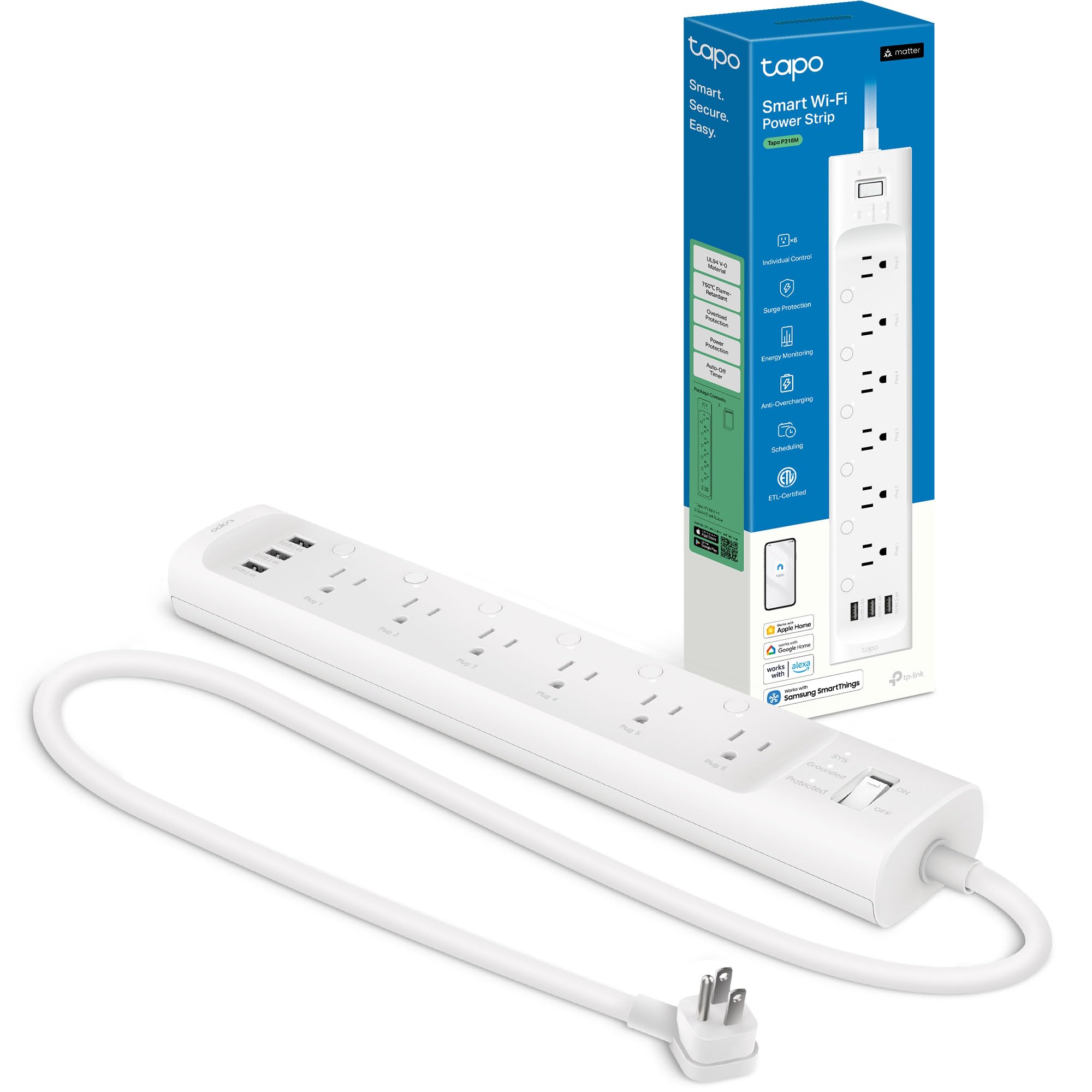
- Six individually controlled AC outlets and three always-on USB ports
- Per-outlet energy monitoring, schedules, timers, and remote control
- Matter support and a 37-inch cord with flush-fitting plug
Best For: Office users who want individual outlet control, schedules, and per-outlet energy monitoring.

BESTEK 8-Outlet Tower with Qi Charger
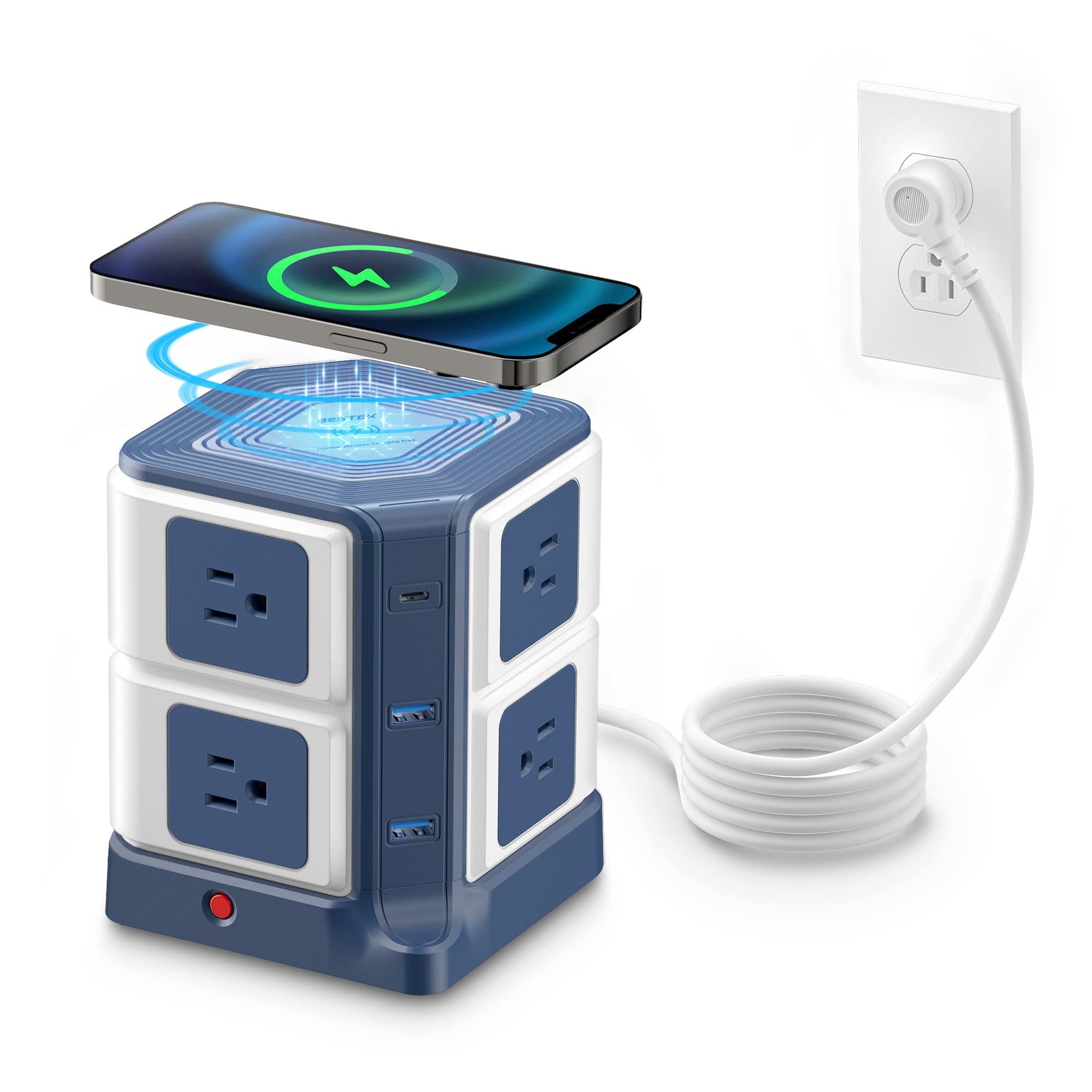
- Eight AC outlets, two USB ports, one USB-C port, and Qi wireless charging
- 20W maximum USB-C output and 10W wireless charging
- 4,000-joule surge protection with a six-foot cord
Best For: Workstations that need many AC sockets alongside wireless and wired device charging.
BESTEK PD20W Mountable Power Strip Tower
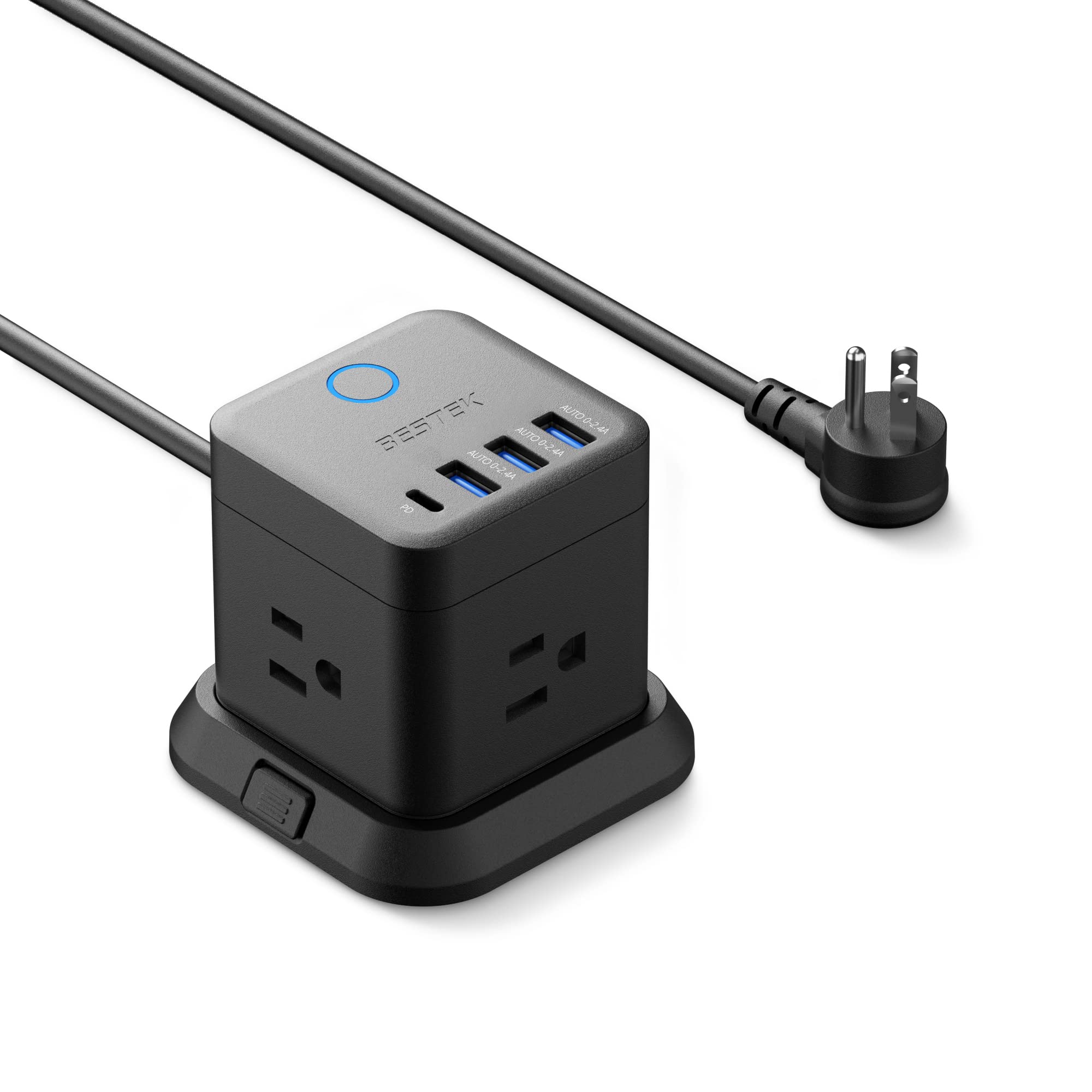
- Three AC outlets, three USB-A ports, and one USB-C PD port up to 20W
- Mountable detachable base with screws or adhesive
- Five-foot cord and 45-degree flat plug
Best For: Desks with limited surface space that need a compact outlet hub and USB-C charging.
BESTEK 7-Outlet Wall Tap with USB
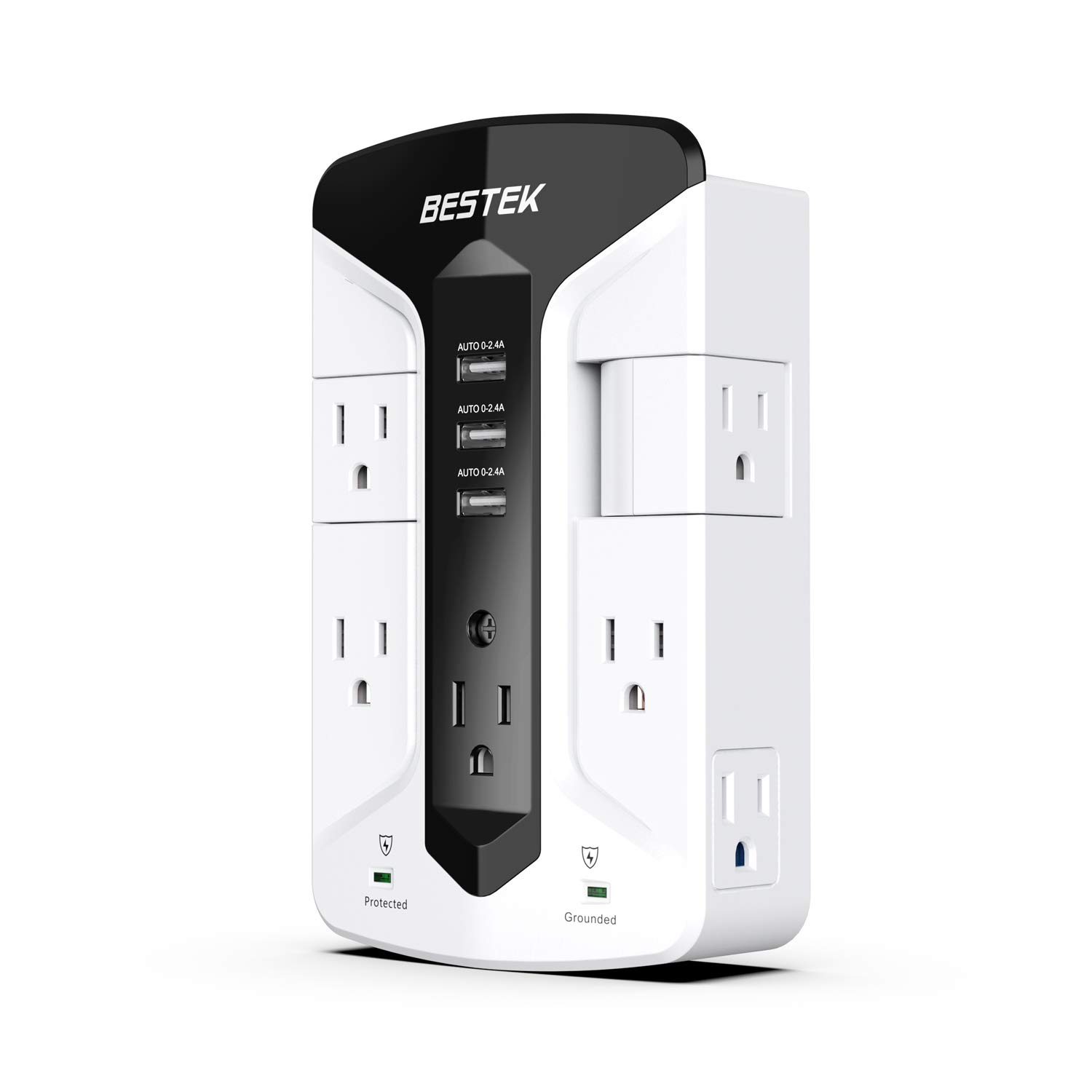
- Seven AC outlets and three USB charging ports
- Two rotatable outlets for adapter placement
- 900-joule surge suppression and mounting options
Best For: A desk near a wall outlet where rotating sockets can help fit larger adapters.
Sleek Socket 8-Foot Outlet Concealer
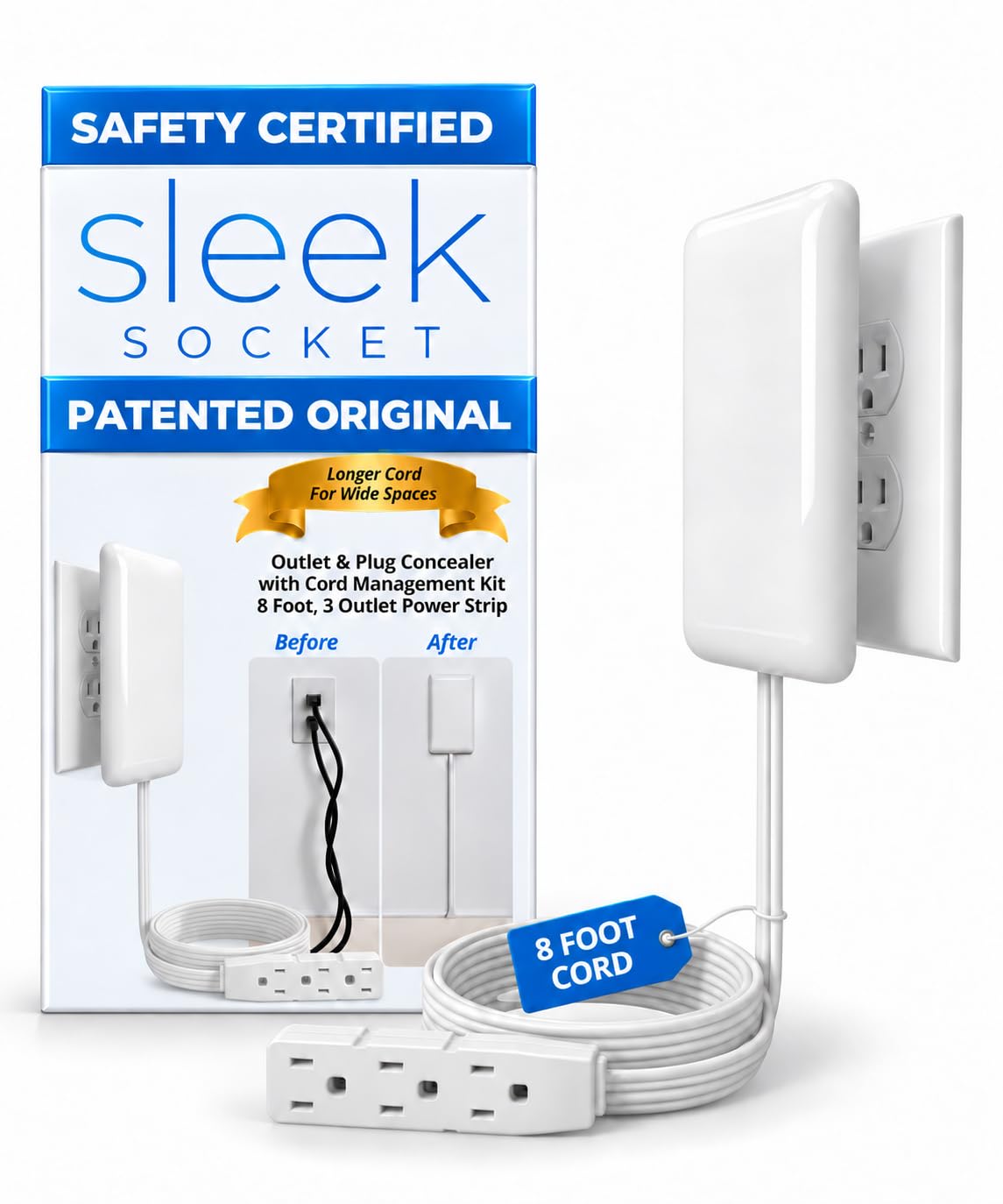
- Eight-foot flat extension cord with three AC outlets
- Includes removable adhesive strips and cord clips
- Designed for compatible standard duplex outlets
Best For: Office desks positioned farther from a duplex outlet where visible cords are a concern.
BESTEK 5-Foot Flat-Plug Power Strip
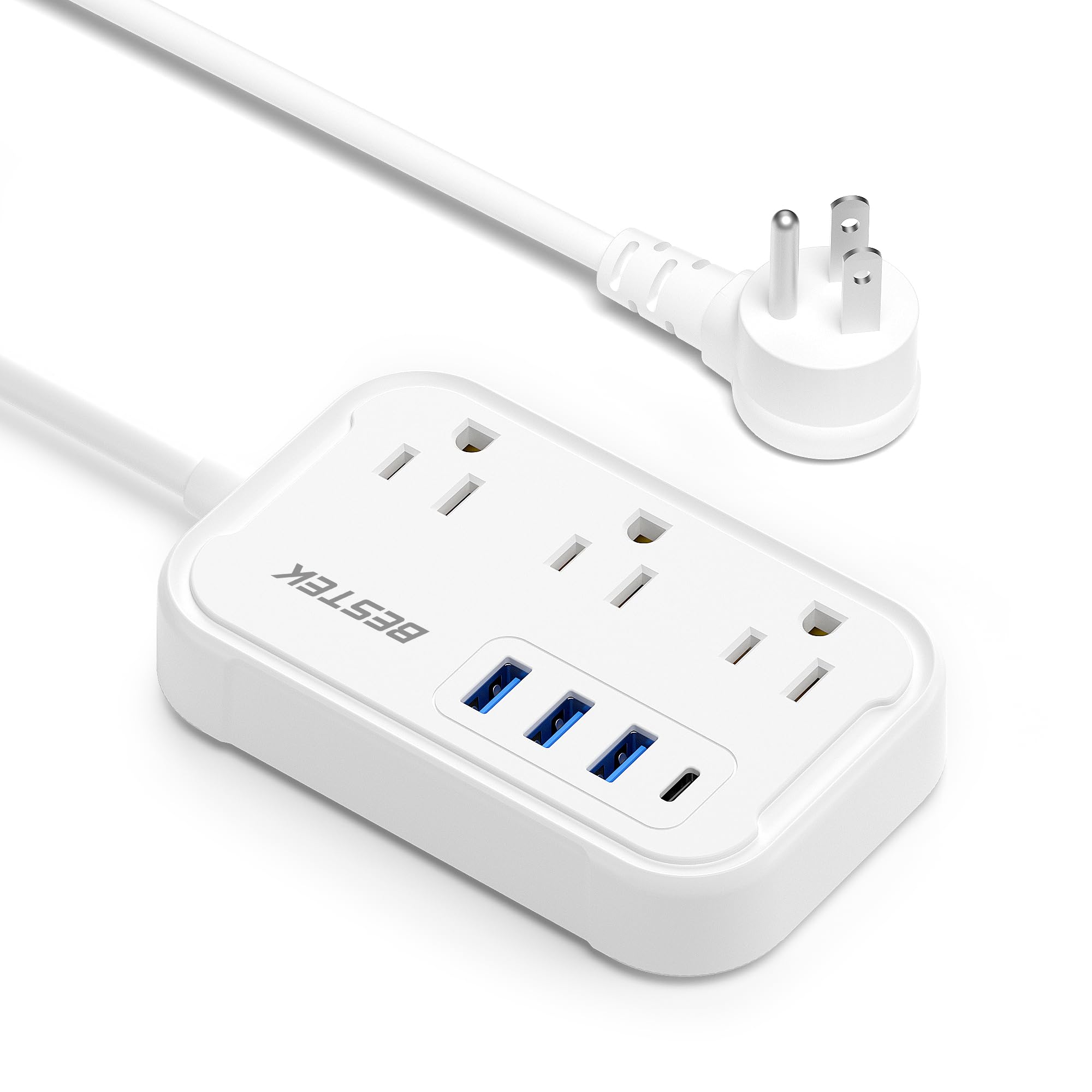
- Three AC outlets and four USB charging ports, including USB-C up to 20W
- Five-foot cord and 45-degree flat plug
- Compact design with no surge protection
Best For: A compact desk setup needing several AC and USB charging connections without surge protection.
Smart Control and Energy Tracking
Tapo Smart Wi-Fi Power Strip - Matter Compatible, Energy Monitoring, Surge Protection, 6 Individually Controlled Outlets & 3 USB Ports, Works with Alexa, Google Assistant, Siri & Bixby - Tapo P316M
The Tapo P316M combines six individually controlled AC outlets with three always-on USB ports, so a desk setup can keep accessories powered while giving larger devices separate schedules. Its energy monitoring reports consumption for each AC outlet, and Matter support works with major smart home platforms.
A flush-fitting plug and 37-inch cord help with placement behind furniture. This is the most feature-rich fit here for an office that benefits from remote switching or tracking device use.
Check the 2.4 GHz Wi-Fi requirement and the available room for its 16.2-inch body before choosing it for a compact desk.
Best For: Office users who want individual outlet control, schedules, and per-outlet energy monitoring.
| Pros | Cons |
|---|---|
|
|
Choose the P316M if you expect to manage several office devices separately or want energy data by outlet. Its smart controls and six AC sockets offer more management flexibility than the simpler BESTEK tower, while its long body may be harder to tuck neatly on a small desk.
Confirm that the cord reaches the outlet and that the intended smart home platform and Wi-Fi setup suit your office.
High-Capacity Desk Tower with Wireless Charging
PD 20W USB C Power Strip with Wireless Charger BESTEK 8-Outlet Surge Protector and 30W 3-Port USB Charging Dock Station,4000 Joules,ETL Listed,Dorm Room Accessories (8AC+3USB+Wireless Charger-Blue)
This BESTEK tower places eight AC outlets, two USB ports, one USB-C port, and a Qi wireless charger in a 5.7-inch-tall desktop unit. Its 20W USB-C output and 10W wireless charging add ways to charge compatible devices without using another AC adapter.
A six-foot cord and 45-degree flat plug help position the tower near a desk, and its 4,000-joule surge protection and built-in circuit breaker suit users seeking a surge-protected office hub. Consider the tower shape and the surrounding cable load when deciding where it will sit.
Best For: Workstations that need many AC sockets alongside wireless and wired device charging.
| Pros | Cons |
|---|---|
|
|
Pick this tower if your desk has several plugged-in devices and you also want a convenient charging surface for a Qi-compatible phone. It offers more AC outlets than the BESTEK PD20W cube, plus surge protection and a longer cord.
The tradeoff is its taller footprint; measure the space beside your monitor or under a shelf, and check that the six-foot cord reaches your outlet.
Mountable Cube with USB-C PD
BESTEK PD20W Power Strip Tower with USB, Vertical Cube Mountable Power Outlet Extender with 3 Outlets, 3 USB-A & 1 USB-C Ports, 5-Foot Extension Cord and Detachable Base for Easy Mounting (Black)
The BESTEK PD20W puts three AC outlets, three USB-A ports, and one USB-C PD port rated up to 20W into a compact cube with a five-foot cord. The outlets face different directions and are widely spaced, helping accommodate larger plugs around a shared desk.
Its detachable base supports mounting with the included screws or adhesive, which can free up desktop space. The 45-degree flat plug also suits narrow gaps.
This model includes overvoltage, short-circuit, overload, and overcurrent protection; check mounting position and charging needs before settling on it.
Best For: Desks with limited surface space that need a compact outlet hub and USB-C charging.
| Pros | Cons |
|---|---|
|
|
Choose the PD20W cube if a compact, mountable charging hub fits your office better than a tall tower. Its five-foot cord and angled plug give some placement flexibility, while the three AC sockets make it less suited to a workstation with many mains-powered devices.
Compare its USB-C maximum with your device’s charging needs, and confirm the mounting surface works with the included adhesive or screws.
Swivel Outlets for Bulky Adapters
BESTEK 7-Outlet Wall Tap Surge Protector Power Strip with Swivel Outlets, 3 USB Charging Ports, 900 Joule Surge Suppression, Top Phone Holder
This BESTEK wall tap expands a standard outlet into seven AC outlets and three USB charging ports. Two AC sockets rotate, giving bulky adapters more positioning options, while a phone holder on top provides a place to rest a phone during charging.
The unit supports up to 1,875W and includes 900-joule surge suppression, along with grounded and protected status lights. Screws or included glue can secure it on or under a desk or another surface.
Its wall-mounted format keeps a corded power strip off the floor, but it relies on being placed at an accessible wall outlet.
Best For: A desk near a wall outlet where rotating sockets can help fit larger adapters.
| Pros | Cons |
|---|---|
|
|
Consider this wall tap when your desk sits close to a wall outlet and bulky adapters crowd a conventional strip. It offers more AC outlets than the mountable BESTEK cube, but has less stated surge suppression than the 4,000-joule BESTEK tower.
Check the outlet location, intended mounting surface, and clearance around the rotating sockets before buying.
Long-Reach Flat Cord Concealer
Sleek Socket Original & Patented Ultra-Thin Outlet Concealer with Cord Concealer Kit, Flat Extension Cord with Multi Outlets Power Strip, Ideal for Home Improvement, Hide Bulky and Messy Cords
The Sleek Socket combines a flat extension cord, a three-outlet power strip, and an outlet and cord concealer kit. Its eight-foot reach can help when an office desk sits farther from a standard duplex outlet or behind furniture.
Removable adhesive strips and cord clips let you route the cord along a wall, while its thin profile is intended to sit close to the wall. It attaches at the top receptacle of a duplex outlet with a round ground pin below the flat pins.
This design prioritizes tidier routing and outlet access; check outlet compatibility and the path the cord must follow.
Best For: Office desks positioned farther from a duplex outlet where visible cords are a concern.
| Pros | Cons |
|---|---|
|
|
Choose this Sleek Socket when cord placement and an eight-foot reach matter more than integrated USB charging or smart controls. It can help route power neatly to a desk, but the outlet must match its specified duplex configuration.
Compared with the BESTEK corded units, it emphasizes concealing the outlet and cord rather than adding documented surge protection or USB ports; check which features your office equipment needs.
Compact Corded Strip with 20W USB-C
BESTEK Travel Power Strip, Cruise Ship Essentitals with USB C,Flat Plug Extension Cord with 3 Outlets 4 USB Ports(1 PD20W),5 ft Desk Wall Outlets Extender,Non Surge Protector for Cruise
This compact BESTEK strip has three AC outlets, three USB ports, and one USB-C port rated up to 20W, with a five-foot extension cord. The 45-degree flat plug helps it sit close to a wall or furniture, and the small body is easy to place on a desk or pack for temporary workspaces.
It is a straightforward option when phone, tablet, or accessory charging shares space with a few AC-powered devices. This model has no surge protection, which its travel-oriented design makes clear.
Check that this matches your office’s power-protection needs before using it with desk equipment.
Best For: A compact desk setup needing several AC and USB charging connections without surge protection.
| Pros | Cons |
|---|---|
|
|
This is a fit for a lighter desk setup where compact size and mixed USB charging matter. It provides fewer AC outlets than the BESTEK tower and no surge protection, so consider whether your equipment calls for a surge-protected strip.
Its five-foot cord and flat plug can help with placement, but confirm the distance to the wall outlet and whether the USB-C output suits your devices.
How to Choose Power Strips For Office
How We Picked Power Strips for Office Use
Office desks differ in how many AC-powered devices they need, how much room they have, and whether USB charging or cord management matters. This group includes a smart strip with individually controlled outlets, two desktop towers with different outlet and charging mixes, a wall tap with swivel sockets, and compact corded options.
We prioritized products with a clear office use, then considered outlet count, placement format, charging connections, and stated surge features.
A production desk may need outlets for powered monitors, audio interfaces, speakers, and chargers, while a lighter workstation may mainly need a few sockets plus USB. The included options reflect those distinctions.
Check the power needs of the specific devices you plan to connect and follow the product's stated capacity.
Comparing Office Power Strips
The Tapo P316M is the choice for smart control and energy monitoring, with six individually managed outlets. The BESTEK tower provides eight AC outlets, Qi charging, and 4,000-joule surge protection.
The smaller PD20W cube trades outlet count for mountability and a 20W USB-C port. The wall tap adds seven outlets and swivel sockets directly at a receptacle, while the corded BESTEK and Sleek Socket models focus on compact placement or cable routing.
Surge protection varies across the included products. The BESTEK tower specifies 4,000 joules, and the BESTEK wall tap specifies 900 joules.
The compact BESTEK strip and both cruise-oriented candidates are non-surge designs; the Tapo identifies surge protection without a joule rating in the supplied facts. Compare those details with your equipment and office setup before selecting a strip.
| Product | Standout features | Best for |
|---|---|---|
| Tapo P316M Smart Wi-Fi Power StripCheck Price |
| Office users who want individual outlet control, schedules, and per-outlet energy monitoring. |
| BESTEK 8-Outlet Tower with Qi ChargerCheck Price |
| Workstations that need many AC sockets alongside wireless and wired device charging. |
| BESTEK PD20W Mountable Power Strip TowerCheck Price |
| Desks with limited surface space that need a compact outlet hub and USB-C charging. |
| BESTEK 7-Outlet Wall Tap with USBCheck Price |
| A desk near a wall outlet where rotating sockets can help fit larger adapters. |
| Sleek Socket 8-Foot Outlet ConcealerCheck Price |
| Office desks positioned farther from a duplex outlet where visible cords are a concern. |
| BESTEK 5-Foot Flat-Plug Power StripCheck Price |
| A compact desk setup needing several AC and USB charging connections without surge protection. |
Choosing a Desk Strip by Layout and Charging Needs
Start by counting the AC plugs your desk actually needs, including larger adapters that can block nearby sockets. Widely spaced, multi-direction outlets on the PD20W cube and rotating sockets on the wall tap address adapter fit in different ways.
A tower uses vertical space, while a wall tap attaches at the outlet and can be mounted. Measure the desk area and cord route so the format fits without crowding controls or work surfaces.
USB charging can reduce the need for separate adapters. The BESTEK tower includes USB-A, USB-C, and Qi charging; the PD20W cube and compact BESTEK strip have USB-A and USB-C ports.
The Tapo’s three USB ports are always on, while its AC outlets can be controlled separately. Check device charging requirements, since the USB-C ports on several options are rated up to 20W and are not equivalent to a dedicated laptop power supply.
Power Protection and Cable Placement at Work
If surge protection is a priority for your workstation, compare the stated ratings and features rather than treating all power strips as equivalent. The tower's 4,000-joule rating and the wall tap's 900-joule suppression provide concrete figures for comparison; the Tapo also includes surge protection but no joule figure here.
The compact BESTEK strip and cruise-focused models have no surge protection. Match the product to your needs and check any requirements for the equipment you plan to connect.
Cord length and outlet position affect whether a strip can sit where it is useful. The five-foot BESTEK options give more reach than the Tapo's roughly three-foot cord, while the Sleek Socket's eight-foot flat cable focuses on routing along a wall.
A flush plug can help behind furniture, but check the actual cord path, mounting surface, and access to switches or controls.
Who Should Buy Which Office Power Strip?
Choose the Tapo P316M if you want per-outlet schedules and energy monitoring. Pick the eight-outlet BESTEK tower for a desk with many AC plugs and Qi charging, or the mountable PD20W cube for a smaller hub that can sit off the desktop.
The wall tap suits a nearby receptacle and adapters that benefit from swivel outlets.
For a simpler setup, the compact BESTEK strip combines several AC sockets with USB charging in a small corded format, but has no surge protection. The Sleek Socket is aimed at a different need: extending power while keeping a compatible outlet and cord visually organized.
Check outlet fit, cord reach, mounting options, and protection features against your workspace before ordering.