The best XLR microphones here range from simple handheld vocal mics to USB/XLR models that can move from a computer to a mixer or interface. Choose by how you plan to connect, position, and monitor the mic, then check whether you need to buy a stand or XLR cable separately.
Quick Top Products
Samson Q9U
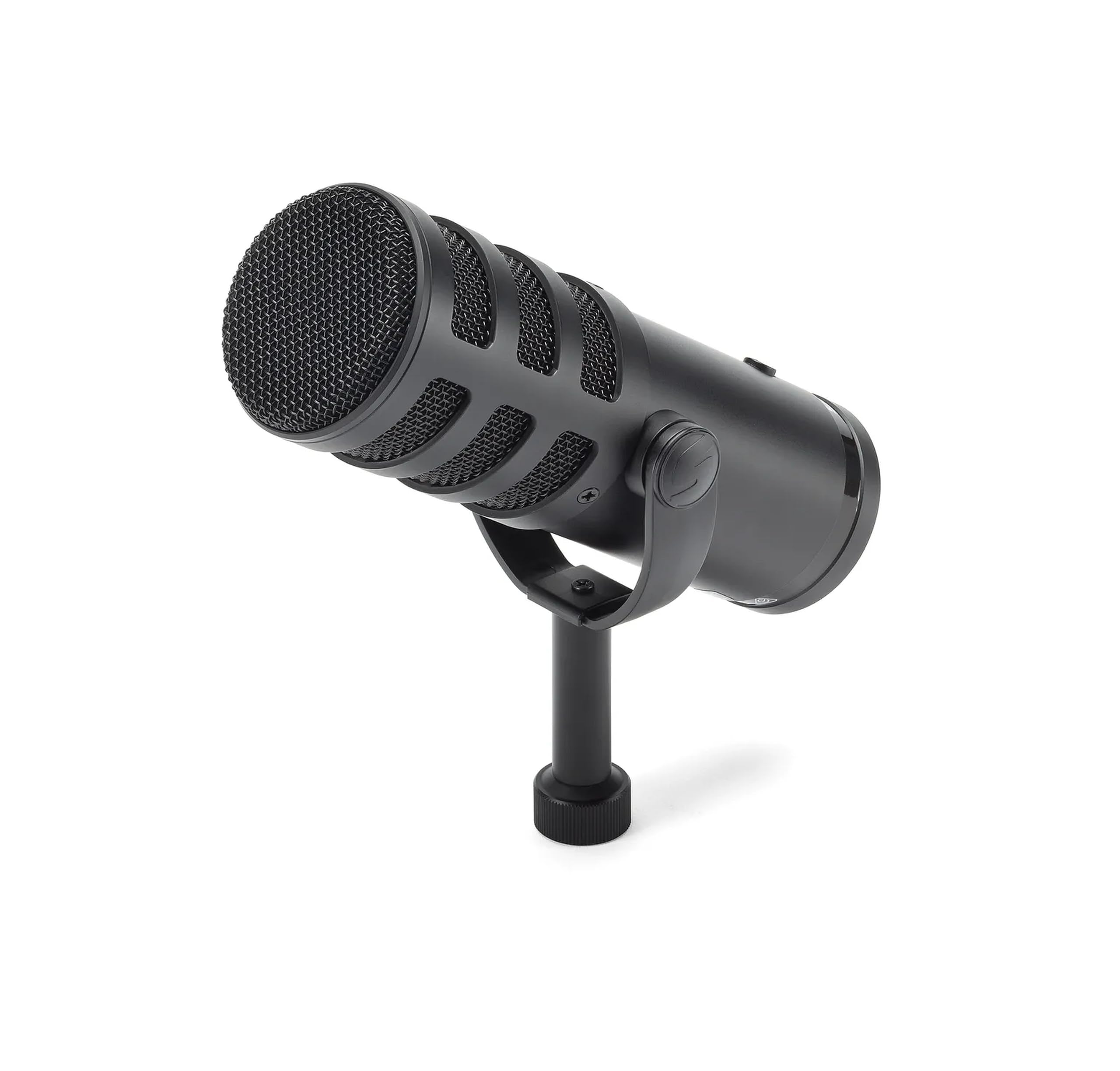
- Connects through XLR or USB-C.
- USB-C supports 24-bit/96kHz digital audio.
- Includes zero-latency headphone monitoring and a mute switch.
Best For: Podcasters and broadcasters who want USB-C recording now and XLR integration later.

MAONO PD300X
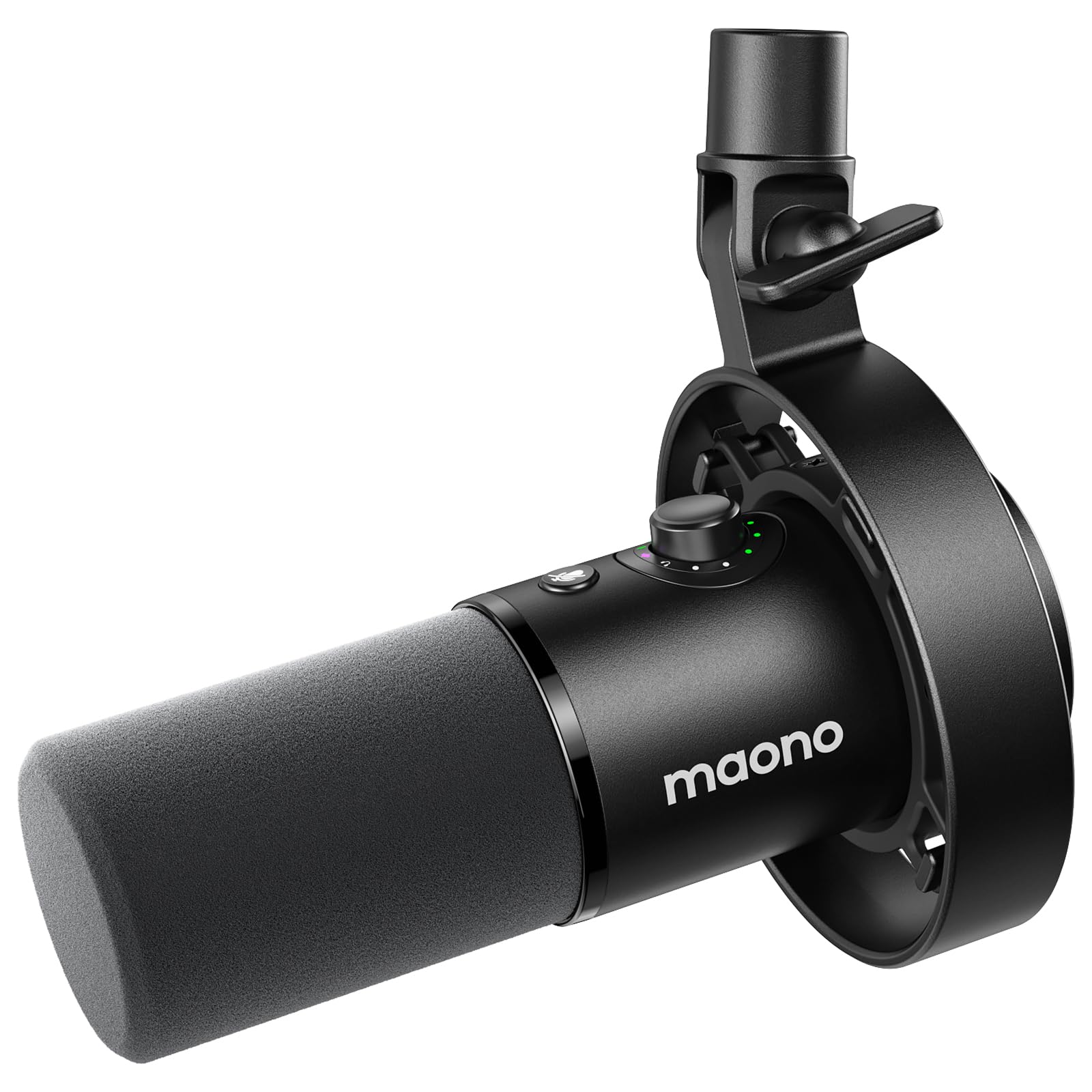
- Supports USB and XLR connections.
- MAONO Link includes EQ, limiter, compressor, filters, and four presets.
- Combines gain, headphone volume, and monitoring controls.
Best For: Creators who want USB/XLR connectivity with software tone and noise controls.
MAONO PD400X
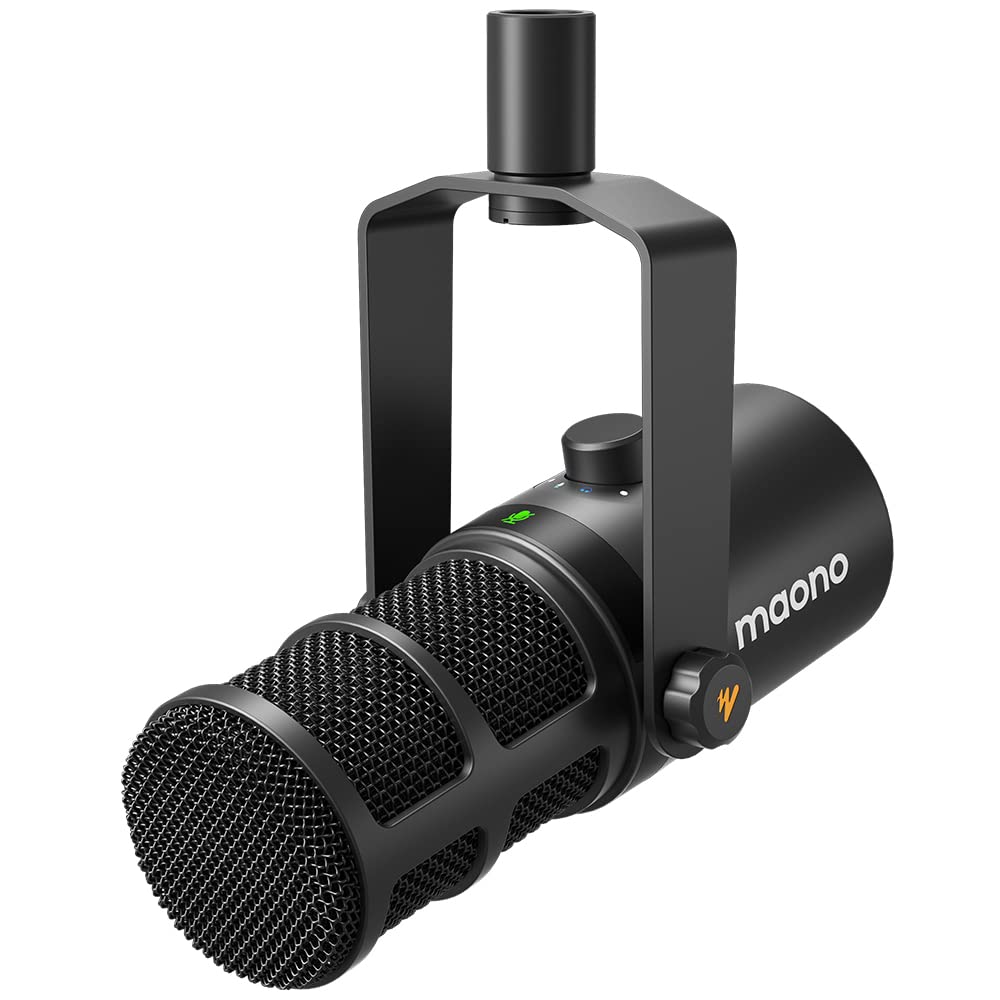
- USB and XLR outputs support computer or interface workflows.
- MAONO Link provides tone choices and advanced audio adjustments.
- A 3-in-1 knob adjusts gain, headphone volume, and monitor mix.
Best For: Podcast hosts who want software control plus a combined monitor and gain knob.
MAONO PD200XS
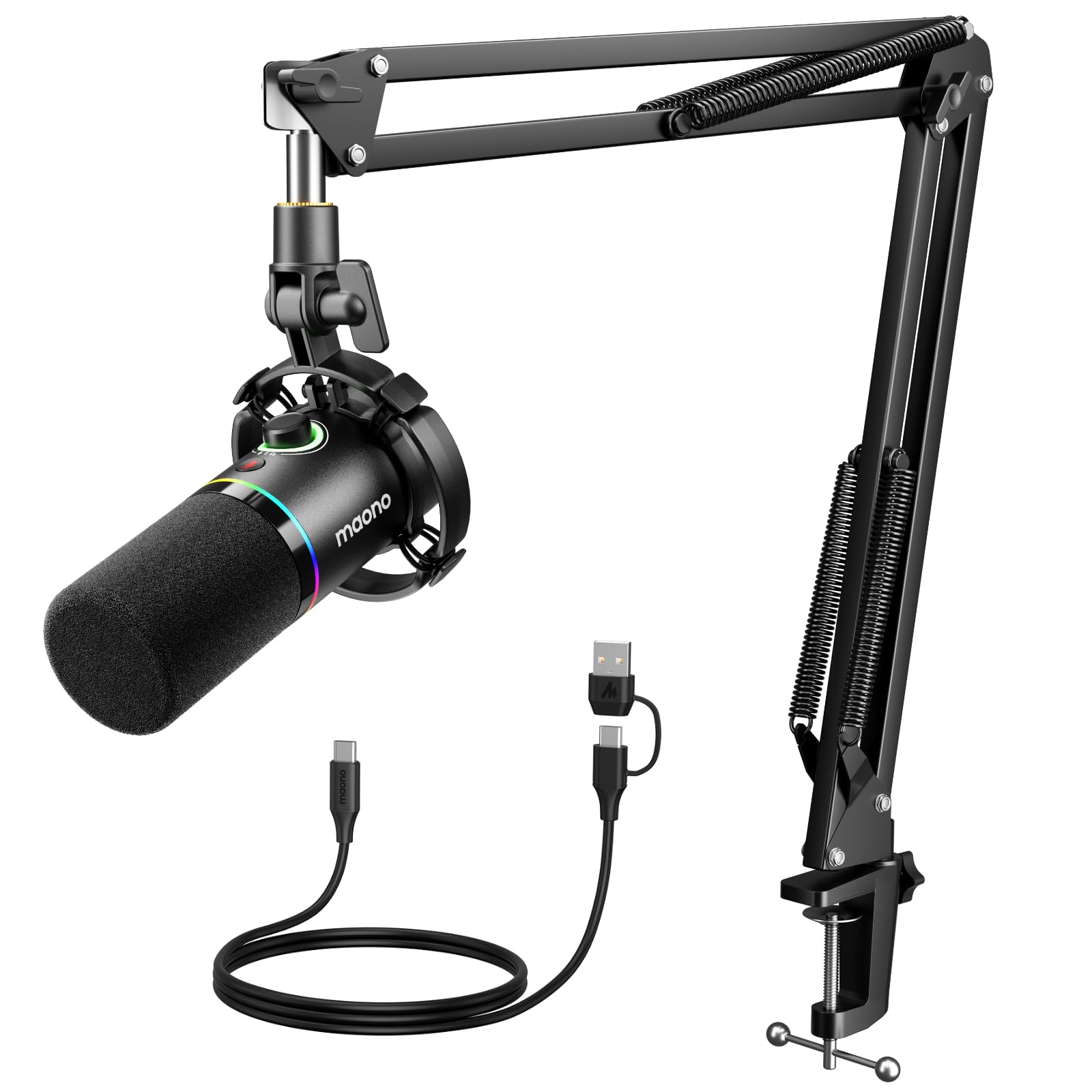
- Includes an adjustable boom arm and shock mount.
- Supports USB and XLR; an 8.2-foot USB cable is included.
- USB software includes EQ, limiter, and compressor controls.
Best For: New streaming or podcast setups that need a mic, boom arm, and USB controls together.
FIFINE AmpliGame AM8T
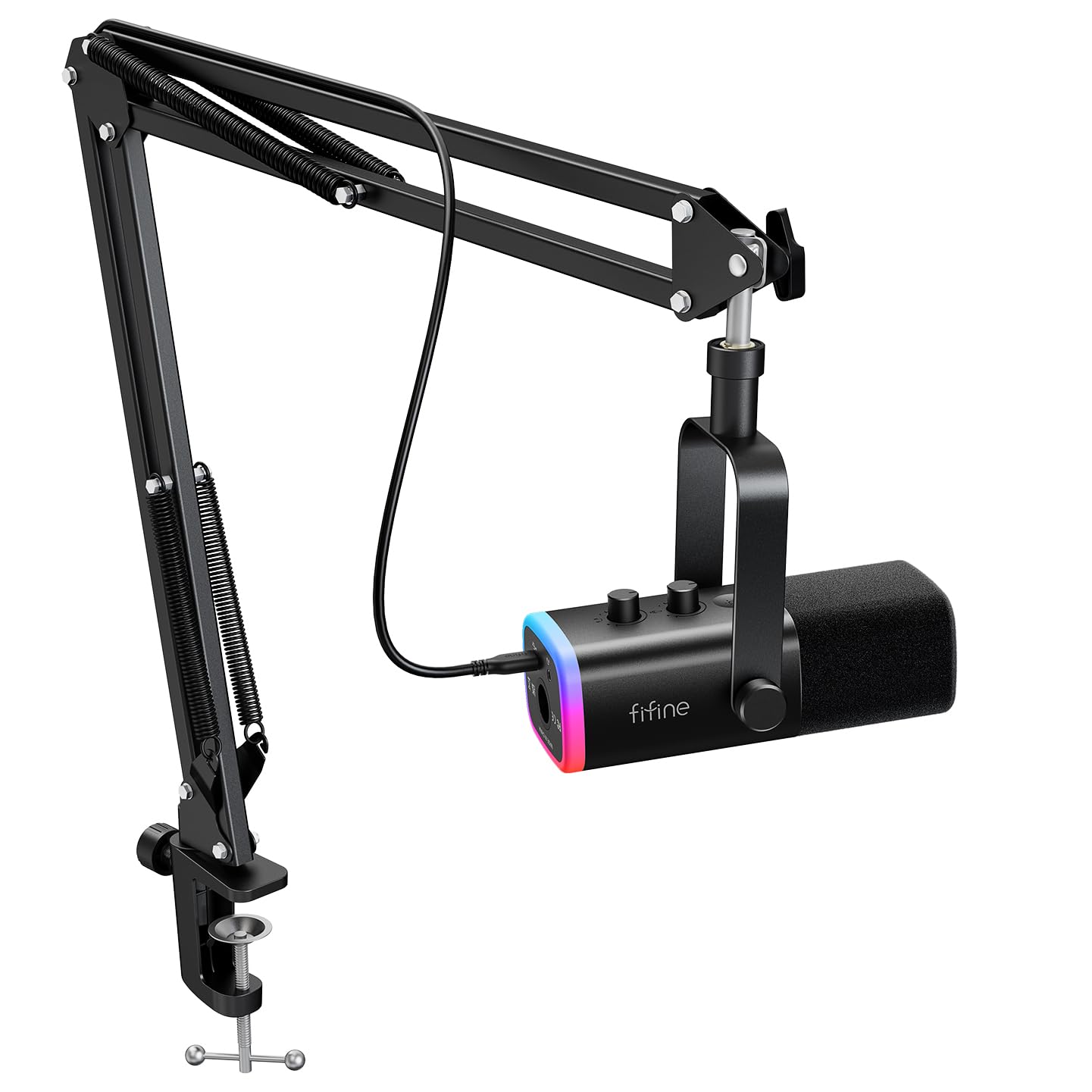
- Includes a metal boom arm and desk clamp.
- USB mode provides RGB, mute, gain, and headphone monitoring controls.
- Connects to a computer by USB or mixer by XLR.
Best For: Streamers who want an adjustable arm, RGB, and USB monitoring in a dual-output mic.
FIFINE AmpliGame AM8T White
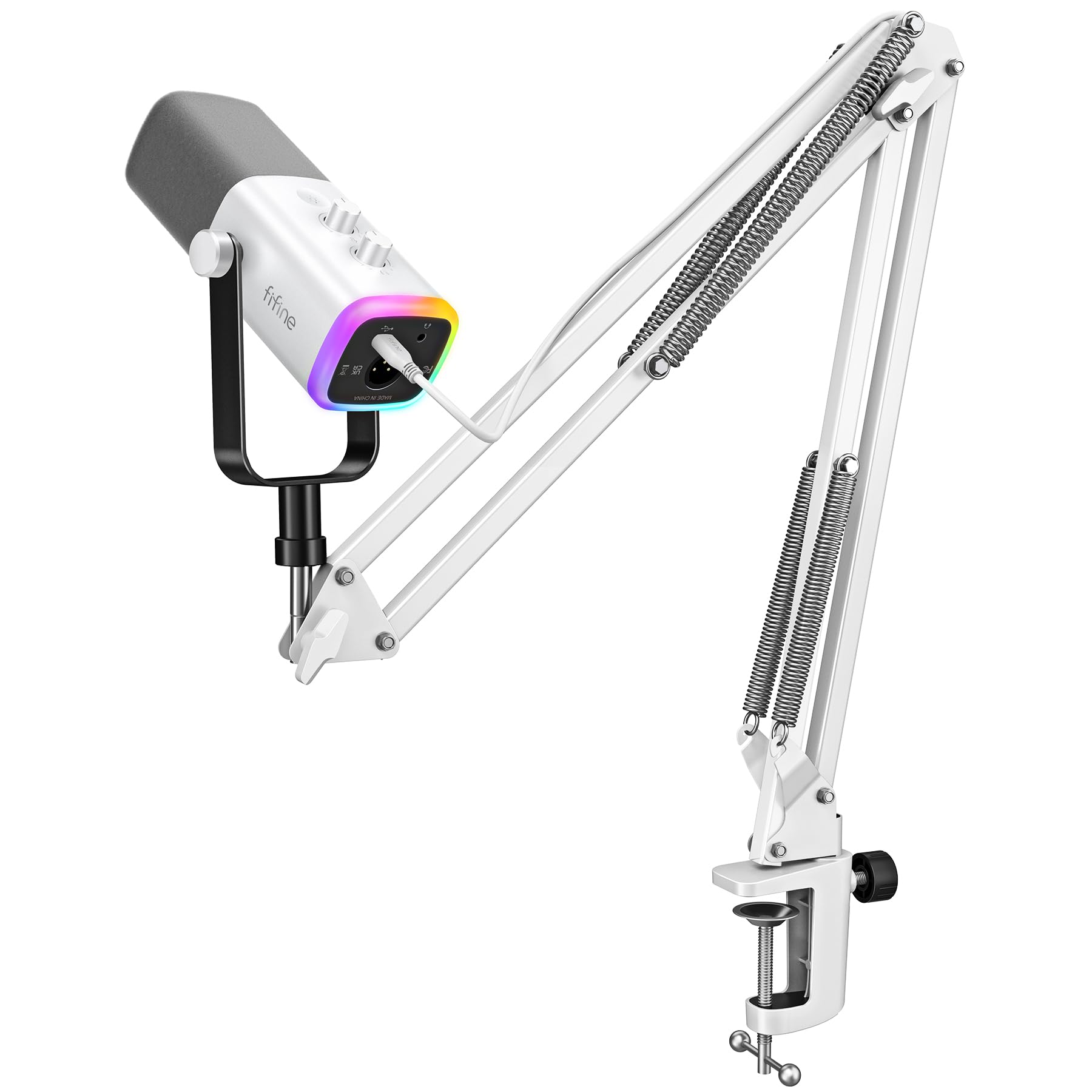
- Offers USB and XLR connections.
- Includes a boom arm stand.
- Has controllable RGB lighting in USB use.
Best For: White-themed streaming desks needing an included arm and dual connection options.
FIFINE AmpliTank K688 Pink
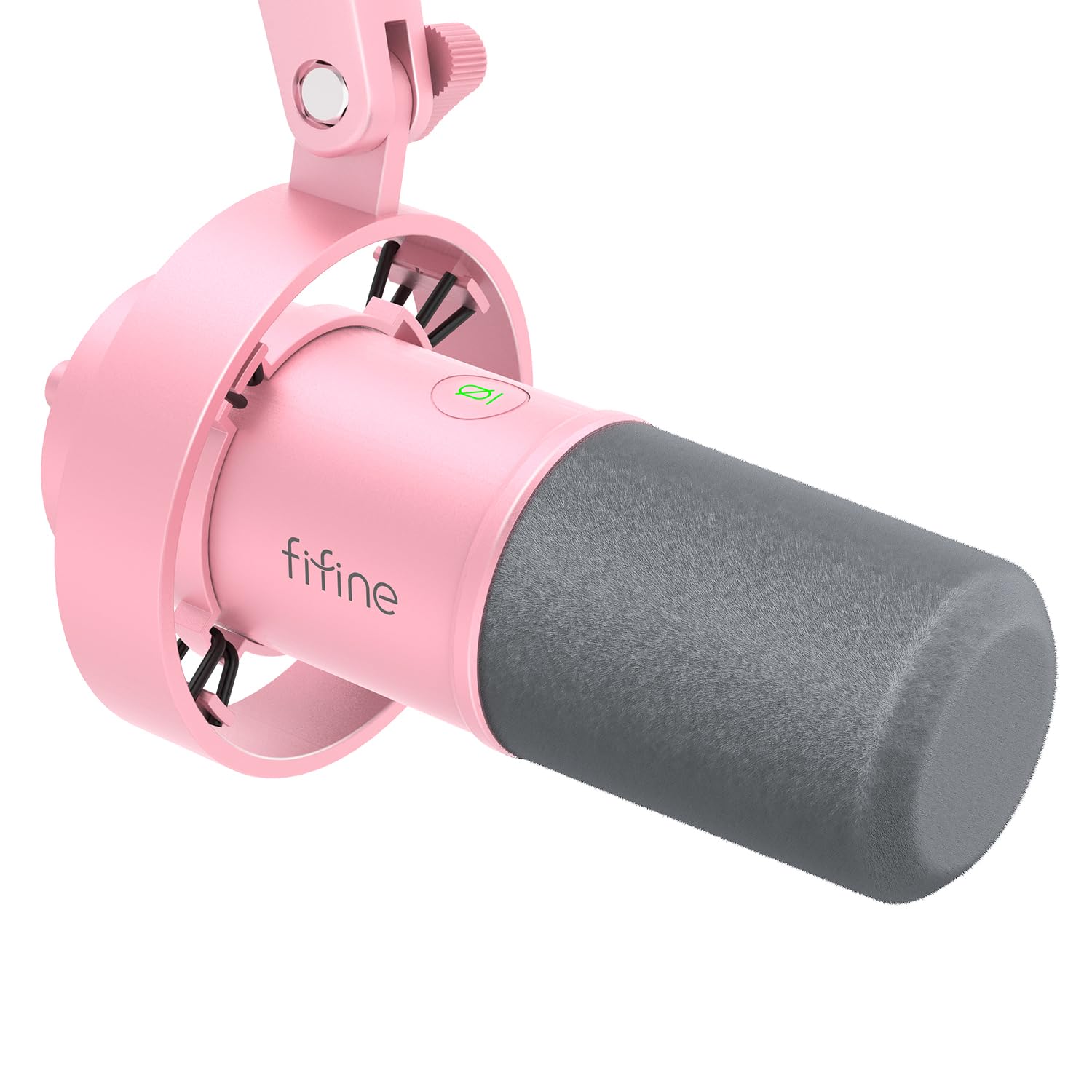
- Offers USB and XLR connectivity.
- Includes an external shock mount, windscreen, and USB cable.
- USB mode includes mute, headphone monitoring, and level controls.
Best For: Podcast and voiceover creators who want a shock mount and direct USB controls.
FIFINE AmpliTank K688 White
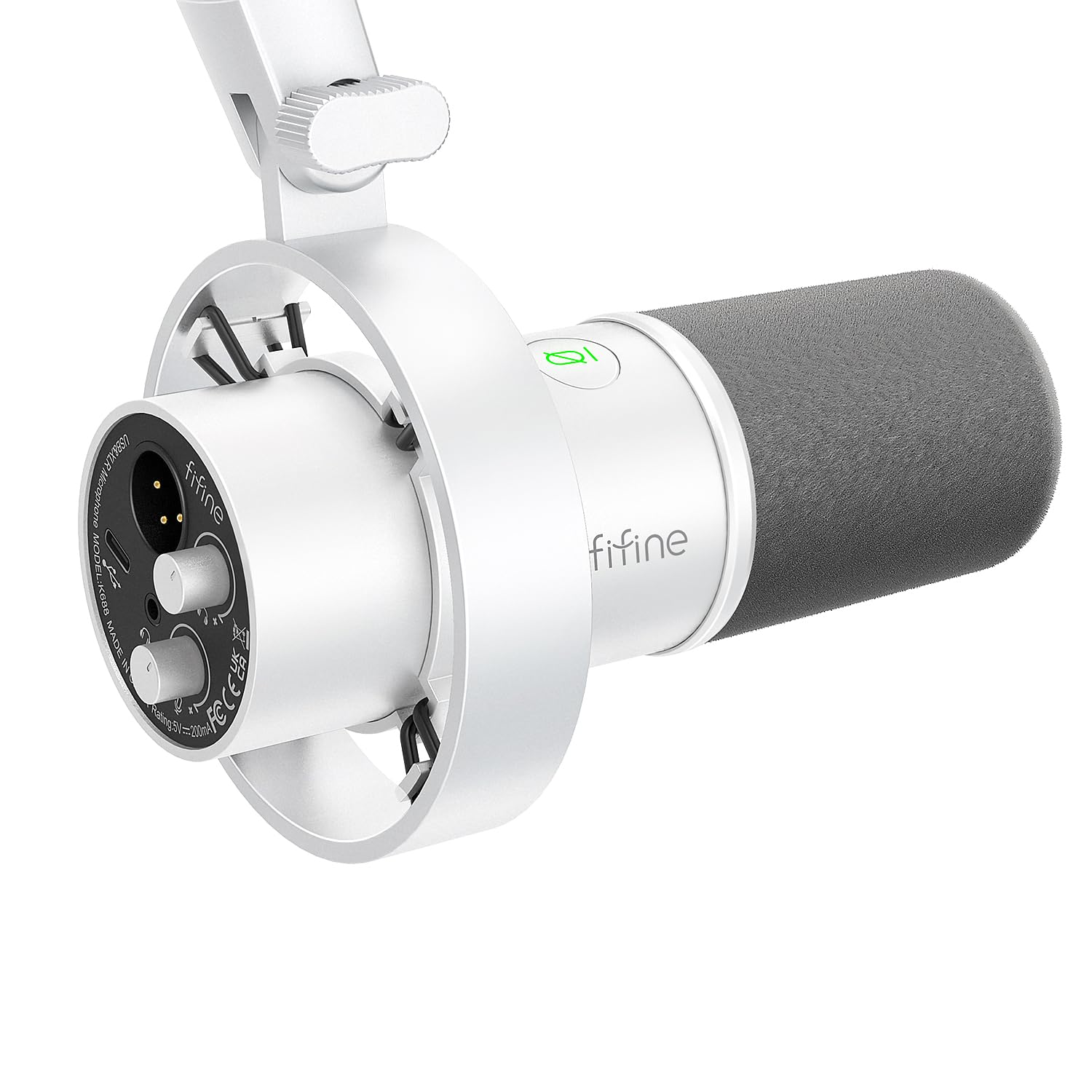
- Connects by USB or XLR.
- Includes a shock mount, windscreen, USB cable, and adapter.
- USB mode provides mute and headphone-monitoring controls.
Best For: USB-first podcasters who want shock mounting and a white finish, with XLR available.
Samson Q2U
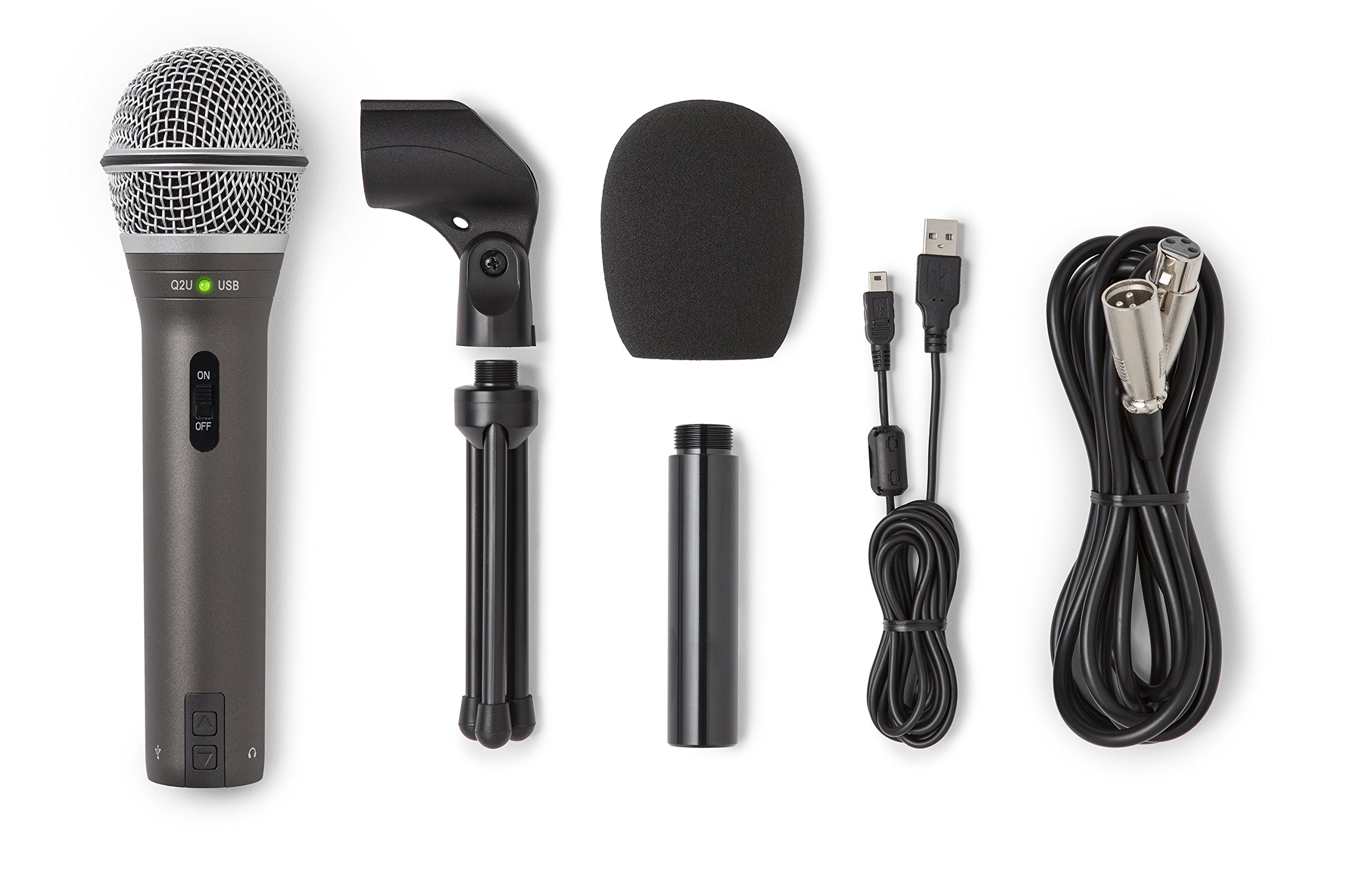
- Supports USB-C and XLR connections.
- Includes a desktop tripod, extension, clip, and windscreen.
- Comes with USB-C and XLR cables.
Best For: New podcasters and speakers who want a handheld USB/XLR mic with basic accessories included.
FIFINE K669D
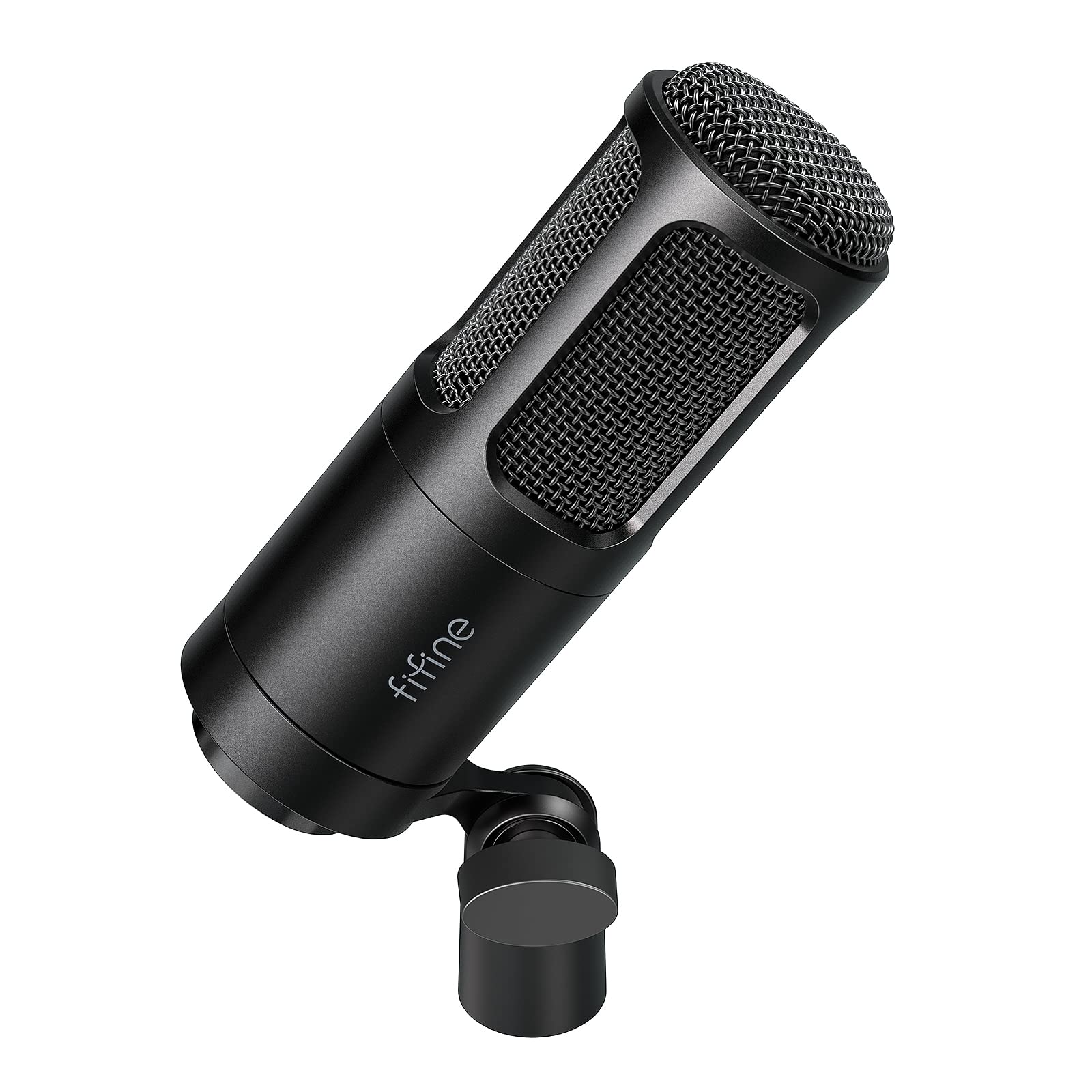
- Uses XLR connection with an interface or mixer.
- Includes a tripod stand and has 3/8-inch and 5/8-inch threads.
- Cardioid pattern and three-layer shock protection are featured.
Best For: Budget-conscious creators who already have an audio interface, mixer, and microphone stand.
Broadcast and Studio Flexibility
SAMSON Q9U XLR/USB Dynamic Broadcast Microphone
The Samson Q9U combines an XLR analog output with USB-C, so it can connect to a mixer or audio interface or record directly to a Mac or Windows computer. Its USB connection supports 24-bit/96kHz digital audio, and the cardioid pattern helps keep attention on the voice while limiting ambient pickup.
A zero-latency headphone output and mute switch add useful controls for recording and live sessions. The internal shock mount and dual-layer windscreen address mechanical noise and plosives.
It is a versatile option for a home studio, though the supplied details do not identify included mounting hardware or cables.
Best For: Podcasters and broadcasters who want USB-C recording now and XLR integration later.
| Pros | Cons |
|---|---|
|
|
Choose the Q9U if you want a broadcast-style dynamic mic that can start with USB-C and remain useful in an XLR studio chain. The onboard monitoring and mute also suit solo recording and streaming.
Before ordering, check whether your setup needs a separate stand, mount, or cable, since those accessories are not specified here. If you only need an XLR mic and already own an interface, a simpler model may cover the same basic connection need.
Software-Based Recording Control
MAONO Dynamic Microphone-XLR USB Podcast Recording Mic: for Vocal Recording, Content Creation, Home Studio, Voiceover, with 192kHz/24bit, Noise Reduction, Mic Gain, Monitoring, Mute (PD300X)
The MAONO PD300X pairs USB and XLR outputs with a suite of USB software controls. MAONO Link provides a visual EQ, limiter, compressor, high-pass filters, and four preset modes, while the built-in controls combine microphone gain, headphone volume, and monitoring.
Zero-latency monitoring and a mute button support a hands-on recording workflow. Its five-level noise reduction system and foam filter target background noise and plosives.
This model suits creators who like adjusting their voice chain from a computer and want an XLR route for a mixer or console. Stand and cable details are not provided in the available facts.
Best For: Creators who want USB/XLR connectivity with software tone and noise controls.
| Pros | Cons |
|---|---|
|
|
Pick the PD300X if you want to shape a podcast or stream with software before routing through an XLR interface. The EQ and dynamics tools make it the most settings-oriented option in this group, while the smart knob keeps everyday level adjustments accessible.
Check the included accessories and your computer setup before buying. If you do not plan to use software processing, a more basic dual-output microphone may be a better fit.
Hands-On USB Mix Controls
MAONO Dynamic Microphone, USB/XLR Podcast PC Microphone with Software, EQ,Tap-to-Mute, Headphone Jack, Gain Knob & Volume Control, Studio Mic for Broadcast, Recording, Streaming & Gaming (PD400X)
The MAONO PD400X is a dynamic USB/XLR microphone aimed at studio and home recording, podcasting, and live streaming. In USB mode, MAONO Link provides standard and advanced modes, including vocal tone and distance options along with EQ, limiter, and compressor adjustments.
Its 3-in-1 digital knob handles mic gain, headphone volume, and monitor mix, and a touch mute key has an LED indicator. The cardioid pattern is intended to focus on the speaker in imperfect rooms.
Choose it when both computer-based control and an analog XLR connection matter; mounting accessories and cable inclusions are not specified in the supplied details.
Best For: Podcast hosts who want software control plus a combined monitor and gain knob.
| Pros | Cons |
|---|---|
|
|
The PD400X is a fit for a host who wants software tone shaping but also wants quick access to monitor mix and gain on the microphone. It offers a more integrated set of controls than the XLR-only PD100, while retaining analog output for an interface or mixer.
Confirm what mounting gear and cables you need before choosing it. If you already do all processing in a mixer or DAW, its USB software features may matter less.
Boom Arm and USB Software Kit
MAONO XLR/USB Dynamic Microphone Kit, RGB Podcast Mic with Software, Mute, Gain Knob, Volume Control, Boom Arm for Streaming, Gaming, Voice-Over, Recording-PD200XS Black
The MAONO PD200XS pairs USB and XLR connectivity with a supplied adjustable boom arm. USB mode supports MAONO Link software, where users can adjust EQ, limiter, compressor, and RGB lighting.
The microphone also has a gain and headphone-volume smart knob, one-click mute, and a 3.5mm monitoring jack. Its cardioid dynamic capsule is intended for vocals in streaming, podcasting, voiceover, and recording.
The included arm makes it a practical starting kit for a desk setup, but the XLR cable is not included. The software controls are USB-only, so an XLR workflow will need separate processing hardware or software.
Best For: New streaming or podcast setups that need a mic, boom arm, and USB controls together.
| Pros | Cons |
|---|---|
|
|
Choose the PD200XS if you are assembling a desk recording setup and want a boom arm in the package along with the dual-output mic. The included USB cable supports direct computer use, while XLR leaves room to connect an interface later.
Budget for an XLR cable if you plan to use the analog output. If you already own a boom arm and prefer to keep the microphone controls simple, the PD100 or K669D may suit that setup better.
Boom Arm with Live USB Monitoring
FIFINE XLR/USB Gaming Microphone Set, Dynamic PC Mic for Streaming Podcasting, Computer RGB Mic Kit with Boom Arm Stand, Mute Button, Headphones Jack, for Recording Vocal Voice-Over-AmpliGame AM8T
The FIFINE AmpliGame AM8T includes a dynamic USB/XLR microphone and a metal boom arm with desk clamp. In USB mode, the mic offers customizable RGB lighting, a mute button, gain control, a headphone jack, and headphone-volume control.
Its cardioid pattern and end-address design are intended to keep attention on the speaker; a windscreen is included to help with plosive sounds. The microphone can connect directly to a computer by USB or to a mixer or sound card by XLR.
The package does not include an XLR cable, and the clamp is designed for desks under two inches thick.
Best For: Streamers who want an adjustable arm, RGB, and USB monitoring in a dual-output mic.
| Pros | Cons |
|---|---|
|
|
The AM8T is suited to a streamer who wants a boom arm and USB controls in one package, with an XLR route available for a later interface upgrade. Check your desk thickness before relying on the included clamp.
The listed mute, RGB, gain, and headphone controls apply to USB use, so an XLR setup may require external control equipment. If you need a standalone microphone without a boom arm, consider the K688 instead.
White Boom Arm Streaming Kit
FIFINE Gaming XLR/USB Microphone Kit, Streaming Dynamic Mic Set for PC, Computer Mic for Vocal Podcast Recording Voiceover, with Headphones Jack, Gain Knob, Arm Stand-AmpliGame AM8T White
This white FIFINE AmpliGame AM8T kit combines a dynamic microphone with USB and XLR connectivity and an included boom arm stand. The cardioid pickup pattern is intended to emphasize the voice, while USB mode provides RGB lighting and convenient microphone controls.
It can connect directly to a computer over USB or to a mixer or audio interface by XLR, making it useful for a setup that may grow over time. The package is oriented toward gaming, streaming, podcasting, and voiceover.
The supplied details do not itemize cable or control features as fully as some competing AM8 variants, so verify that the included accessories match your planned connection.
Best For: White-themed streaming desks needing an included arm and dual connection options.
| Pros | Cons |
|---|---|
|
|
Consider this white AM8T kit if the included arm and appearance are priorities and you want both USB and XLR options. The broader AM8 family has other variants with more explicit control and accessory details, so check the exact package contents for this offer before ordering.
It is a better match for a desk streaming setup than for someone seeking a plain handheld stage microphone.
Shock-Mounted USB/XLR Podcaster
FIFINE XLR/USB Dynamic Microphone, Studio XLR Vocal Podcast Microphone for Recording, USB Streaming Mic with Mute Button, Gain Knob, Headphones Monitoring for Voice-Over, Video-Amplitank K688 Pink
The FIFINE AmpliTank K688 combines USB and XLR outputs with a dynamic capsule, external shock mount, and windscreen. It is designed for vocal recording, podcasting, streaming, and voiceover, with a cardioid pattern and up to 130dB SPL handling.
In USB mode, a mute button, volume control, headphone jack, and monitoring-volume knob support direct recording and monitoring. Its included 8.2-foot USB cable makes computer connection straightforward.
The stand, boom arm, and XLR cable are not included, so plan for additional mounting hardware and an XLR cable if you will use the analog connection.
Best For: Podcast and voiceover creators who want a shock mount and direct USB controls.
| Pros | Cons |
|---|---|
|
|
Choose the K688 if you want shock mounting and wind protection in the package but already have, or plan to add, a stand. It is flexible for a USB-first creator who may later move to an XLR interface.
Factor in the separate arm or stand and XLR cable, as neither is included. For a complete desk arm package, the PD200XS or AM8T is more convenient; for interface-first recording, the K669D is a simpler XLR-only option.
White Podcast Mic with Shock Mount
FIFINE Studio XLR Dynamic Microphone, USB PC Podcast Microphone for Streaming Recording, XLR/USB Vocal Mic with Tap-to-Mute, Gain Knob, Headphones Monitoring-Amplitank K688 White
The white FIFINE AmpliTank K688 is a USB/XLR dynamic microphone for podcast recording, streaming, and voice work. Its cardioid pickup pattern is intended to reduce ambient pickup, and the microphone is rated for up to 130dB SPL.
A shock mount and windscreen are included to address desk vibration and plosives. USB mode provides mute, volume, and headphone-monitoring controls, while XLR connects to a mixer or audio interface.
The package includes a USB cable and adapter, but no stand, boom arm, or XLR cable. Its features mirror the black K688 variant, so the main distinction in this selection is the white finish.
Best For: USB-first podcasters who want shock mounting and a white finish, with XLR available.
| Pros | Cons |
|---|---|
|
|
This K688 is functionally similar to the pink K688 in the candidate group, so choose between them based on finish rather than expecting a different recording feature set. It suits a USB-first podcaster who wants the option of XLR later.
Check your microphone stand or boom arm and budget for an XLR cable if needed. If you prefer to avoid choosing between color variants, the PD200XS offers an included boom arm and a different feature mix.
Complete Handheld Starter Pack
Samson Q2U Dynamic USB-C/XLR Microphone
The Samson Q2U is a handheld dynamic microphone with USB-C and XLR connections. The package includes a tripod desktop stand, tripod extension, mic clip, windscreen, USB-C cable, and XLR cable, covering the basic accessories for desk recording or handheld use.
It can plug into a computer with a USB-C interface or connect through XLR to compatible audio gear. This straightforward kit suits podcasting, recording, and speech when portability and a simple setup matter more than extensive onboard software controls.
Check the connector needs of your computer and interface, and confirm the included tripod configuration works for the position you want.
Best For: New podcasters and speakers who want a handheld USB/XLR mic with basic accessories included.
| Pros | Cons |
|---|---|
|
|
The Q2U is a useful pick when you want the core cables and a desktop stand in the box, rather than sourcing each accessory separately. Its USB-C and XLR paths accommodate a computer setup and an interface-based setup.
Check your available USB port and whether the tripod stand gives you the reach and angle needed for your desk. If you need a boom arm or extensive USB software controls, look at the PD200XS or PD400X instead.
Simple XLR-Only Studio Mic
FIFINE XLR Dynamic Microphone, Vocal Podcast Microphone with Cardioid Pattern, Studio Metal Mic for Streaming Voice-Over Dubbing Video Recording, Black-K669D
The FIFINE K669D is an XLR-only dynamic microphone with a cardioid pattern, metal construction, and threaded mounts for common mic stands. Its features are aimed at streaming, voiceover, podcast narration, and vocal recording through an audio interface or mixer.
The package includes a tripod stand, but the XLR cable is not included. It is rated for 120dB SPL, and the suggested recording range is 1.5 to 4 inches with the mic's top facing the sound source.
This is a straightforward option for an existing XLR setup; it does not provide the USB convenience or software controls found on dual-output alternatives.
Best For: Budget-conscious creators who already have an audio interface, mixer, and microphone stand.
| Pros | Cons |
|---|---|
|
|
Choose the K669D if your interface or mixer is already part of the setup and you want a dedicated XLR microphone with a tripod included. It keeps the connection path simple, but it cannot plug directly into a computer by USB.
Confirm that you have an XLR cable and that the included tripod suits your placement. For a mic that can also serve as a direct USB computer input, consider one of the dual-connection models.
How to Choose Xlr Microphones
How We Picked XLR Microphones
This selection prioritizes microphones with an XLR output suited to voice recording, podcasting, streaming, broadcast, or live vocal use. Dual USB/XLR models earn a place where their computer controls, monitoring, or included desk hardware add a distinct setup advantage.
The Q9U emphasizes broadcast connectivity and monitoring, the K669D serves an interface-first budget setup, and the Q2U includes basic accessories for getting started.
We also considered what comes in the box. Boom arms, desktop tripods, shock mounts, windscreens, and cables can change the practical cost of a microphone setup.
Several models omit an XLR cable or stand, so check the package details against the gear you already own. Karaoke-focused mics with 1/4-inch connectors and a USB-only mic were left out because they do not serve the core XLR recording use case as well.
Comparing XLR Microphones for Home Studios
The biggest split is between XLR-only and dual-output microphones. The K669D connects through an interface or mixer, while the Q9U, Q2U, MAONO PD models, and FIFINE AM8 and K688 variants also offer a USB path.
USB can simplify a computer recording setup; XLR makes it easier to route audio through external studio gear. USB-specific mute, monitoring, and software controls may not carry over when using XLR.
Package contents also vary. The PD200XS and AM8T include boom arms, while the Q2U includes a desktop tripod, cables, clip, and windscreen.
The K688 models provide shock mounts but require a separate stand or arm. The Q9U includes monitoring and a mute switch, but check separately for its mounting and cable needs.
Confirm that an XLR cable is included before assuming a mic is ready for your interface.
| Product | Standout features | Best for |
|---|---|---|
| Samson Q9UCheck Price |
| Podcasters and broadcasters who want USB-C recording now and XLR integration later. |
| MAONO PD300XCheck Price |
| Creators who want USB/XLR connectivity with software tone and noise controls. |
| MAONO PD400XCheck Price |
| Podcast hosts who want software control plus a combined monitor and gain knob. |
| MAONO PD200XSCheck Price |
| New streaming or podcast setups that need a mic, boom arm, and USB controls together. |
| FIFINE AmpliGame AM8TCheck Price |
| Streamers who want an adjustable arm, RGB, and USB monitoring in a dual-output mic. |
| FIFINE AmpliGame AM8T WhiteCheck Price |
| White-themed streaming desks needing an included arm and dual connection options. |
| FIFINE AmpliTank K688 PinkCheck Price |
| Podcast and voiceover creators who want a shock mount and direct USB controls. |
| FIFINE AmpliTank K688 WhiteCheck Price |
| USB-first podcasters who want shock mounting and a white finish, with XLR available. |
| Samson Q2UCheck Price |
| New podcasters and speakers who want a handheld USB/XLR mic with basic accessories included. |
| FIFINE K669DCheck Price |
| Budget-conscious creators who already have an audio interface, mixer, and microphone stand. |
Choosing a Podcast or Streaming Microphone
For a computer-first podcast or stream, compare the USB controls as carefully as the XLR connection. The PD300X and PD400X add software processing in USB mode, while the PD200XS and AM8 options pair desktop controls with included positioning hardware.
The Q2U keeps things simpler and supplies a desktop tripod. Consider whether you want to adjust settings in software, on the mic, or through an audio interface.
A cardioid dynamic microphone works best when positioned for the speaker, so check the suggested placement and whether the included support can reach your preferred position. The FIFINE K669D recommends speaking toward its top at a close range.
For other models, the supplied details do not establish an identical placement distance, so consult the product manual for setup guidance.
Who Should Buy Which XLR Microphone?
Choose the Samson Q9U if you want USB-C, XLR, and built-in zero-latency monitoring in a broadcast-focused microphone. The MAONO PD300X or PD400X fits creators who expect to use USB software controls and audio adjustments.
For a kit with a desk arm, compare the PD200XS and FIFINE AM8T, checking cable and desk-clamp requirements before purchase.
The Samson Q2U makes sense for a starter setup that benefits from included cables and a desktop tripod. Pick the FIFINE K669D if you already have an interface or mixer and want a simpler XLR-only path.
The K688 variants suit USB-first creators who value a shock mount and windscreen, provided they have a separate stand or arm.