The best microphones for video calls make your voice easier to hear and give you convenient control over mute, gain, and monitoring. Choose a simple USB desktop mic for quick setup, or a dynamic USB/XLR model if you may add an audio interface later.
Quick Top Products
FIFINE K669B USB Microphone
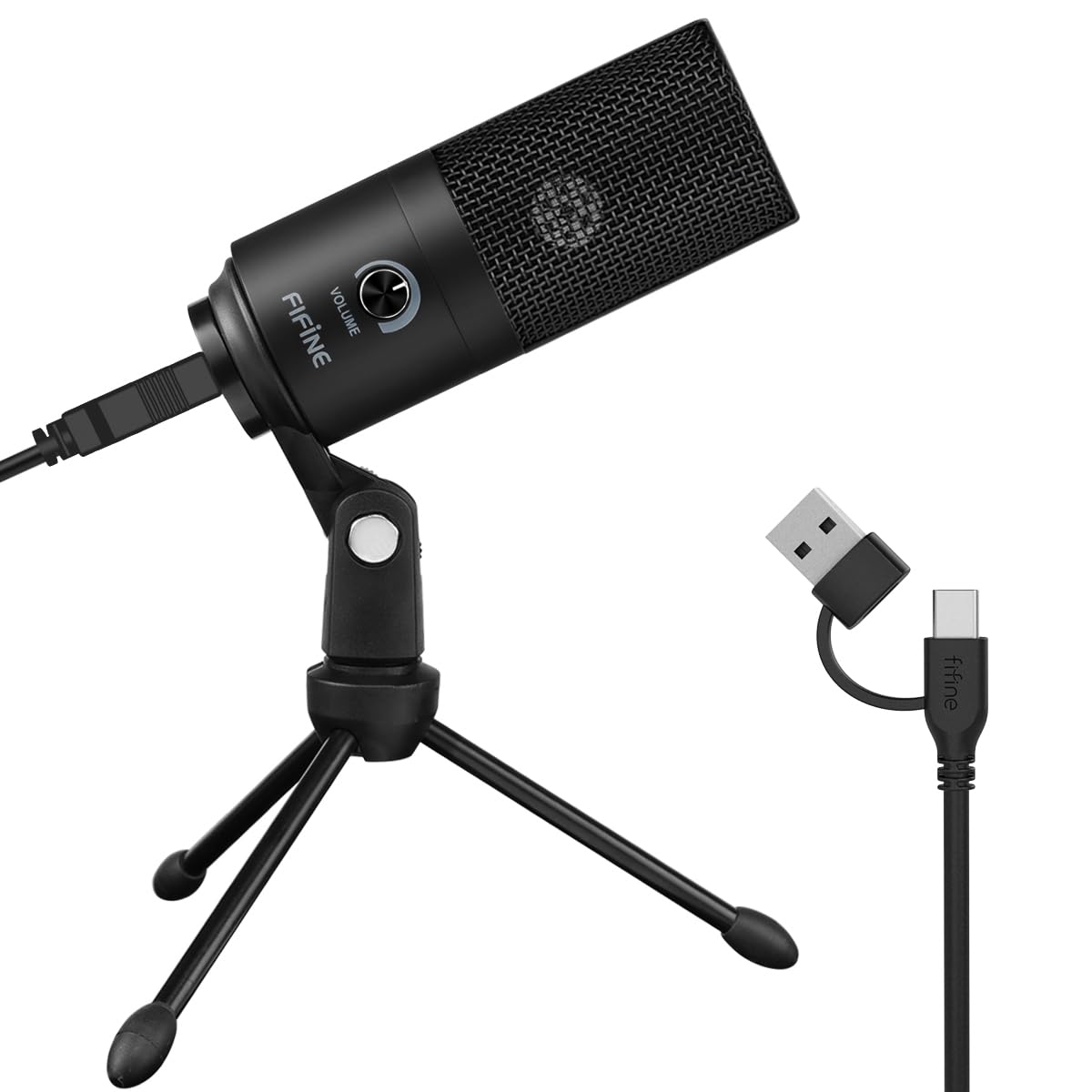
- USB plug-and-play connection for computers
- Cardioid pickup and built-in volume knob
- Metal microphone with tripod stand
Best For: A straightforward desk microphone for calls, voiceovers, and streaming.

Samson Meteor Mic
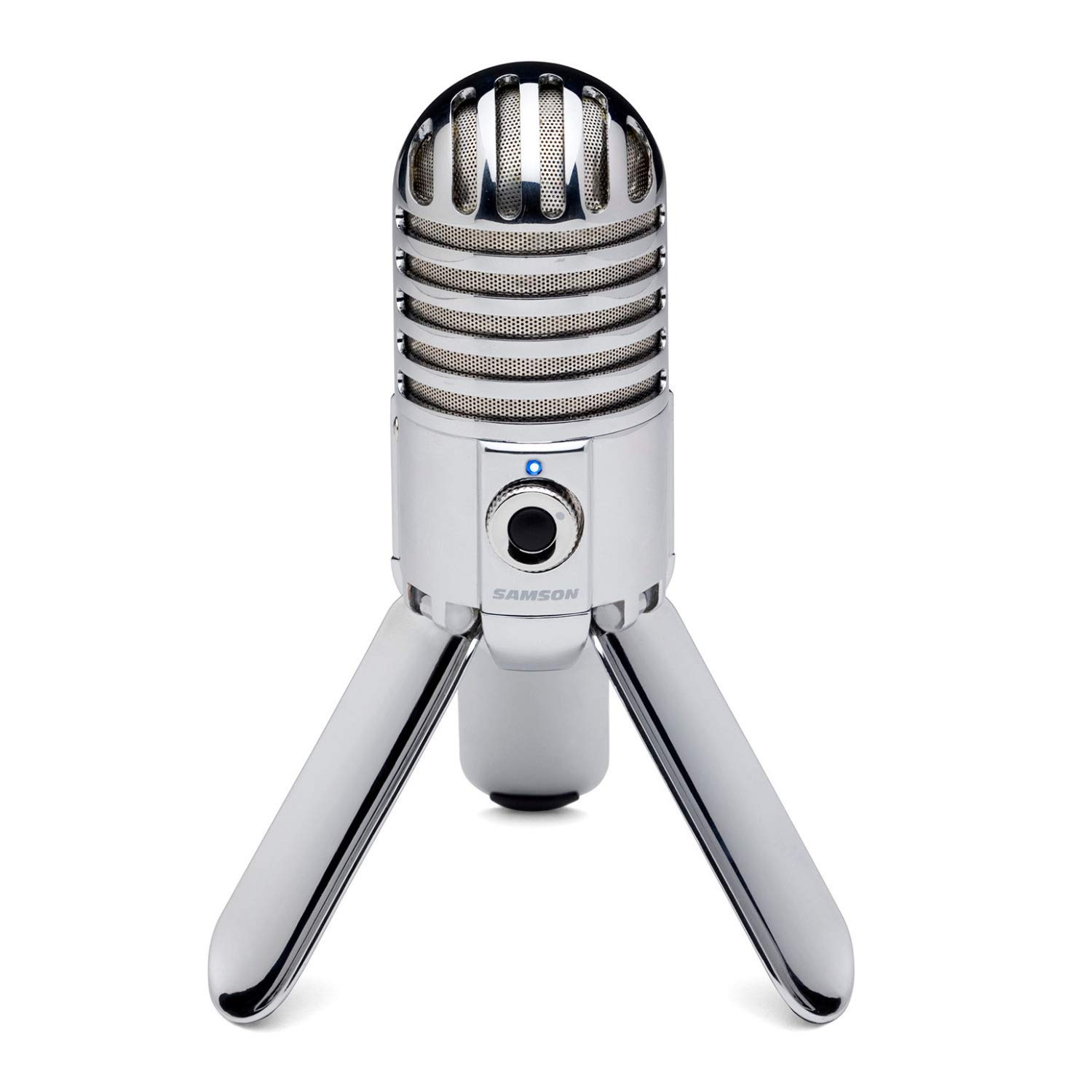
- USB condenser mic with fold-back legs
- Cardioid pickup and 1/8-inch headphone output
- Zero-latency monitoring with level control
Best For: People who want a compact USB microphone that folds away between calls.
FIFINE K658 USB Dynamic Microphone
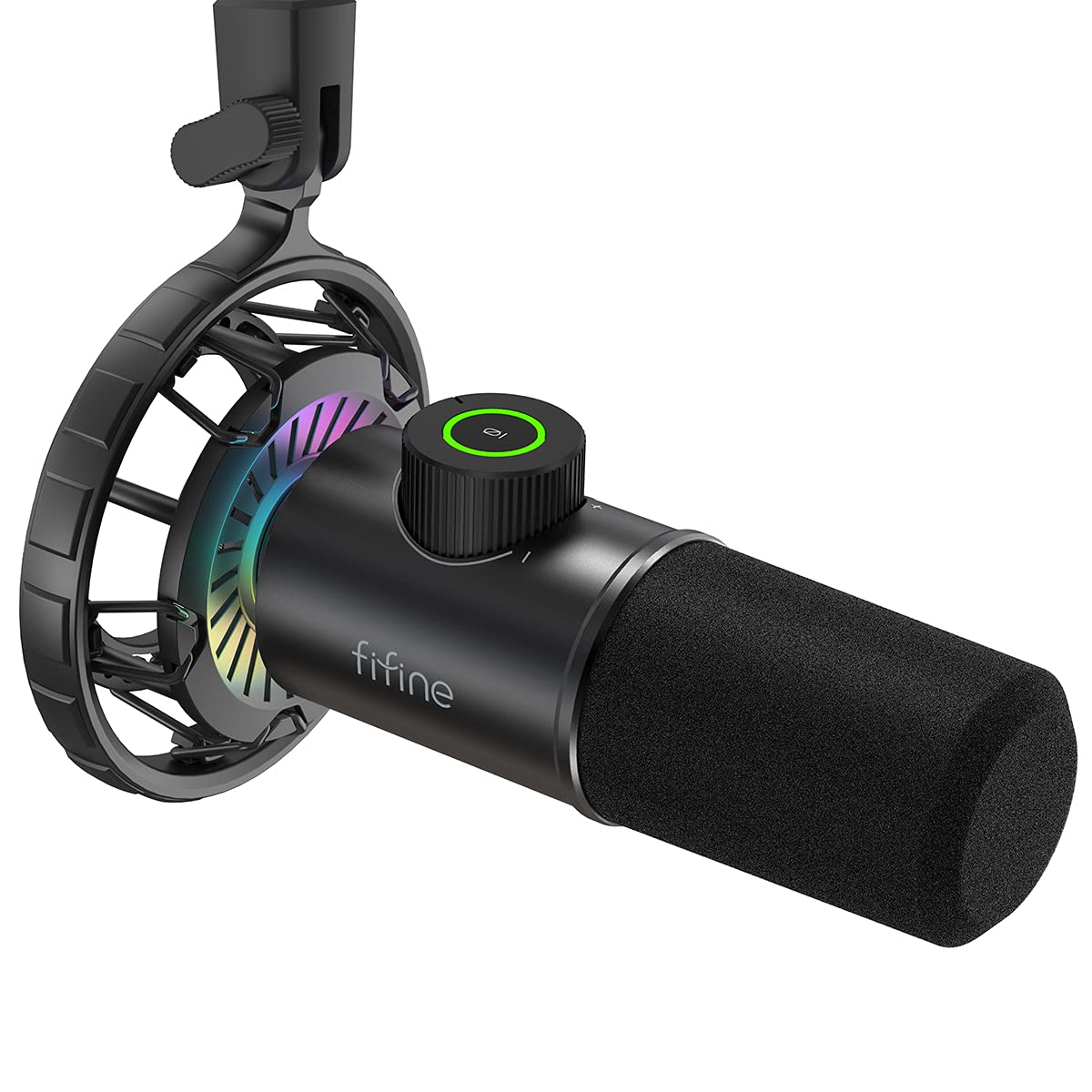
- USB dynamic mic with cardioid pickup
- Tap-to-mute, gain control, and headphone jack
- Includes shock mount, windscreen, and USB cable
Best For: Callers who prefer a dynamic mic positioned close to their mouth.
MAONO GamerWave DGM20 USB Mic
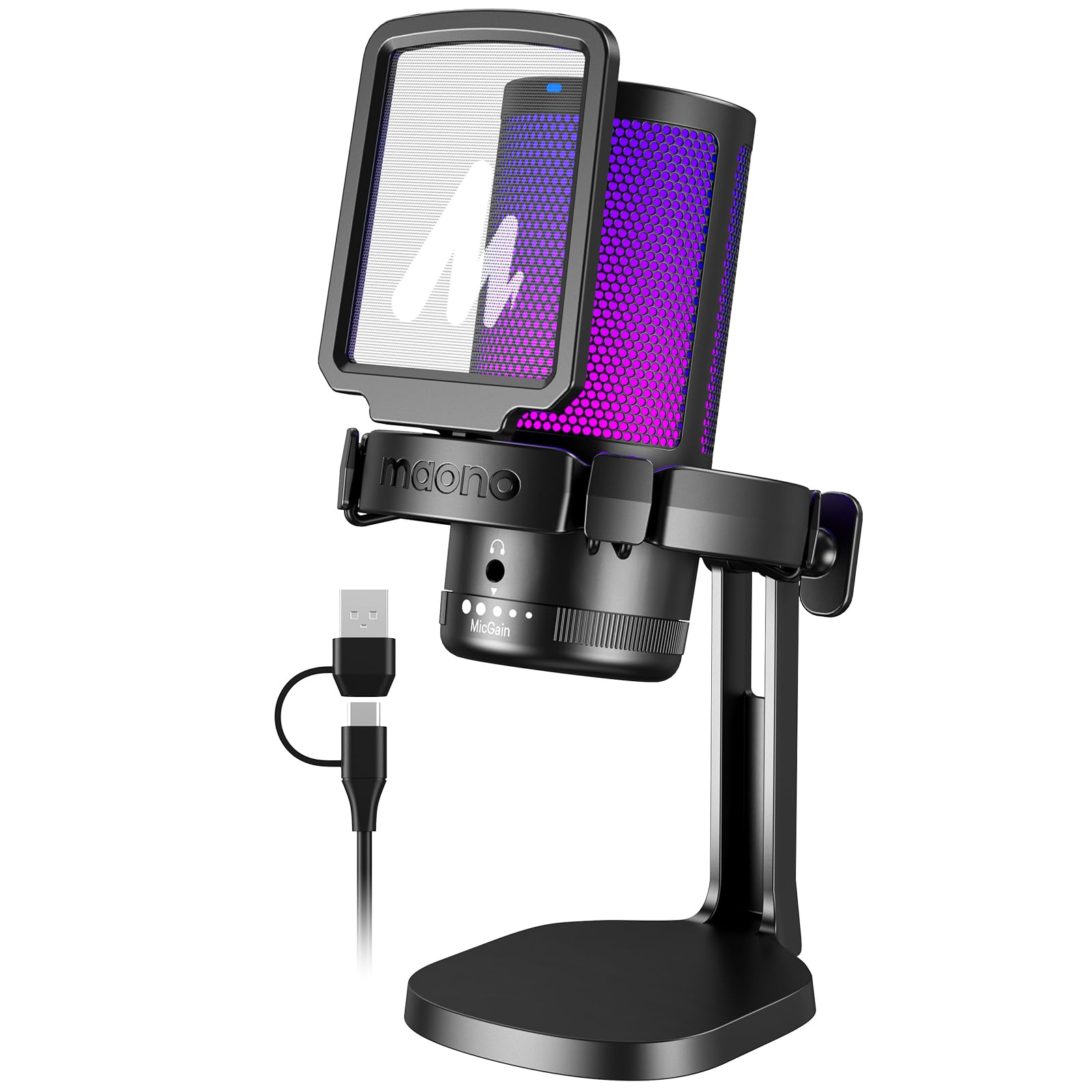
- USB connection with USB and USB-C cable
- One-key noise cancellation and mute controls
- Gain knob and zero-latency headphone monitoring
Best For: PC callers who want a dedicated noise-cancellation control and headphone monitoring.
FIFINE AmpliGame A6V USB Mic
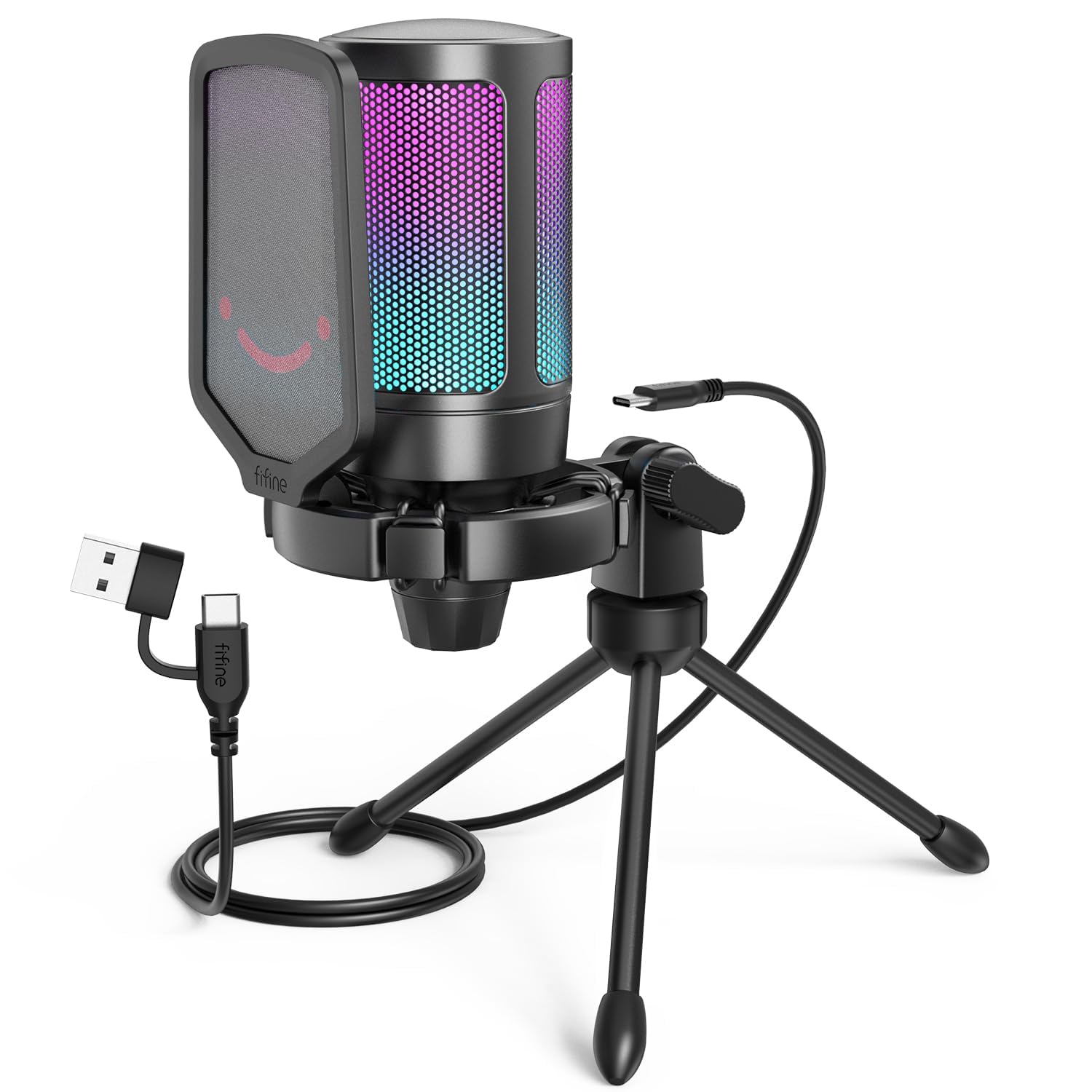
- USB plug-and-play connection with 6.6-foot cable
- Quick mute, gain knob, and mute-status lighting
- Includes tripod stand, shock mount, and pop filter
Best For: A computer user who wants USB convenience, a tripod, and easy mute and gain access.
FIFINE AmpliGame A8 USB Mic
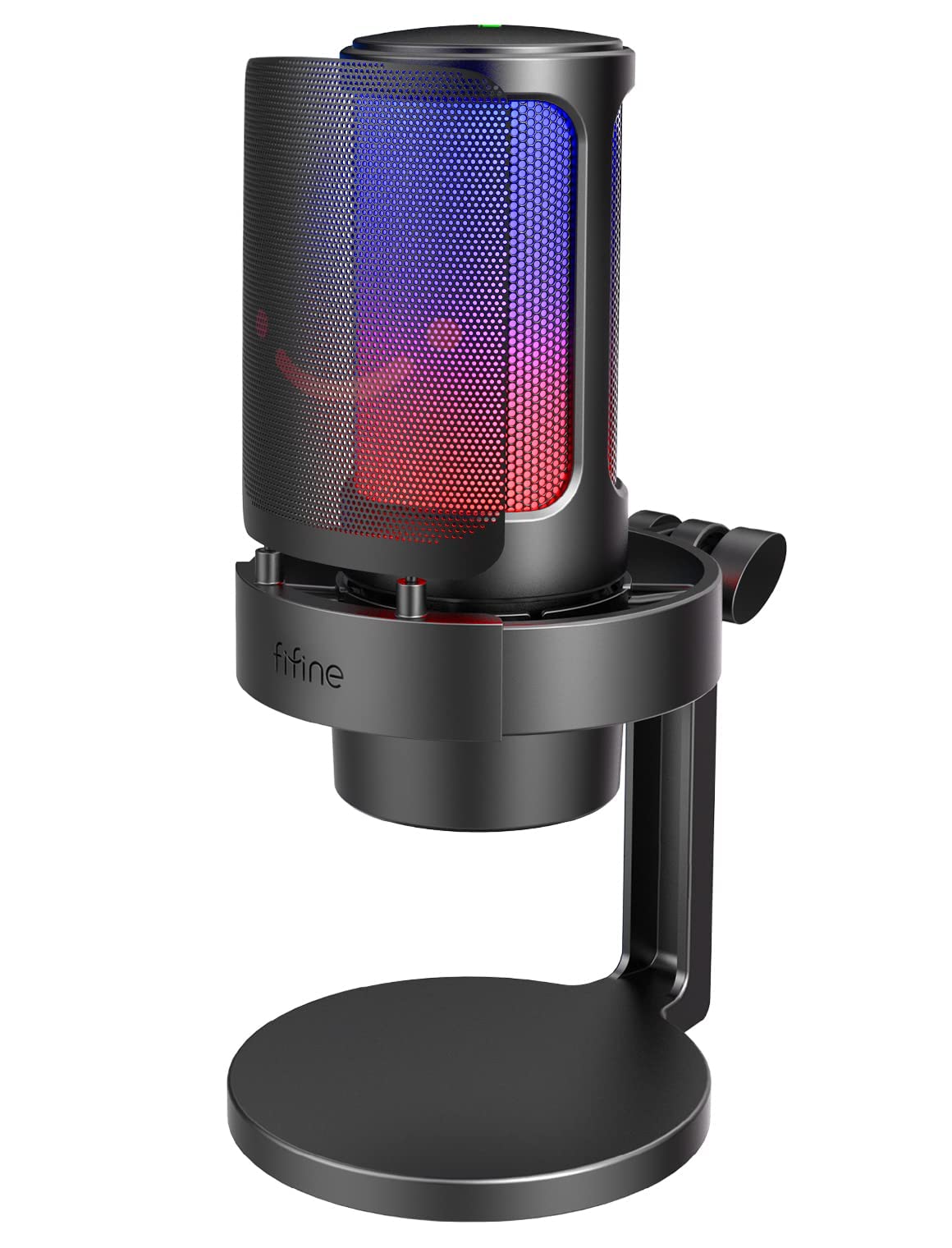
- USB mic with gain knob and one-tap mute
- 3.5 mm headphone jack for monitoring
- Includes pop filter and shock mount
Best For: Callers who want a desktop USB mic with adjustable lighting and audio monitoring.
FIFINE T669 USB Condenser Mic Kit
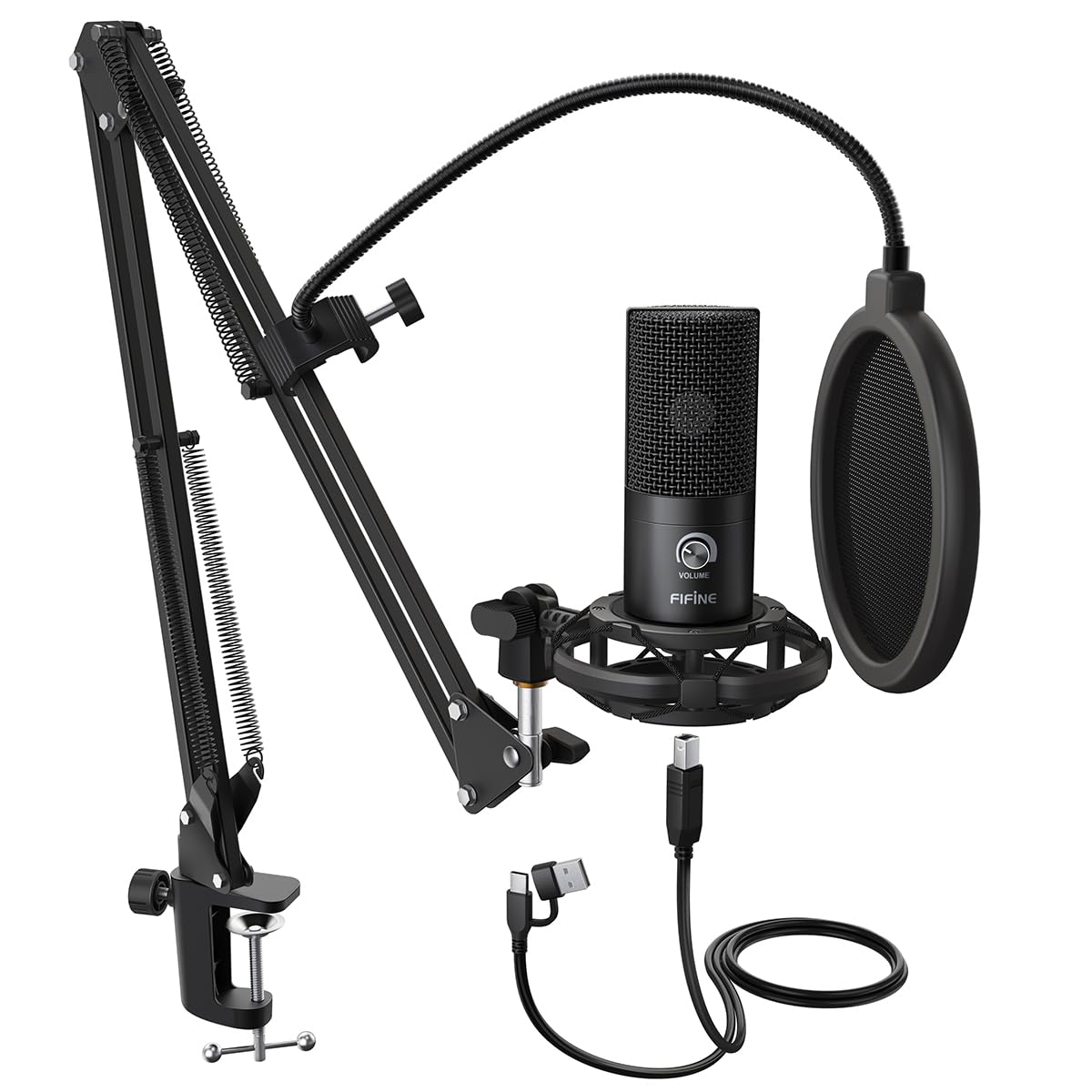
- USB connection for PC and laptop
- Includes 30-inch-reach adjustable scissor arm
- Shock mount and double pop filter included
Best For: Callers who want an adjustable arm and pop-filter accessories in one kit.
Samson Q2U USB/XLR Microphone
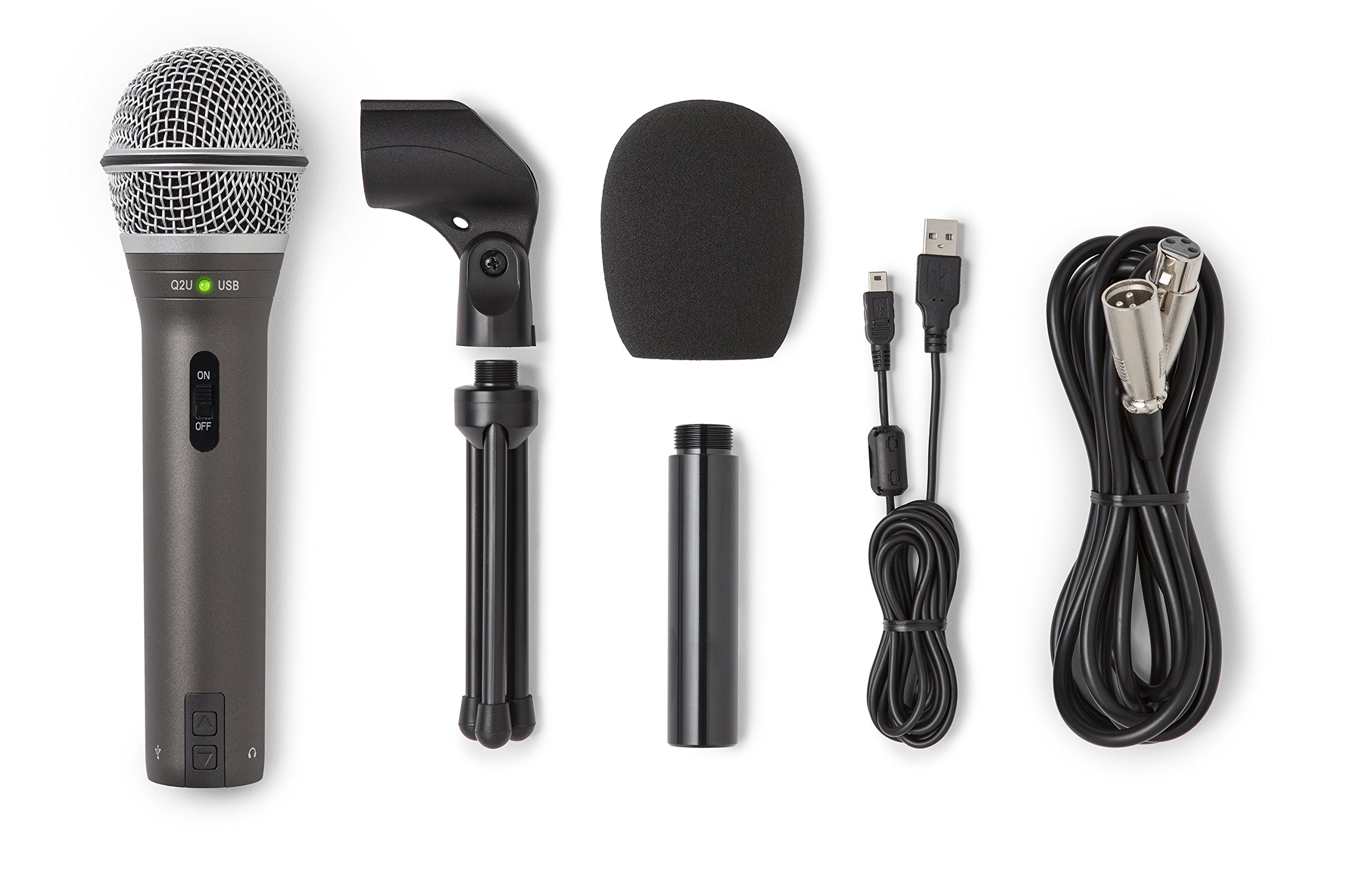
- Dynamic microphone with USB-C and XLR connections
- Includes desktop tripod, extension, mic clip, and windscreen
- USB-C and XLR cables included
Best For: Callers who want a USB microphone now and the option to use XLR equipment later.
FIFINE AmpliGame AM8 White
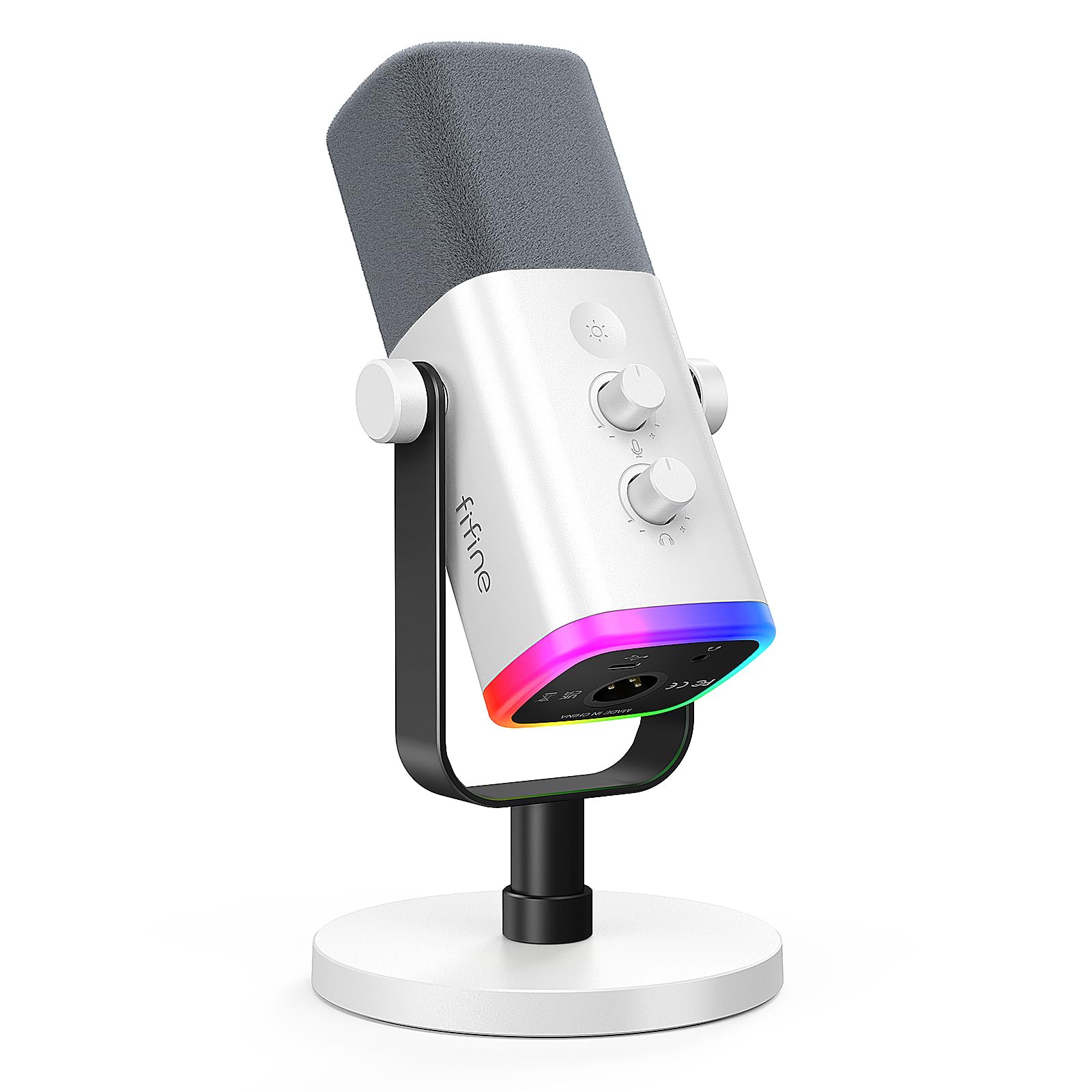
- Dynamic mic with USB and XLR connectivity
- Tap-to-mute, gain, and headphone volume controls
- USB mode enables RGB lighting
Best For: Callers who want a dynamic mic, physical controls, and room to switch to XLR.
SteelSeries Alias USB Microphone
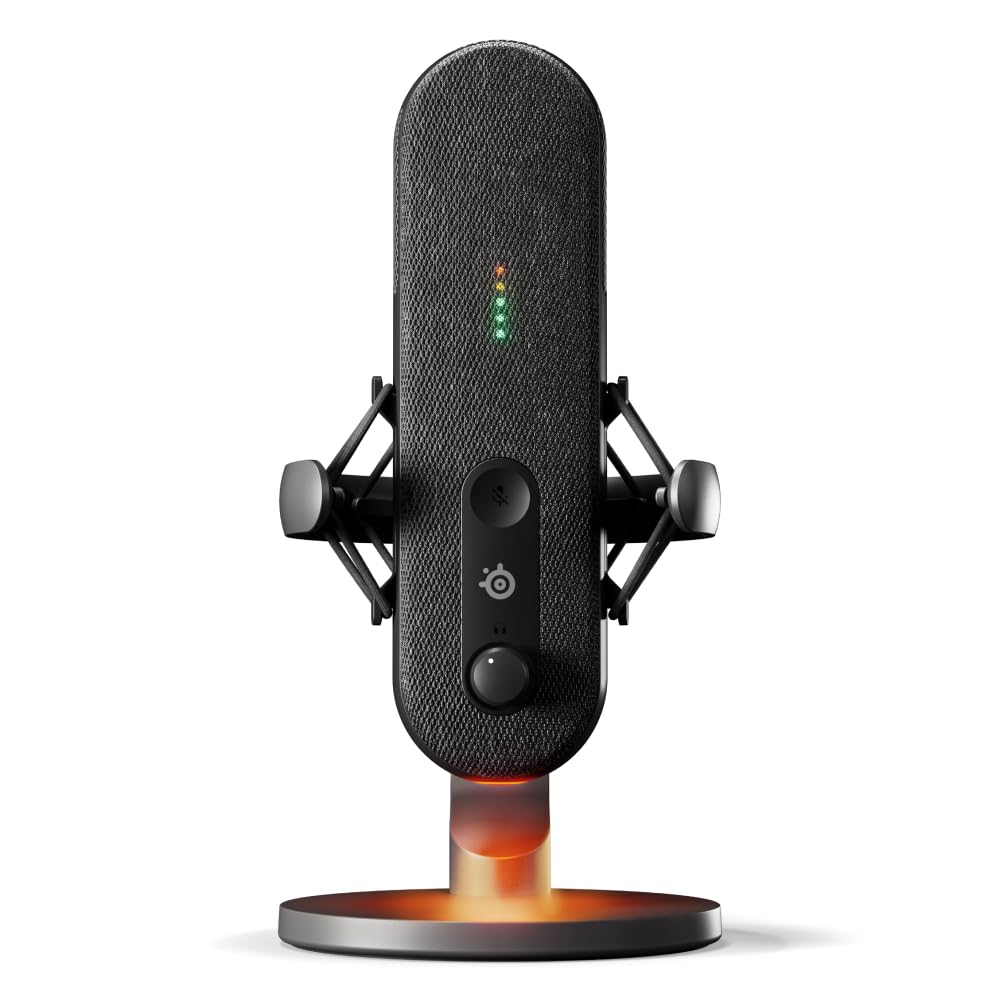
- USB microphone with cardioid pickup and integrated shock mount
- Sonar software includes mixing, routing, and AI noise cancellation
- On-mic lighting shows level and mute status
Best For: PC users who want USB setup, visible mute and level status, and software audio controls.
Simple USB Desktop Setup
FIFINE USB Microphone, Metal Condenser Recording Microphone for MAC OS, Windows, Cardioid Laptop Mic for Recording Vocals, Voice Overs, Streaming, Meeting and YouTube Videos-K669B
The FIFINE K669B connects directly to a computer through USB and includes a stable tripod stand, making it a simple choice for regular video calls. Its cardioid condenser capsule focuses on sound from the front, and the built-in volume knob lets you adjust mic level without reaching for software controls.
The metal body and compact stand suit a permanent desk setup. It also works with common meeting and chat applications.
Check your computer's available USB connection before buying, since this model is not compatible with phones or Xbox.
Best For: A straightforward desk microphone for calls, voiceovers, and streaming.
| Pros | Cons |
|---|---|
|
|
Choose the K669B if you want a no-frills USB microphone for calls and occasional recording. Its volume knob and tripod keep setup simple, while the cardioid pattern is intended to emphasize sound from the front.
If desk space or microphone placement is a concern, compare it with the boom-arm kits below. Confirm your computer has a compatible USB port.
Foldable, Travel-Friendly Desktop Mic
Samson Meteor Mic USB Condenser Podcasting Podcast Recording Desktop Microphone
The Samson Meteor Mic combines a desktop USB condenser microphone with fold-back legs, so it can be positioned on a desk and packed away more easily than a larger arm setup. Its cardioid pickup pattern focuses on sound in front of the mic, and the headphone output supports zero-latency monitoring with a separate level control.
A 25 mm diaphragm and 20 Hz–20 kHz frequency response are specified, with 16-bit, 44.1/48 kHz resolution. Consider whether its compact, self-contained design suits your desk; it does not include an adjustable boom arm.
Best For: People who want a compact USB microphone that folds away between calls.
| Pros | Cons |
|---|---|
|
|
The Meteor Mic suits a caller who wants a compact desktop device with headphone monitoring and the option to fold it away. Its self-supporting legs keep the setup uncomplicated, while its 25 mm diaphragm and stated frequency response also fit voice recording.
Pick a boom-arm model instead if you need to move the mic closer to your mouth or clear space in front of your monitor.
Close-Talk Dynamic USB Mic
FIFINE USB Gaming Microphone, RGB Dynamic Mic with Tap-to-Mute & Headphone Jack, Plug & Play Cardioid Mic for PC PS4/5, Streaming Podcast Twitch YouTube Discord - for Gamers and Youtubers - K658
The FIFINE K658 is a USB dynamic microphone with a cardioid pattern, a top-mounted tap-to-mute control, and a gain knob. Its 3.5 mm headphone jack supports real-time monitoring, while the included shock mount and foam windscreen address desk vibration and plosive sounds.
The recommended recording distance is 2 to 4 inches, so this model works best when you can position it close to your speaking position. It does not include a mic stand, so plan for a compatible support before setting up your call space.
Best For: Callers who prefer a dynamic mic positioned close to their mouth.
| Pros | Cons |
|---|---|
|
|
Choose the K658 if you can keep a microphone close and want hands-on mute, gain, and monitoring controls for calls. The dynamic capsule and cardioid pattern are designed to focus on the voice in front, while the shock mount and windscreen come in the box.
Account for the missing stand and check that you have a way to position it within the recommended distance.
Noise Cancellation With Windows Controls
MAONO USB Gaming Microphone for PC, Noise Cancellation Condenser Mic with RGB, Mute, Gain, Computer Desk Mic for Streaming, Podcast, Chat, Twitch, YouTube, Discord, PS5, PS4, GamerWave DGM20 Black
The MAONO GamerWave DGM20 is a USB condenser microphone with a cardioid pattern, a one-click mute button, gain control, and a 3.5 mm headphone monitoring jack. Its one-key noise cancellation can be toggled on the microphone, while adjustable smart noise cancellation software is available for Windows.
The supplied USB and USB-C cable supports computers, laptops, Macs, and PS4 or PS5 devices with compatible interfaces. Because the software feature is Windows-only, consider whether you plan to use the mic's physical control or the software adjustment for your calls.
Best For: PC callers who want a dedicated noise-cancellation control and headphone monitoring.
| Pros | Cons |
|---|---|
|
|
The DGM20 fits callers who want a noise-cancellation option they can toggle directly, plus headphone monitoring and a gain knob. It connects by USB and supports several computer and console types through the included cable.
If you rely on the adjustable software noise controls, confirm your system runs Windows; otherwise, the physical controls remain the key reasons to consider it.
Desktop Mic With Detailed Setup Controls
FIFINE Gaming USB Microphone for PC PS5, Condenser Mic with Quick Mute, RGB Indicator, Tripod Stand, Pop Filter, Shock Mount, Gain Control for Streaming Discord Twitch Podcasts Videos- AmpliGame
The FIFINE AmpliGame A6V is a USB condenser microphone with a tripod stand, quick-mute button, gain knob, shock mount, and detachable pop filter. Its cardioid pickup pattern is intended to emphasize sound from the front and reduce ambient pickup.
The mic connects to computers and PS4 or PS5 consoles, and its 6.6-foot detachable USB cable offers some flexibility in placing the computer relative to the desk. Its RGB lighting turns off when muted, providing a visible status cue.
The desktop stand is convenient, though it does not offer the reach of a boom arm.
Best For: A computer user who wants USB convenience, a tripod, and easy mute and gain access.
| Pros | Cons |
|---|---|
|
|
Choose the A6V if you want an all-in-one desktop call mic with a visible mute state and a dedicated gain knob. The included tripod, shock mount, and pop filter reduce the need to source those pieces separately.
A boom-arm kit may suit you better if you need to position the mic around a monitor or move it out of the way between calls.
Flexible RGB and Headphone Monitoring
FIFINE Gaming Microphone, USB PC Mic for Streaming, Podcasts, Recording, Condenser Computer Desktop Mic on Mac, with RGB Control, Mute Touch, Headphone Jack, Pop Filter, Stand-AmpliGame A8
The FIFINE AmpliGame A8 is a USB condenser microphone with a gain knob, one-tap mute, and a 3.5 mm headphone jack for monitoring. It offers three RGB lighting modes and up to nine color options, with a control button on the microphone.
The cardioid pickup pattern is designed to focus on front-facing voice, and the supplied pop filter and shock mount help manage plosives and desktop vibration. It is listed as plug-and-play for PC, Mac, and PS5.
The suggested recording distance is 6 to 12 inches, which leaves more space than close-talk dynamic options.
Best For: Callers who want a desktop USB mic with adjustable lighting and audio monitoring.
| Pros | Cons |
|---|---|
|
|
The A8 is a practical fit if you want a desktop microphone with accessible gain and mute controls plus headphone monitoring. Its suggested 6 to 12 inch recording range may suit a caller who does not want to speak right against the mic.
The included pop filter and shock mount are useful additions; compare with a boom-arm model if you need more control over placement.
Boom Arm With Dual-Layer Pop Filter
FIFINE Studio Condenser USB Microphone Computer PC Microphone Kit with Adjustable Boom Arm Stand Shock Mount for Instruments Voice Overs Recording Podcasting YouTube Vocal Gaming Streaming-T669
The FIFINE T669 is a USB condenser microphone kit with a desk-clamped scissor arm, shock mount, and double pop filter. Its cardioid capsule is designed to capture sound from the front while reducing ambient pickup, and the USB connection works with PCs and laptops without separate drivers.
The arm has a 30-inch reach, with stated vertical and forward-back movement, so you can bring the mic closer during calls and move it aside afterward. Its two-layer pop filter is intended to reduce plosive sounds.
Check your desk and USB setup before choosing this larger arm-based kit.
Best For: Callers who want an adjustable arm and pop-filter accessories in one kit.
| Pros | Cons |
|---|---|
|
|
Choose the T669 if adjustable positioning matters and you want the arm, shock mount, and pop filter included. Its USB connection keeps computer setup simple, and the arm can be moved away when not in use.
The tradeoff is a larger installation footprint than a desktop tripod. Confirm the clamp can attach to your desk and that the arm's reach fits your layout.
USB Simplicity With XLR Upgrade Path
Samson Q2U Dynamic USB-C/XLR Microphone
The Samson Q2U is a handheld dynamic microphone with both USB-C and XLR connections. For video calls, it can connect directly to a computer with a USB-C interface; the XLR connection offers another option for a mixer or audio interface.
The package includes a tripod desktop stand, tripod extension, mic clip, windscreen, USB-C cable, and XLR cable. That makes it a flexible choice for users who may also record or move between call and audio setups.
Check whether your computer has USB-C, and consider how close you can place a handheld mic on the supplied stand.
Best For: Callers who want a USB microphone now and the option to use XLR equipment later.
| Pros | Cons |
|---|---|
|
|
The Q2U suits someone who wants a call-ready microphone with a possible path to mixer or interface use. Its included cables and desktop tripod make the basic kit comprehensive.
Check USB-C availability on your computer and think about placement: a handheld mic on a desktop stand may need to be positioned deliberately for clear voice pickup.
Dynamic USB/XLR Mic With Desktop Controls
FIFINE XLR/USB Gaming Microphone for Streaming Podcasting, PC Computer RGB Mic, with Gain Knob, Mute Button, Monitoring Jack, Gamer Mic for Recording Video Creation-AmpliGame AM8 White
The FIFINE AmpliGame AM8 is a dynamic microphone with USB and XLR connections, a gain knob, tap-to-mute control, and a headphone jack with volume control. The cardioid pattern is designed to focus on sound from the front, and the recommended recording range is 2 to 6 inches.
RGB lighting is available when connected through USB. The USB connection supports a direct computer setup, while XLR can connect to a mixer or sound card.
This white desktop mic can work for video calls and streaming, but plan for close placement and check whether a stand or arm is included with your chosen configuration.
Best For: Callers who want a dynamic mic, physical controls, and room to switch to XLR.
| Pros | Cons |
|---|---|
|
|
Consider the AM8 if you want a dynamic mic with direct USB operation and an XLR option for later, plus onboard mute, gain, and headphone controls. Its close recommended placement favors a setup where the mic can stay near your speaking position.
Confirm the included support and accessories in the configuration you intend to buy, then compare it with the supplied arm kits if you need adjustable positioning.
USB Calls With Software Noise Tools
SteelSeries Alias USB Mic for PC — 3x Bigger Capsule for Gaming, Streaming and Podcasting — Sonar for Streamers Audio Software — AI Noise Cancelling — LED Mute & Level Monitoring — Shock Mount
The SteelSeries Alias is a USB microphone aimed at gaming, broadcasting, and podcasting, with a cardioid pattern and an integrated shock mount. Its Sonar software provides mixing, app routing, and AI noise cancellation.
Green-to-red lighting on the mic shows audio level and mute status, while customizable RGB lighting shines below the microphone. The included desktop stand offers a straightforward position on a desk, and a boom arm is an option if you want a different placement.
This model focuses on computer software controls, so check that its software-based workflow fits your video-call setup.
Best For: PC users who want USB setup, visible mute and level status, and software audio controls.
| Pros | Cons |
|---|---|
|
|
Choose the Alias if your calls are part of a PC audio setup where software mixing, app routing, and AI noise cancellation are useful. The on-mic level and mute indicators make status easy to see, and the desktop stand enables a simple starting position.
If you need a simpler call-only setup, a direct USB mic with fewer software controls may be easier to manage.
How to Choose Microphones For Video Calls
How We Picked Microphones for Video Calls
We prioritized microphones with a practical route to a computer, useful placement options, and controls that matter during a call. Direct USB models such as the FIFINE K669B and MAONO DGM20 are easy to connect, while the T669 and A6V provide stands or arms for positioning the mic near the speaker.
The Samson Q2U and FIFINE AM8 add XLR connectivity for users who may build a more involved audio setup.
We also considered how each mic handles everyday call adjustments. Physical mute and gain controls can be useful when switching between speaking and listening.
Headphone monitoring is available on options such as the A8, K658, and AM8. Features aimed at gaming or streaming, such as RGB lighting, are included where they accompany practical controls or placement features.
Comparing Microphones for Video Calls
The simplest distinction is connection and setup. USB desktop microphones like the K669B, Meteor Mic, and A8 work as self-contained desk options.
The T669 adds a clamp-on arm and pop-filter accessories, while the Samson Q2U and AM8 can also connect through XLR for use with other audio equipment.
Microphone placement also differs. The K658 and AM8 have close recommended recording distances, so they need to stay near the speaker.
The A8 suggests a 6 to 12 inch range, and the Meteor Mic folds for storage. A desktop tripod keeps the setup compact; a boom arm brings the mic closer and can be moved away after a call.
The coordinator inserts the comparison table here.
| Product | Standout features | Best for |
|---|---|---|
| FIFINE K669B USB MicrophoneCheck Price |
| A straightforward desk microphone for calls, voiceovers, and streaming. |
| Samson Meteor MicCheck Price |
| People who want a compact USB microphone that folds away between calls. |
| FIFINE K658 USB Dynamic MicrophoneCheck Price |
| Callers who prefer a dynamic mic positioned close to their mouth. |
| MAONO GamerWave DGM20 USB MicCheck Price |
| PC callers who want a dedicated noise-cancellation control and headphone monitoring. |
| FIFINE AmpliGame A6V USB MicCheck Price |
| A computer user who wants USB convenience, a tripod, and easy mute and gain access. |
| FIFINE AmpliGame A8 USB MicCheck Price |
| Callers who want a desktop USB mic with adjustable lighting and audio monitoring. |
| FIFINE T669 USB Condenser Mic KitCheck Price |
| Callers who want an adjustable arm and pop-filter accessories in one kit. |
| Samson Q2U USB/XLR MicrophoneCheck Price |
| Callers who want a USB microphone now and the option to use XLR equipment later. |
| FIFINE AmpliGame AM8 WhiteCheck Price |
| Callers who want a dynamic mic, physical controls, and room to switch to XLR. |
| SteelSeries Alias USB MicrophoneCheck Price |
| PC users who want USB setup, visible mute and level status, and software audio controls. |
Choosing a USB Microphone for Meetings
For a simple laptop or desktop call setup, start with connection type and where the microphone will sit. The K669B and Meteor Mic use compact desktop formats.
The DGM20 adds a noise-cancellation control and headphone monitoring, while the A6V provides a mute button and gain knob with a visible mute cue through its RGB lighting.
If you often move the mic between calls and other voice work, consider the included accessories. The T669 packages an adjustable arm, shock mount, and double pop filter.
The Q2U comes with a tripod, windscreen, and both USB-C and XLR cables. Check port compatibility before buying, especially when choosing a model that connects directly through USB-C.
Who Should Buy What for Clear Video Calls?
Choose a compact desktop option if you want a simple setup that can stay on your desk or fold away. The K669B has a volume knob, while the Meteor Mic includes headphone monitoring and fold-back legs.
Pick the T669 if adjustable arm placement and included pop-filter accessories matter more than a small footprint.
Consider a dynamic mic with physical controls if you can keep it close to your speaking position. The K658 and AM8 include mute and gain controls, and the AM8 also supports USB and XLR.
For PC callers interested in software audio routing and noise tools, the SteelSeries Alias adds Sonar controls and visible level and mute status. Match the mic to your computer ports, desk layout, and preferred call workflow.