The best office headsets under $100 balance clear calls, comfortable wear, and convenient connections for the way you work. Choose a boom mic and quick mute for frequent meetings, or prioritize long battery life and on-ear comfort if you also listen between calls.
Quick Top Products
JLab JBuds Work Wireless Headset
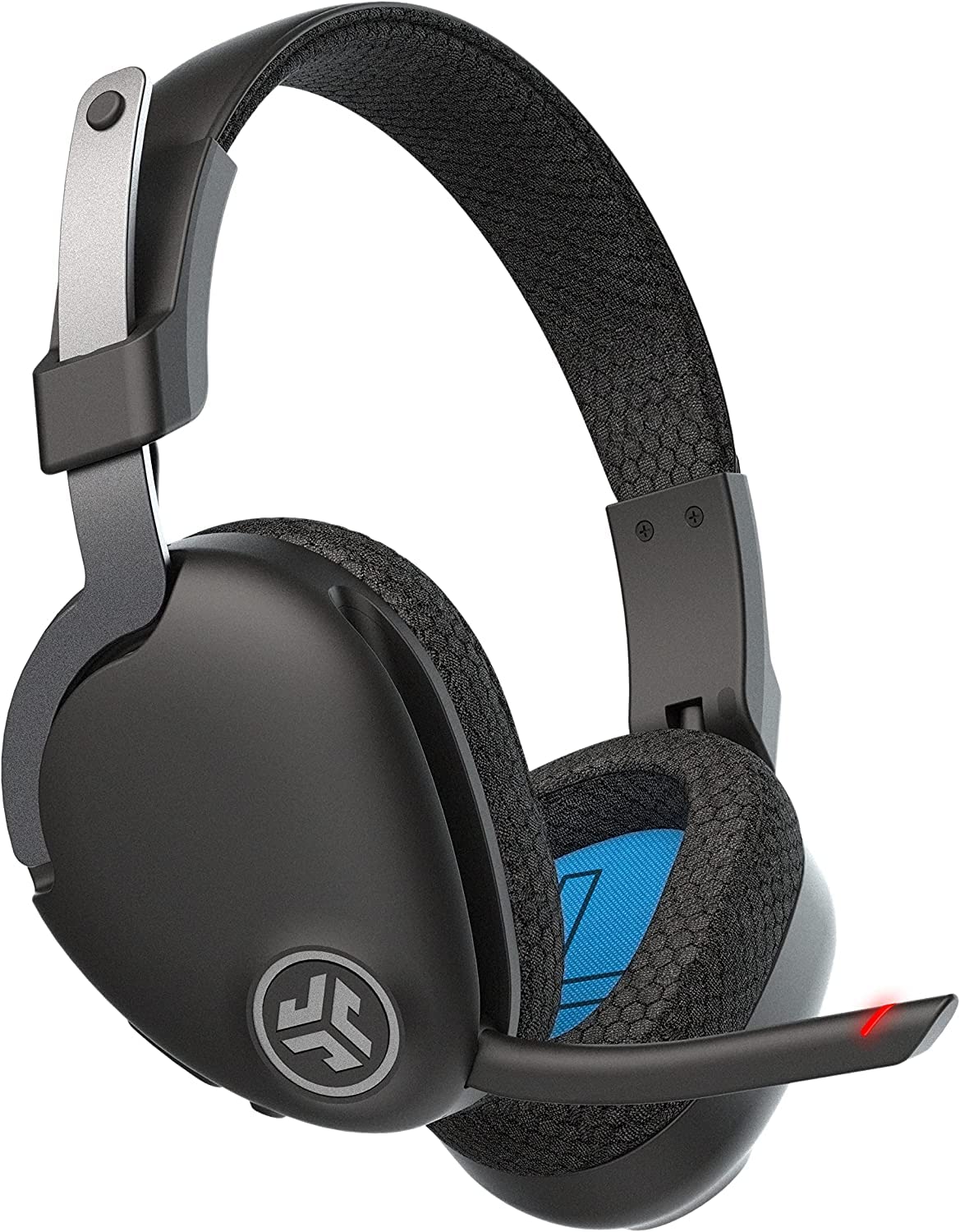
- Over-ear headset with more than 60 hours of playtime.
- Bluetooth multipoint connects two devices simultaneously.
- Rotating boom mic, mute indicator, and wired cable are included.
Best For: People who want long wireless runtime, an over-ear fit, and connections to a work computer and phone.

JLab Go Work Wireless Headset
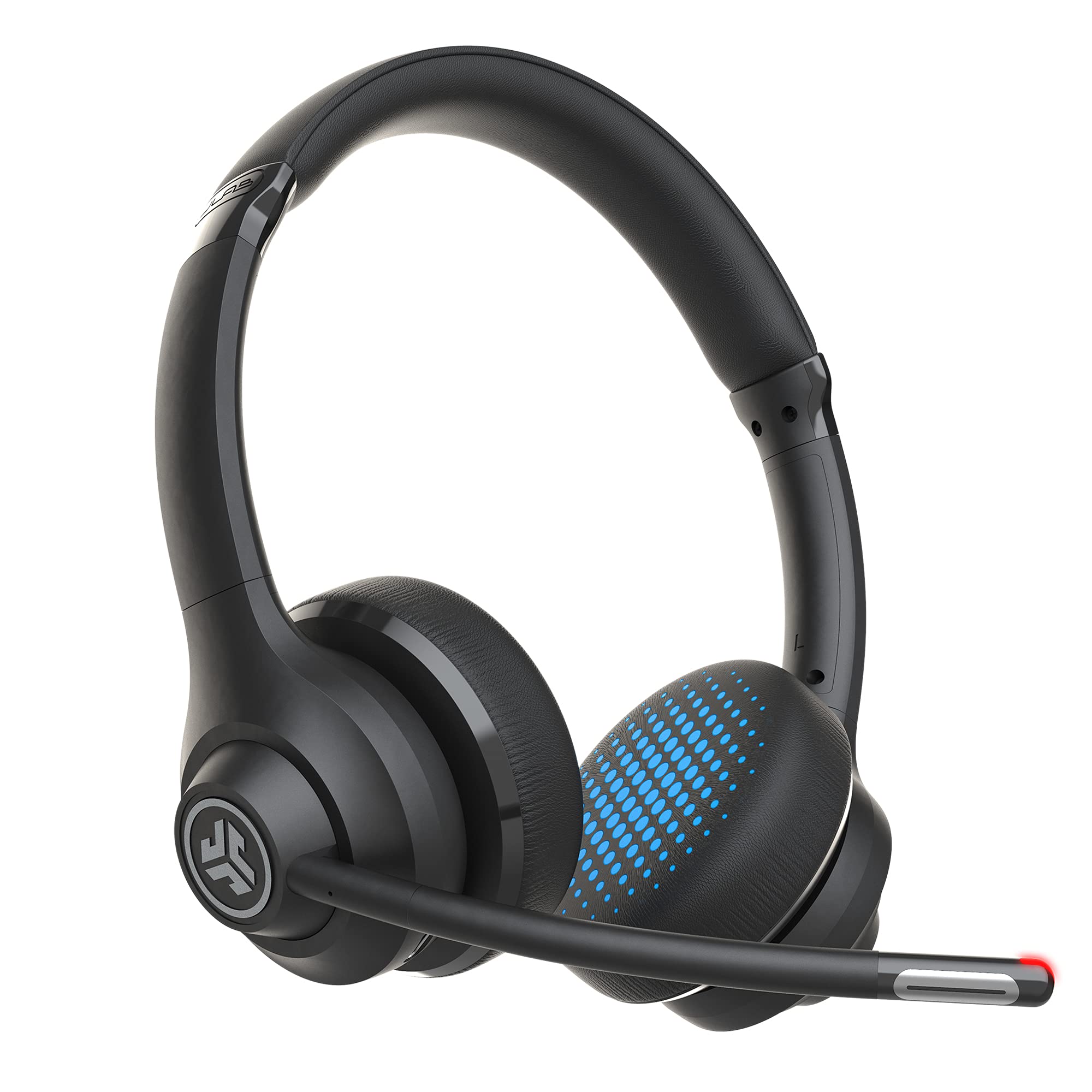
- More than 45 hours of playtime and Bluetooth multipoint for two devices.
- Rotating boom microphone with a red mute indicator.
- Includes a USB-C to 3.5 mm cable and Work and Music EQ modes.
Best For: Desk workers who switch between a computer and phone and want a visible mute indicator.
JLab Go Work Pop
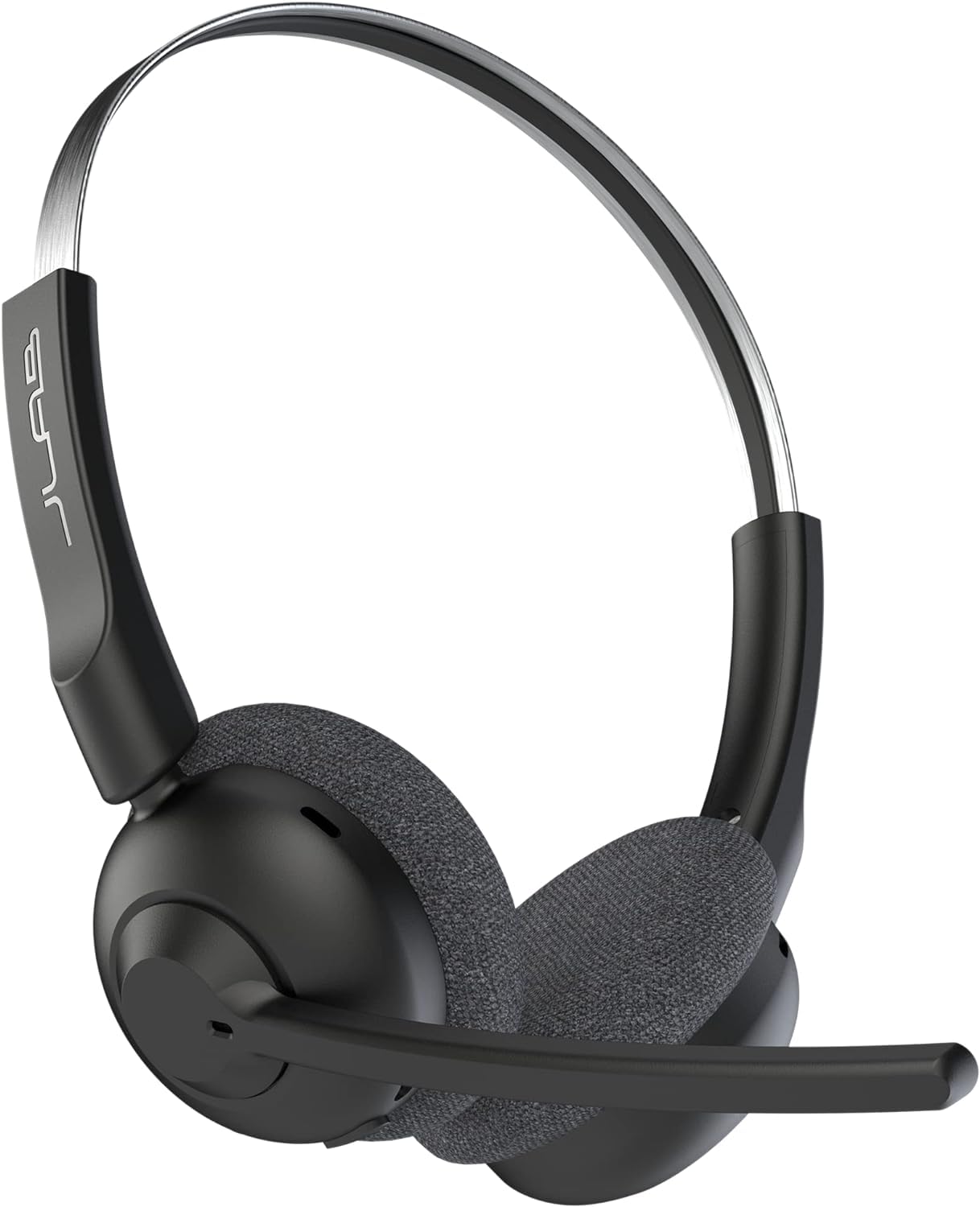
- More than 50 hours of wireless playtime.
- Bluetooth multipoint connects a computer and phone.
- Flip the boom mic down to activate and up to mute.
Best For: People who want an on-ear wireless headset with a boom mic that mutes by flipping up.
JLab Studio Wireless On-Ear Headphones
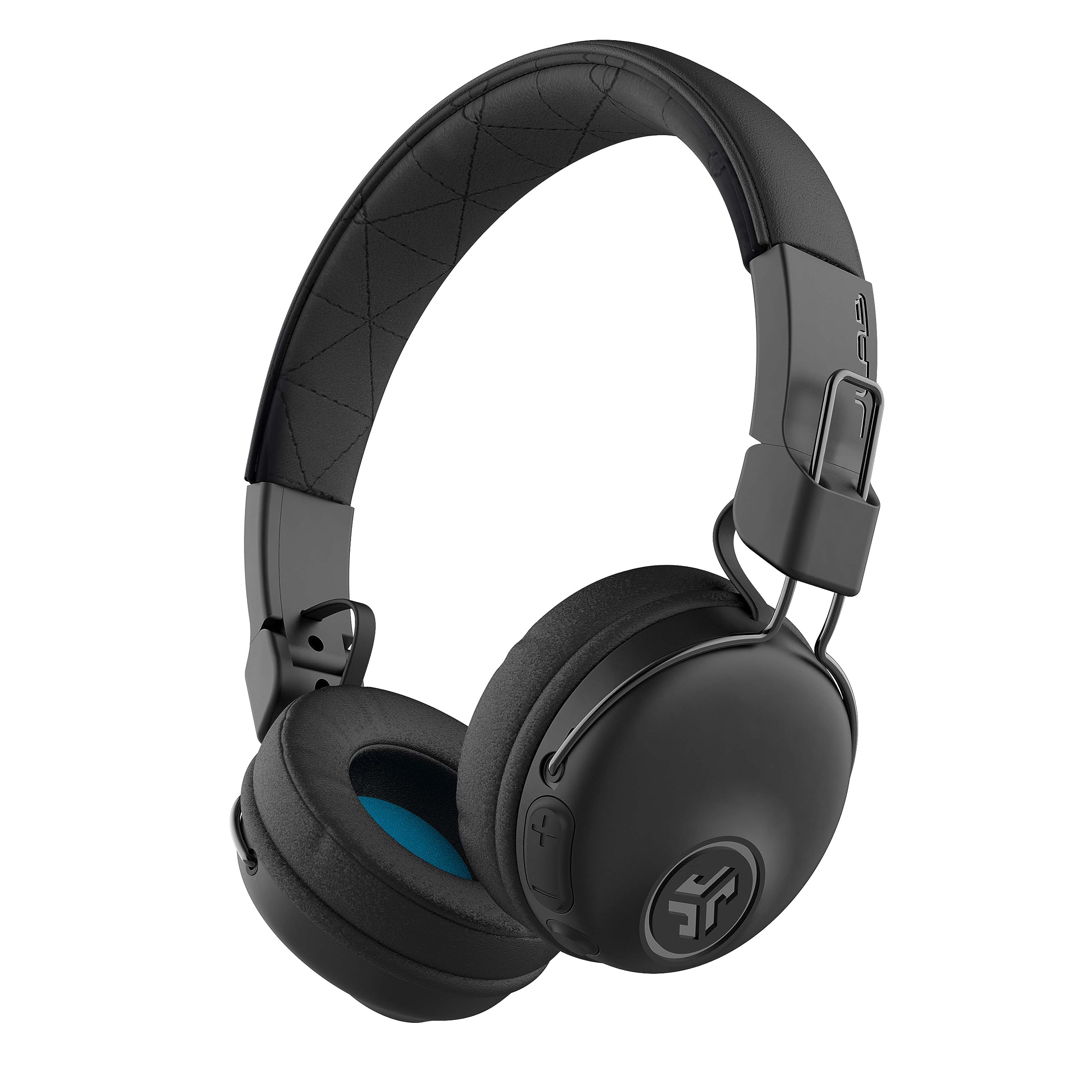
- More than 30 hours of Bluetooth playtime.
- Foldable on-ear design with cushioned headband and earcups.
- Three EQ modes and an integrated call microphone.
Best For: People seeking foldable wireless headphones for everyday listening, with a built-in mic for occasional calls.
JLab Rewind 2 Retro Wireless Headphones
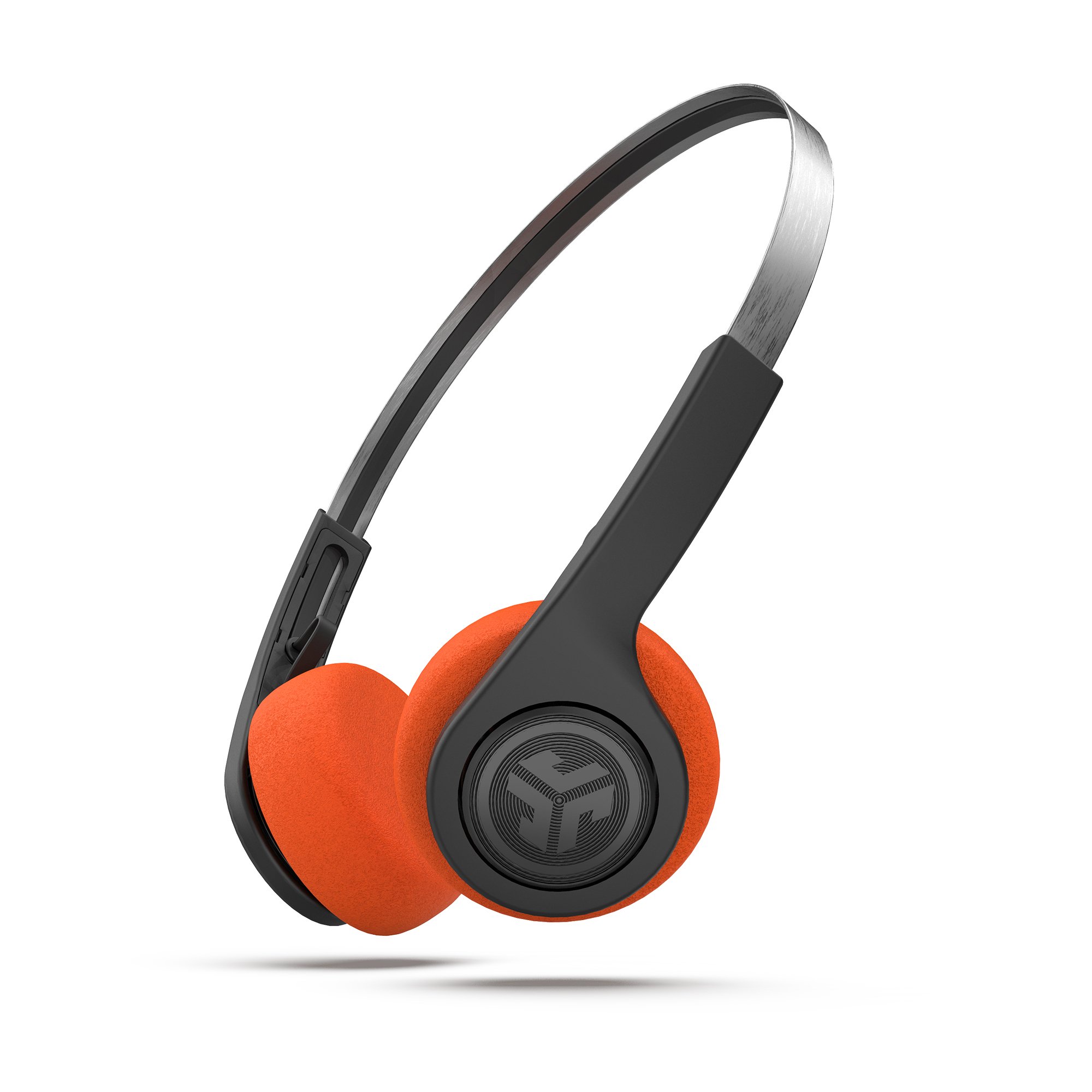
- More than 20 hours of playtime with USB-C charging.
- Bluetooth multipoint connects two devices, with Google Fast Pair for Android.
- Includes two foam pad sets and three EQ modes.
Best For: Listeners who want a lightweight retro-style pair for music and occasional calls alongside office use.
JLab Go Lux ANC On-Ear Headphones
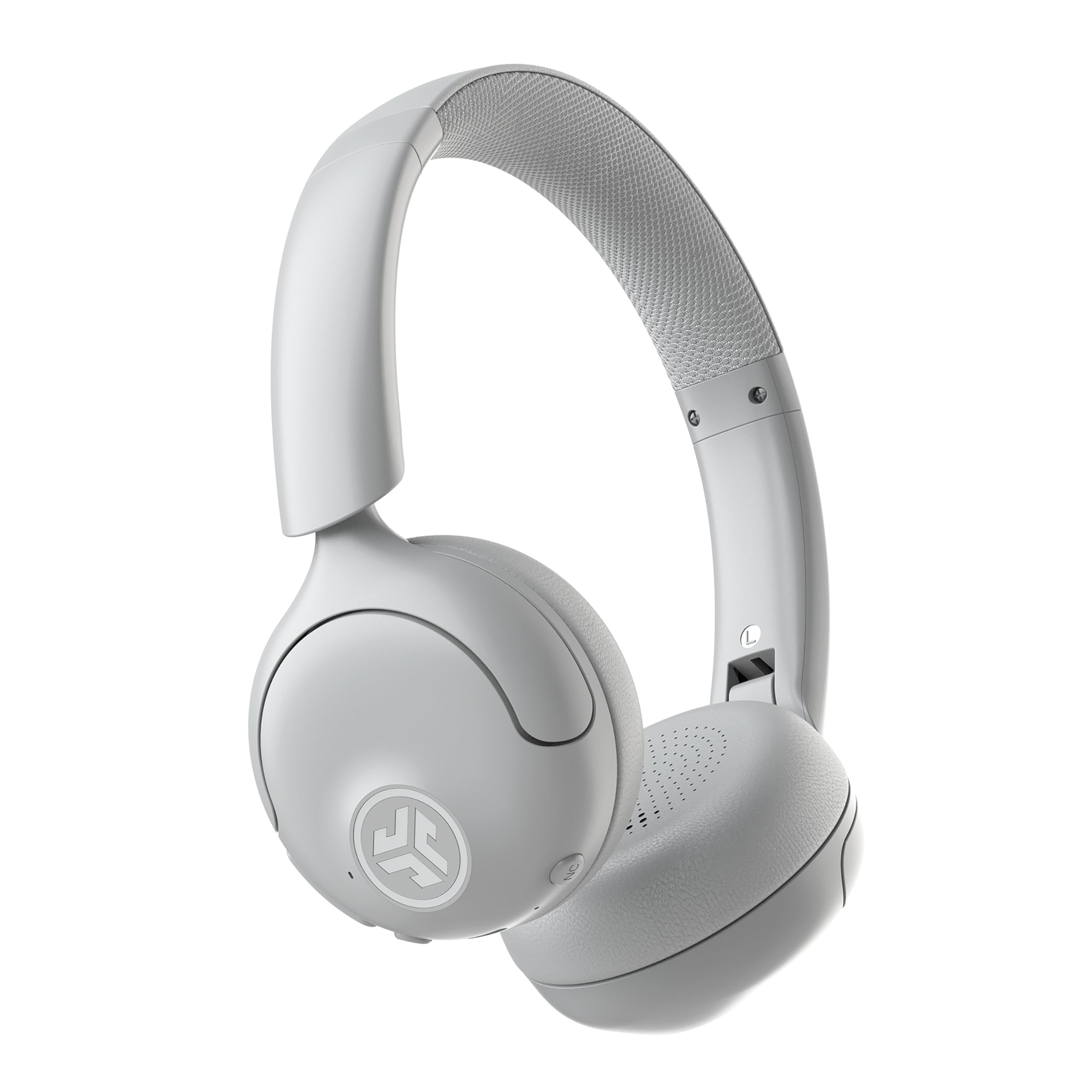
- Hybrid ANC rated to reduce ambient noise by up to 30 dB, with Be Aware mode.
- Up to 50 hours of playtime and Bluetooth multipoint for two devices.
- JLab app offers EQ, ANC, Be Aware, and touch-control adjustments.
Best For: Office listeners who want adjustable noise reduction for music and the option to hear surrounding sounds.
Long-Battery Over-Ear Work Headset
JLab JBuds Work Wireless Headset with Microphone, Over Ear Computer Headsets, Wired or Wireless Headphones with 60+ Playtime, Multipoint Bluetooth Headset for Laptop Teams, Office with Mic (16 Pack)
The JLab JBuds Work pairs an over-ear design with more than 60 hours of playtime, making it a practical option for workdays with frequent calls and listening. Bluetooth multipoint connects two devices at once, and an included USB-C to 3.5 mm cable offers a wired option.
Its boom microphone rotates out of the way, with a red indicator for mute status and Voice and Music EQ modes. The product title specifies a 16-pack, so check the package quantity carefully before buying if you need a single headset.
Best For: People who want long wireless runtime, an over-ear fit, and connections to a work computer and phone.
| Pros | Cons |
|---|---|
|
|
Consider this headset if battery life and an over-ear fit matter more than a compact design. The boom mic, mute indicator, and Voice EQ are useful for call-focused work, while Music EQ and the wired cable add flexibility.
The package quantity is the key buying check: the title identifies this offer as a 16-pack, so confirm that it matches your needs before ordering.
Multipoint Calls With Clear Mute Status
JLab Go Work Wireless Headsets with Microphone, 45+ Playtime PC Bluetooth Headset and Multipoint Connect to Laptop Computer and Mobile, Wired or Wireless Headphones (1 Pack)
The JLab Go Work offers an on-ear option for office calls, with more than 45 hours of playtime and Bluetooth multipoint for two devices. Its dual-microphone C3 Calling setup pairs a voice pickup mic with one intended to reduce surrounding sound.
The boom mic rotates away for listening, and a red LED indicates when mute is on. An included USB-C to 3.5 mm cable supports wired use, while Work and Music EQ modes let you choose a listening profile.
The headset emphasizes call controls and device switching without requiring a bulky over-ear style.
Best For: Desk workers who switch between a computer and phone and want a visible mute indicator.
| Pros | Cons |
|---|---|
|
|
Choose the Go Work if you want a work-oriented headset with a dedicated boom mic and simple mute visibility. It has fewer stated playtime hours than the JBuds Work, but its on-ear format may be a better fit if you prefer a lighter style.
Check that your devices support the connection method you plan to use, especially if you rely on the included USB-C to 3.5 mm cable.
Compact On-Ear Fit With Flip-to-Mute
JLab Go Work Pop, On-Ear Wireless Headset, Bluetooth Multipoint, Noise Canceling Boom Mic, Black
The JLab Go Work Pop is an on-ear headset designed around a rotating boom microphone and straightforward call controls. It offers more than 50 hours of playtime and Bluetooth multipoint, so a computer and phone can stay connected together.
The mic activates when flipped down and mutes when flipped up, a useful physical cue when moving between meetings and focused work. Voice and Music EQ modes are included, and the lightweight design with Cloud Foam earcups is intended for longer sessions.
It is a focused office choice for buyers who prefer a compact headset and simple mic handling.
Best For: People who want an on-ear wireless headset with a boom mic that mutes by flipping up.
| Pros | Cons |
|---|---|
|
|
This headset fits buyers who value a compact on-ear profile and a physical flip-to-mute action. Its stated battery runtime sits between the Go Work and JBuds Work, and multipoint supports common computer-and-phone workflows.
Pick another option if you specifically want included wired listening: the Go Work models list a cable, while the Pop details do not specify one.
Foldable Headphones for Calls and Commutes
JLab, Studio, Wireless On-Ear Headphones, Bluetooth, Foldable, Built-in Mic, Black
The JLab Studio Wireless is a more general-purpose on-ear headphone rather than a dedicated boom-mic office headset. It offers more than 30 hours of Bluetooth playtime, a built-in microphone for calls and voice commands, and three EQ presets: Signature, Balanced, and Bass Boost.
The foldable design helps with storage between desk and commute, while the faux-leather headband and Cloud Foam earcups provide cushioning. For frequent meetings, its built-in mic lacks the dedicated boom and mute features found on the Go Work line.
It suits people who split their use between listening and occasional calls.
Best For: People seeking foldable wireless headphones for everyday listening, with a built-in mic for occasional calls.
| Pros | Cons |
|---|---|
|
|
Choose the Studio Wireless if you need one pair for music, commuting, and occasional calls rather than a headset built around meetings. Its foldable shape and three EQ settings add everyday flexibility.
For a call-heavy role, compare it with the Go Work Pop or Go Work, which have boom microphones and explicit mute controls.
Customizable Retro Headphones With Multipoint
JLab, Rewind 2, Retro Wireless on-Ear Headphones, Bluetooth multipoint, EQ3, Google Fast Pair, Be Aware, Wireless Sharing, Black
The JLab Rewind 2 combines a retro on-ear design with current wireless conveniences. It offers more than 20 hours of playtime, USB-C charging, Bluetooth multipoint for two devices, and EQ presets for Signature, Balanced, or Bass Boost sound.
On-ear controls manage volume, tracks, and calls, while Google Fast Pair supports quick Android pairing. The package includes orange and black foam pad sets, and Wireless Share Mode can stream audio to a second Rewind 2.
It includes a microphone, but the product details do not specify a boom mic or dedicated mute control, so frequent callers may prefer a work-focused model.
Best For: Listeners who want a lightweight retro-style pair for music and occasional calls alongside office use.
| Pros | Cons |
|---|---|
|
|
The Rewind 2 is a fit for buyers who want an expressive everyday listening style that can also handle occasional office calls. Multipoint and app controls make it flexible across devices, but the available details do not describe a dedicated call boom or mute status indicator.
For meeting-heavy work, choose a Go Work model; for mixed listening and calls, the Rewind offers a distinctive alternative.
Active Noise Control for Shared Spaces
JLab, Go Lux ANC, On Ear Headphones, Active Noise Cancelling, Bluetooth MultIPoint, Cloud White
The JLab Go Lux ANC is an on-ear headphone with hybrid active noise cancellation rated to reduce ambient noise by up to 30 dB, plus a Be Aware mode that lets surrounding sound in. Both settings can be adjusted in the JLab app.
It offers up to 50 hours of playtime, Bluetooth multipoint for two devices, customizable EQ, and app controls for touch remapping and hearing limits. Wireless Share Mode can stream audio to a second Go Lux headphone.
The product details do not specify a dedicated boom microphone, so this is better suited to listening between calls than to call-first office work.
Best For: Office listeners who want adjustable noise reduction for music and the option to hear surrounding sounds.
| Pros | Cons |
|---|---|
|
|
Choose the Go Lux ANC if reducing background sound while listening is a priority and you still want to hear your surroundings on demand. Its ANC and multipoint features are more listening-focused than the boom-mic Go Work models.
Check whether your office calls need a dedicated microphone: that feature is not specified here, making this a stronger fit for mixed work and listening than call-first use.
How to Choose Office Headsets Under 100
How We Picked Office Headsets Under $100
We prioritized products suited to desk calls and everyday listening, focusing on microphone controls, device connections, wear style, and battery life. Dedicated boom microphones and mute indicators help people who spend much of the day in meetings.
General on-ear headphones remain relevant for mixed use when music and portability matter as much as calls.
We also considered whether a headset supports multipoint or wired listening, since those details affect how easily it fits a computer-and-phone routine. Children's headphones were excluded because their volume-limited design and intended audience do not match adult office use.
Comparing Office Headsets for Calls and Listening
For frequent calls, the JLab Go Work and JBuds Work include rotating boom microphones, mute indicators, multipoint, and wired cables. The JBuds Work has the highest stated runtime among these work-focused choices, but its title specifies a 16-pack, so confirm the quantity.
The Go Work offers an on-ear fit and more than 45 hours of playtime; the Go Work Pop adds flip-to-mute and more than 50 hours, with no wired cable specified.
The Studio Wireless and Rewind 2 lean more toward everyday listening. Both include microphones and Bluetooth, but neither has a specified boom mic or dedicated mute control.
The Studio folds and lists more than 30 hours of playtime; the Rewind 2 adds multipoint, app customization, and interchangeable foam pads. Go Lux ANC stands apart with adjustable noise reduction and Be Aware mode, though its call microphone setup is not specified.
| Product | Standout features | Best for |
|---|---|---|
| JLab JBuds Work Wireless HeadsetCheck Price |
| People who want long wireless runtime, an over-ear fit, and connections to a work computer and phone. |
| JLab Go Work Wireless HeadsetCheck Price |
| Desk workers who switch between a computer and phone and want a visible mute indicator. |
| JLab Go Work PopCheck Price |
| People who want an on-ear wireless headset with a boom mic that mutes by flipping up. |
| JLab Studio Wireless On-Ear HeadphonesCheck Price |
| People seeking foldable wireless headphones for everyday listening, with a built-in mic for occasional calls. |
| JLab Rewind 2 Retro Wireless HeadphonesCheck Price |
| Listeners who want a lightweight retro-style pair for music and occasional calls alongside office use. |
| JLab Go Lux ANC On-Ear HeadphonesCheck Price |
| Office listeners who want adjustable noise reduction for music and the option to hear surrounding sounds. |
Choosing a Comfortable Office Headset
Fit is personal, so decide whether you prefer on-ear or over-ear cushions before weighing smaller feature differences. The Go Work and Pop use on-ear designs, while the JBuds Work is over-ear.
On-ear models are more compact, but an over-ear fit may be preferable if you want the earcups to surround your ears. The Studio Wireless and Rewind 2 are also on-ear options for mixed desk and travel use.
For long workdays away from a charger, compare the stated runtimes: JBuds Work offers more than 60 hours, Go Work Pop more than 50, and Go Work more than 45. The Studio Wireless lists more than 30 hours, while Rewind 2 lists more than 20.
Go Lux ANC offers up to 50 hours; as with any stated maximum, actual runtime can depend on how features such as ANC are used.
Which Office Headset Fits Your Workday?
For frequent video meetings, start with the Go Work or JBuds Work if you want a boom mic, explicit mute status, and wired fallback. The Pop is a simpler on-ear alternative with flip-to-mute and multipoint.
Check the JBuds Work package quantity before selecting it, since this offer is titled as a 16-pack.
For a blend of music, commuting, and occasional calls, consider the foldable Studio Wireless or retro Rewind 2. If controlling ambient noise while listening matters more than a dedicated call boom, the Go Lux ANC offers adjustable ANC and a mode that lets surrounding sound through.
Match the headset to your meeting frequency, preferred fit, and connection needs.